Koszyk
Moduł Two-Factor Authentication (2FA) for Back Office Login dla PrestaShop
Wersja: 1.0.0 (2026-07-24) |
Zgodność:
PrestaShop 1.6.0.4 - 9.2.0
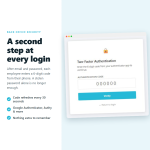
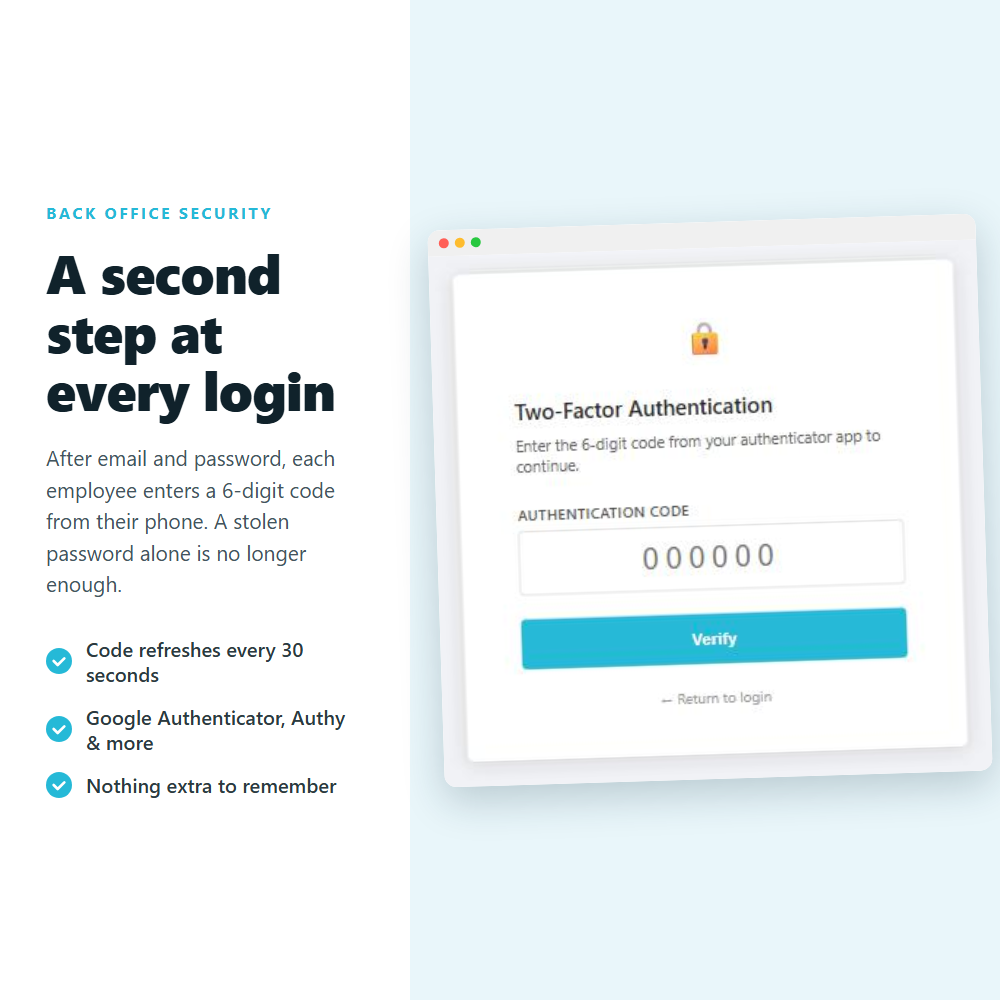
⚡ Protect your back office with two-factor authentication (2FA). Each employee signs in with a one-time code from Google Authenticator, Authy or any TOTP app, so a stolen password alone is no longer enough. Force it across your whole team.
⚡ TWO-FACTOR AUTHENTICATION (2FA) FOR YOUR PRESTASHOP BACK OFFICE ⚡
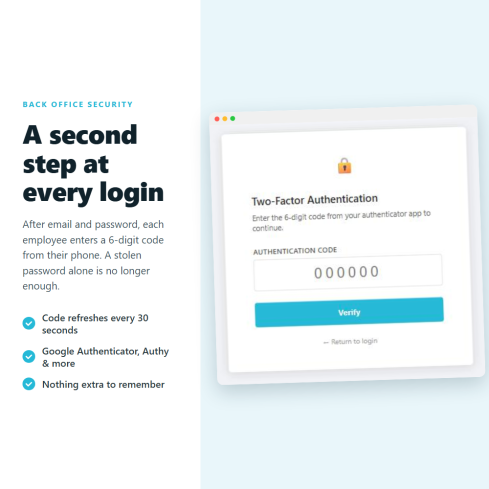
One stolen admin password is all it takes to reach your orders, your customers and your settings. This module adds a second key that lives on your employee's phone — a 6-digit code that changes every 30 seconds — so a leaked or reused password alone can no longer open your back office.
➖
❓ Why choose our module?
Most 2FA setups protect a single account. This one secures your entire team — and the difference is in the details:
- Per-employee keys, not one shared secret — every staff account is protected individually, so your weakest password is no longer your biggest risk.
- Force 2FA across the whole team in one click — employees without a key are guided through setup automatically before they can access the back office. No manual chasing.
- Emergency access built in — a shared backup code and a single database value mean you are never permanently locked out of your own store.
- Brute-force and replay protection — accounts lock after 10 wrong codes and each code works only once, so guessed or intercepted codes are useless.
- No external service, no subscription, no API key — codes are generated on the employee's phone and checked on your own server. Nothing about your store leaves your server.
We are 100% dedicated to PrestaShop module development, and we cover every major PrestaShop version. And if something doesn't work on your store? We fix it — or we refund you.
➖
❓ What makes this module essential for your store?
- Stop a stolen password from becoming a stolen store
A back-office password can be phished, guessed, or reused from another site that was breached. On its own, that password should never be enough. With 2FA active, an attacker also needs the code on your employee's phone — which they don't have. Your orders, customer data and settings stay protected even if a password leaks.
BASIC! ✅
- Protect every employee, not just the owner
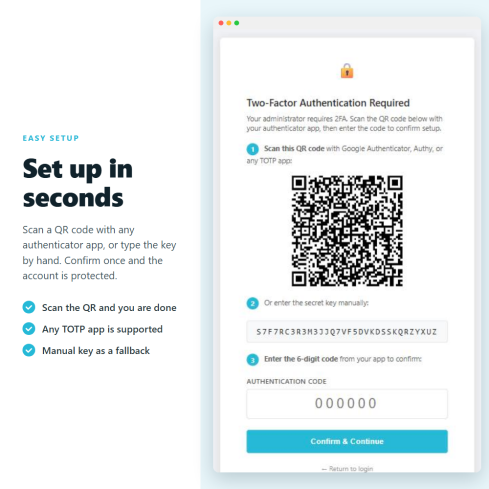
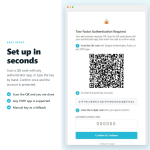
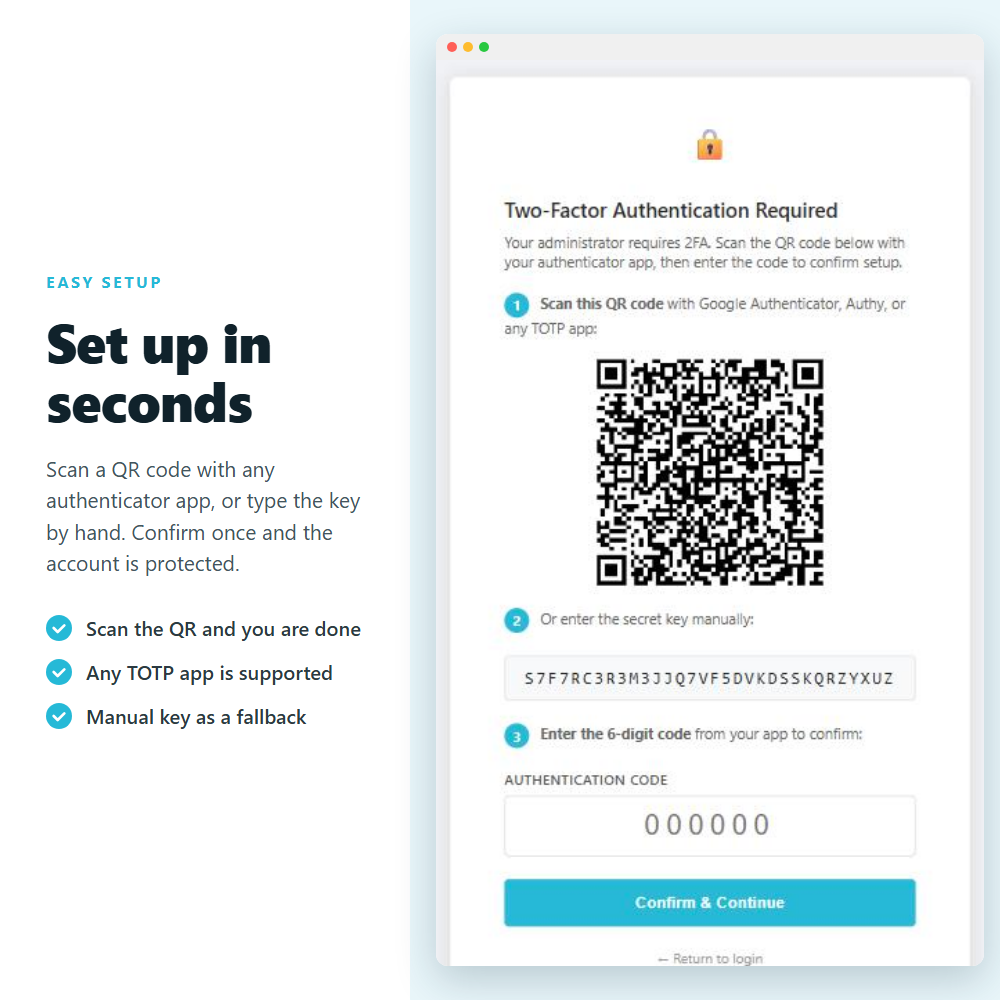
Each staff member gets their own secret key, set up in seconds by scanning a QR code with any authenticator app. Security no longer depends on one strong password — every account is covered individually, including the ones you worry about most.
ESSENTIAL! ✌️
- Enforce 2FA across your whole team — automatically
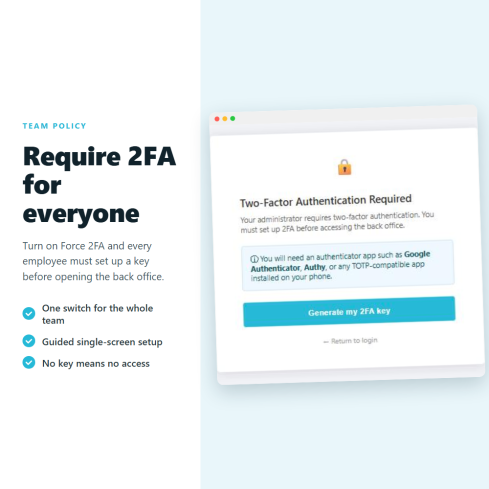
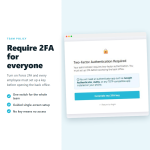
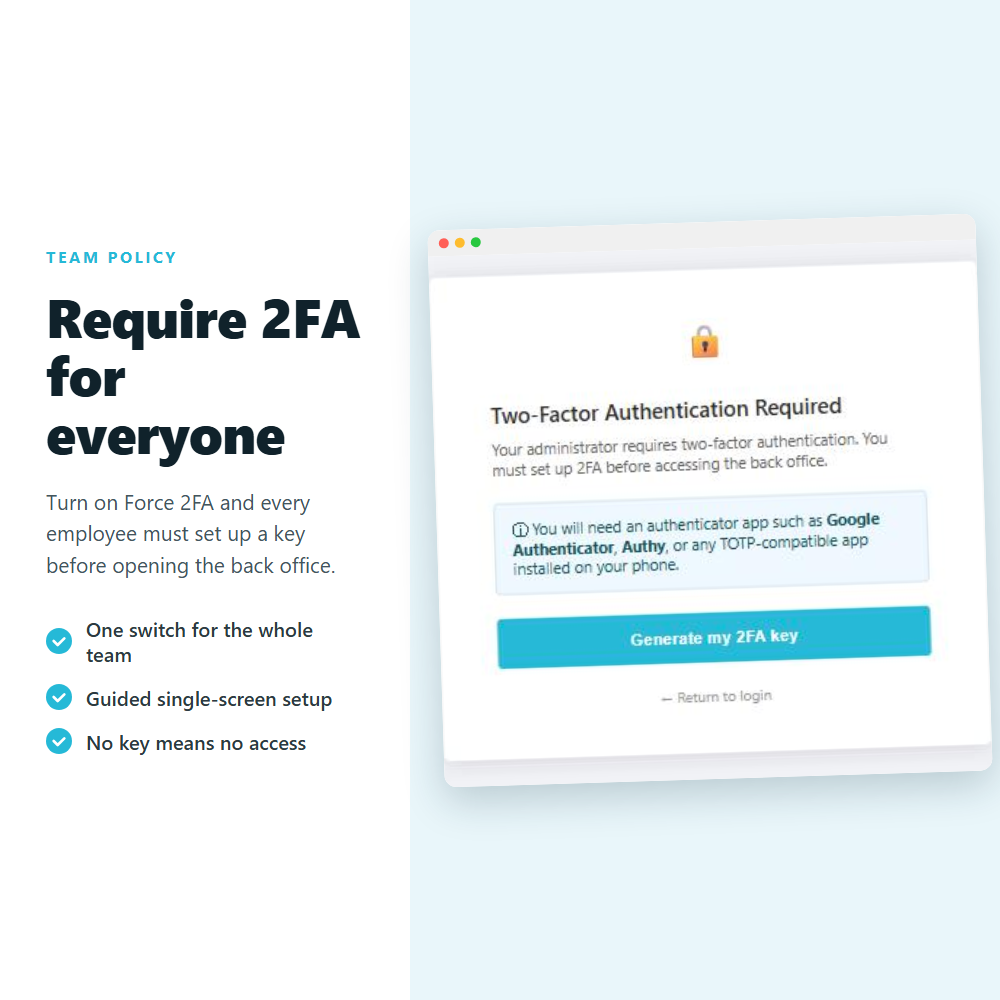
Turn on Force 2FA and every employee must set up a key before they can open the back office. Staff without a key are walked through a single-screen enrollment the next time they log in, so you roll security out to your entire team with no training and no follow-up.
TOP feature! ⚡
- Never get locked out of your own store
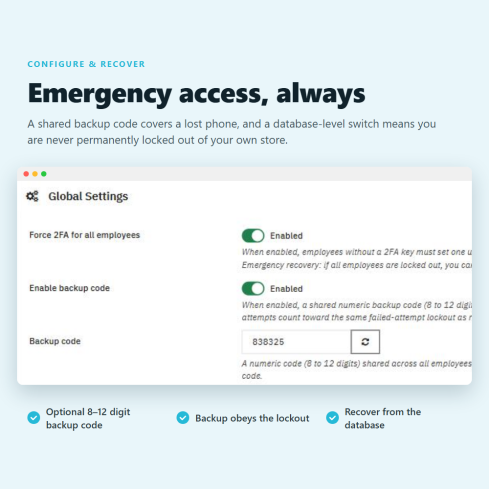
Security should never cost you access. An optional shared backup code lets an employee sign in if they lose their phone, and a single configuration value can lift the requirement in an emergency. You are always in control — even in the worst case.
POWERFUL! ✨
- Built-in defense against brute-force attacks
Accounts lock automatically after 10 consecutive wrong codes, and each code can be used only once within its 30-second window. Guessing and code-replay simply don't work — and administrators can revoke a key or reset a lockout from one screen at any time.
TOP feature! ⚡
➖
♻️ Constant updates: Always compatible with the latest PrestaShop version!
✅ Money-back guarantee: Works on your store or we refund you — zero risk.
⚜️ Certified PrestaShop Partner: Developed by one of the top certified partner agencies on the marketplace.
☎️ Fast support: Any issue resolved directly on your store — no back-and-forth.
❓ What are the main features of the module?
- ⭐ Personal TOTP key per employee
Every employee sets up their own secret by scanning a QR code with Google Authenticator, Authy, Microsoft Authenticator or any RFC-6238 app — or by typing the key manually. The 6-digit code refreshes every 30 seconds and is verified on your own server; the secret is never sent to any third party.
- ✨ Force 2FA for the whole team — with guided onboarding
One switch requires every employee to set up a key before they can open the back office. Staff without a key get an automatic, single-screen enrollment:
➡ Scan the QR code with their authenticator app
➡ Or enter the secret key manually
➡ Confirm with a 6-digit code and they are protected
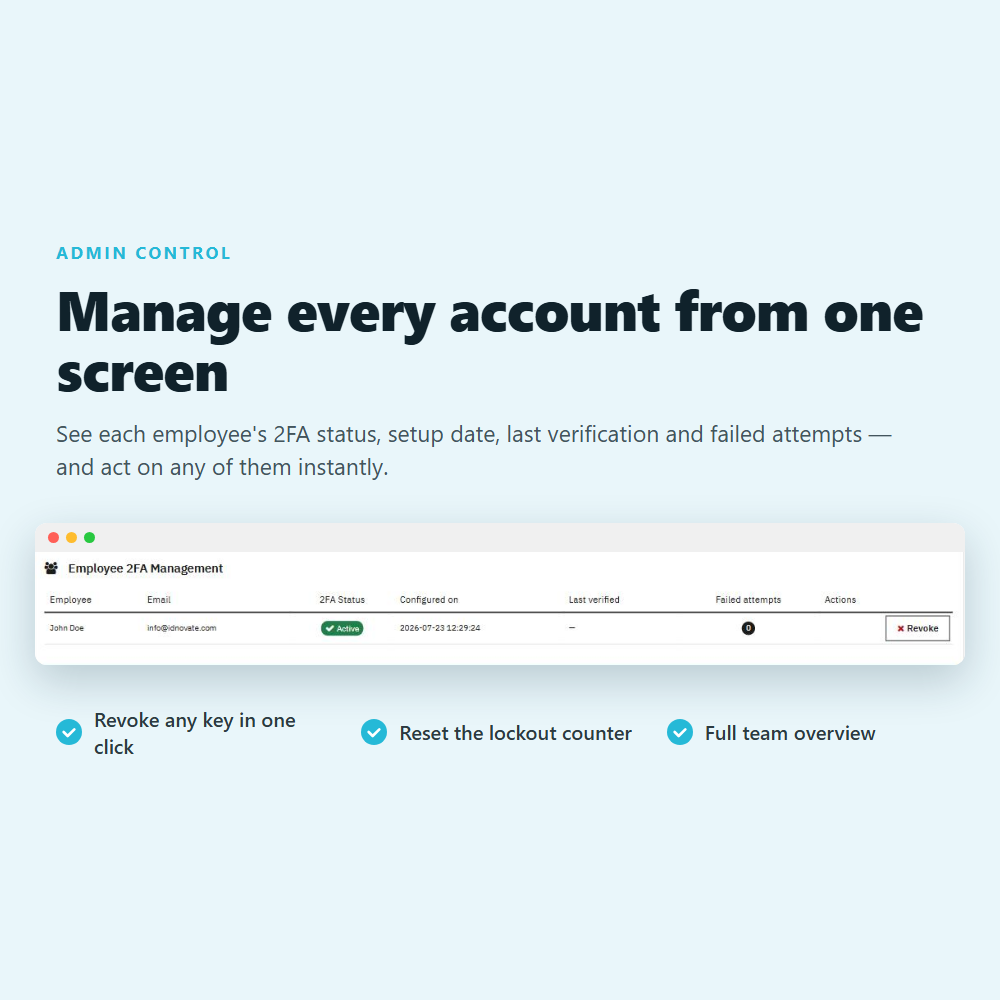
- ⚙️ Central 2FA management from one screen
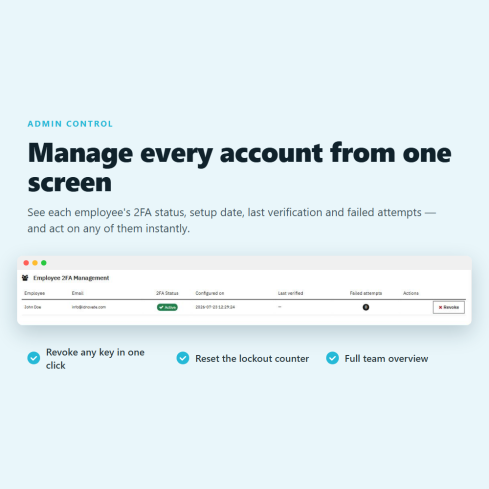
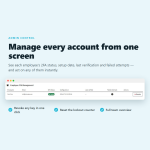
A single table lists every employee with their 2FA status, setup date, last verification and failed-attempt count. From there you can:
➡ Revoke any key in one click — it applies on the employee's next login
➡ Reset a lockout counter — instantly unlock an employee who locked themselves out
- ⚡ Brute-force lockout and replay protection
Accounts lock automatically after 10 consecutive wrong codes. Each code can be used only once within its 30-second window, so intercepted or guessed codes are worthless.
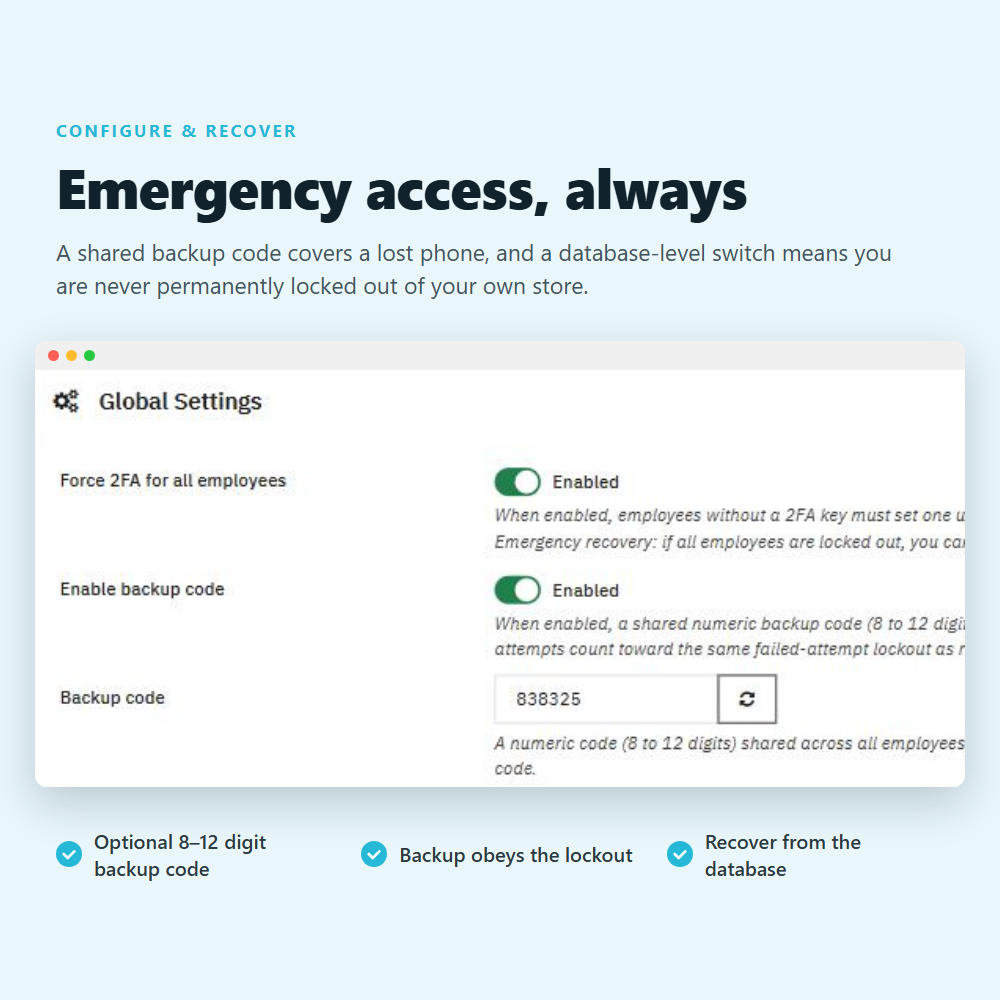
- ⏳ Emergency backup code and recovery
Enable an optional shared backup code (8 to 12 digits) so any employee can sign in if they lose their phone. The backup code is subject to the same lockout, so it cannot be brute-forced — and a single configuration value can disable the requirement if a whole team is ever locked out.
- ✅ PrestaShop 1.7 to 9, multistore, multilingual — with no core overrides
➡ Compatible with PrestaShop 1.7, 8 and 9 on PHP 7.1 and above
➡ Multistore — 2FA is managed per employee and works across all your shops
➡ Available in 10 languages — English, Spanish, French, German, Italian, Dutch, Polish, Portuguese, Romanian, Russian
➡ No core overrides — clean install, clean uninstall, and the storefront is never affected
FREQUENTLY ASKED QUESTIONS - FAQ
❓ Is this module compatible with my PrestaShop version, my theme, and my other modules?
➡️ It is compatible with all versions of PrestaShop from 1.7 to 9. It protects the back office only, so your theme and storefront are never touched. If any issue arises, we fix it — or we refund you ✅.
➖
❓ Which authenticator apps does it work with?
➡️ Any app that follows the TOTP standard (RFC 6238): Google Authenticator, Authy, Microsoft Authenticator, FreeOTP, 1Password, Bitwarden and many more. You are never tied to a single vendor ⚙️.
➖
❓ What happens if an employee loses their phone?
➡️ Enable the shared backup code so they can sign in with it, then revoke and regenerate their key from the management table in one click. An administrator can always restore access ✔.
➖
❓ Can I require every employee to use 2FA?
➡️ Yes. Turn on Force 2FA for all employees and anyone without a key is guided through setup before they can access the back office ⚡.
➖
❓ Could my whole team ever get locked out?
➡️ No. Beyond the shared backup code, a single configuration value in the database disables the requirement, so you always have a way back in ✅.
➖
❓ Does it change how my customers log in?
➡️ No. This module protects the back office (employee) login only. Your storefront and customer accounts are not affected in any way.
➖
❓ Does it need an internet connection or an external service?
➡️ No. Codes are generated on the employee's device and checked on your own server. There is no third-party service, no subscription and no API key ⚙️.
➖
❓ Do I have to keep paying for Business Care after the first year?
➡️ Business Care is optional after the first year, but it covers all future updates ⚡ and our team resolving any issue directly on your store. PrestaShop and hosting environments change constantly — with Business Care that's never your problem to solve. You can renew it from your private area at any time.
- Wersja
- 1.0.0 (2026-07-24)
- Zgodność
- 1.6.0.4 - 9.2.0
- Ocena
- 0
- Oceny
- 0
- Preuzimanja
- 0
- Języki
- EN, AG, BR, CB, DE, ES, FR, GB, IT, MX, NL, PE, PL, PT, QC, RO, RU, VE
- Wymaga usługi zewnętrznej
- Nie