Panier


- Exclusivité web !
- -20%


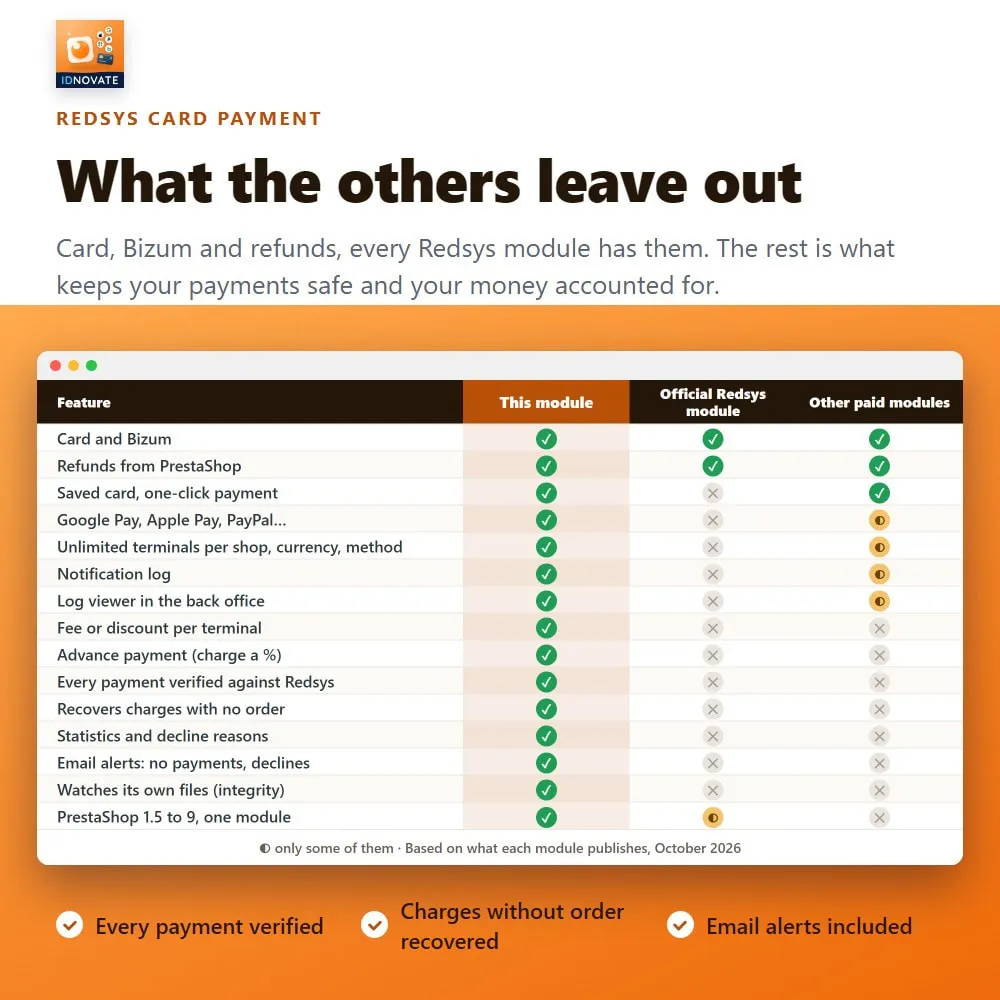
⚡ Your bank gives you a Redsys ®* Virtual POS, and then every refund means signing into the bank's portal, Bizum ®* needs another module, and you only find out that payments stopped going through when a customer writes in. REDSYS ®* card payment puts every Redsys ®* payment method in your checkout and runs the whole payment from PrestaShop: charges, refunds, pre-authorizations and the follow-up of every notification.
❓ Why choose our module?
❓ What makes this module essential for your shop?
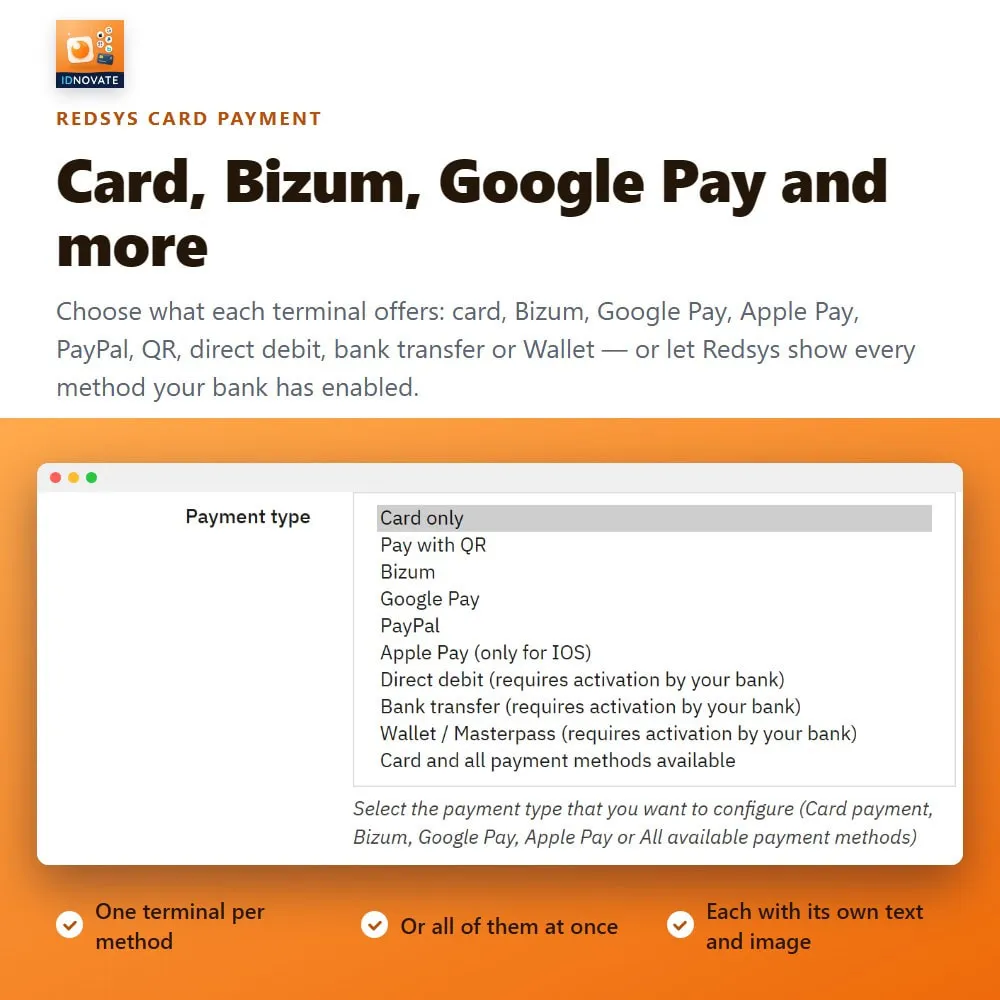
Card, Bizum ®*, Google Pay, Apple Pay, PayPal, QR and Click to Pay, with your own image and text for each one, or let Redsys ®* list them all together. Direct debit, bank transfer and Wallet / Masterpass are there too, for the terminals where your bank enables them. ⚡
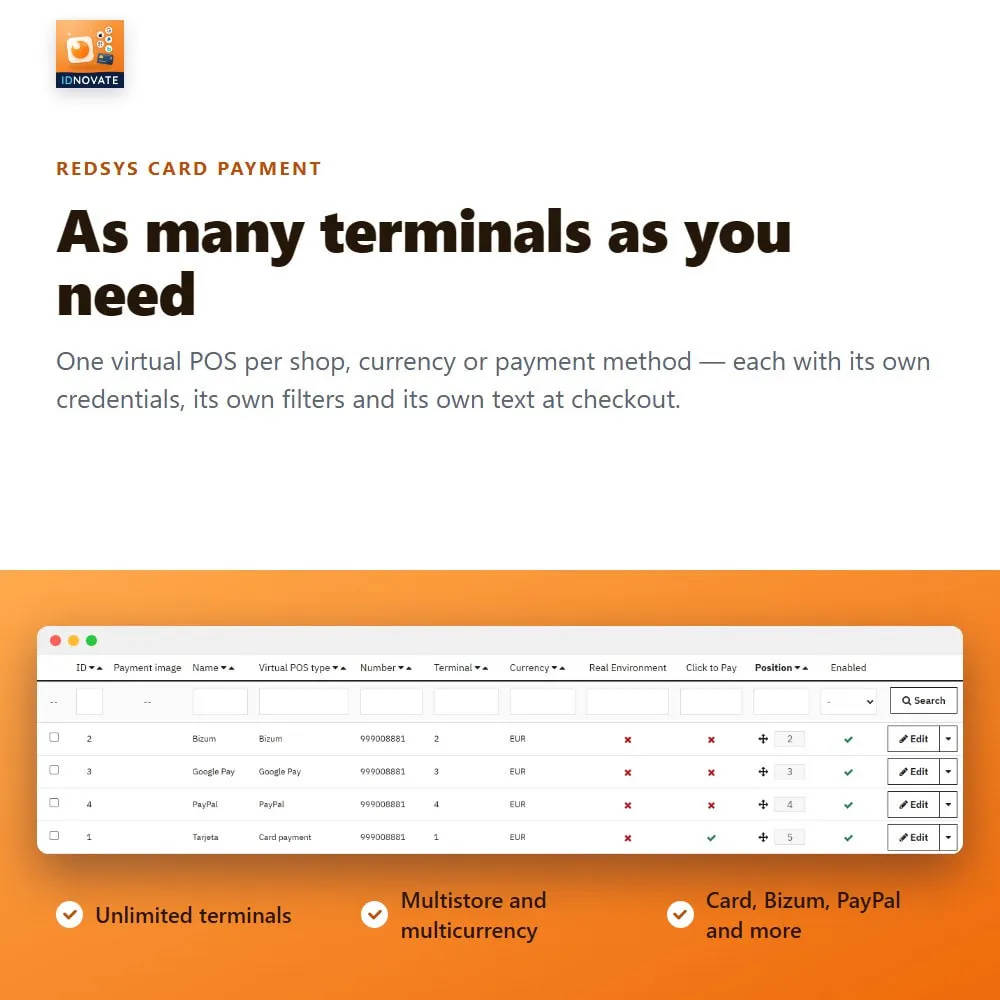
Create one terminal per shop, currency, language or payment method. Each has its own credentials, its own display filters and its own text at checkout. ✅
Redirect to Redsys ®*, or embed the card payment form in your own checkout, at full width or keeping your left or right column. ✨
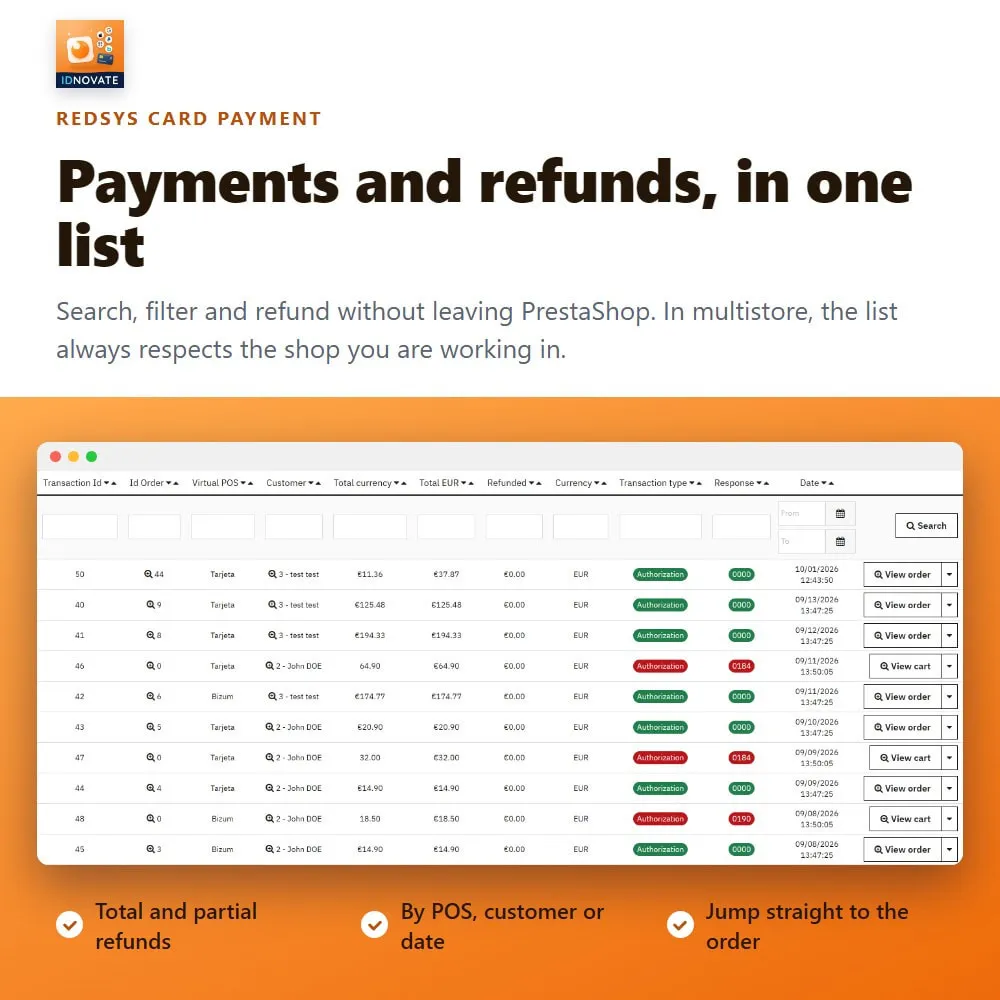
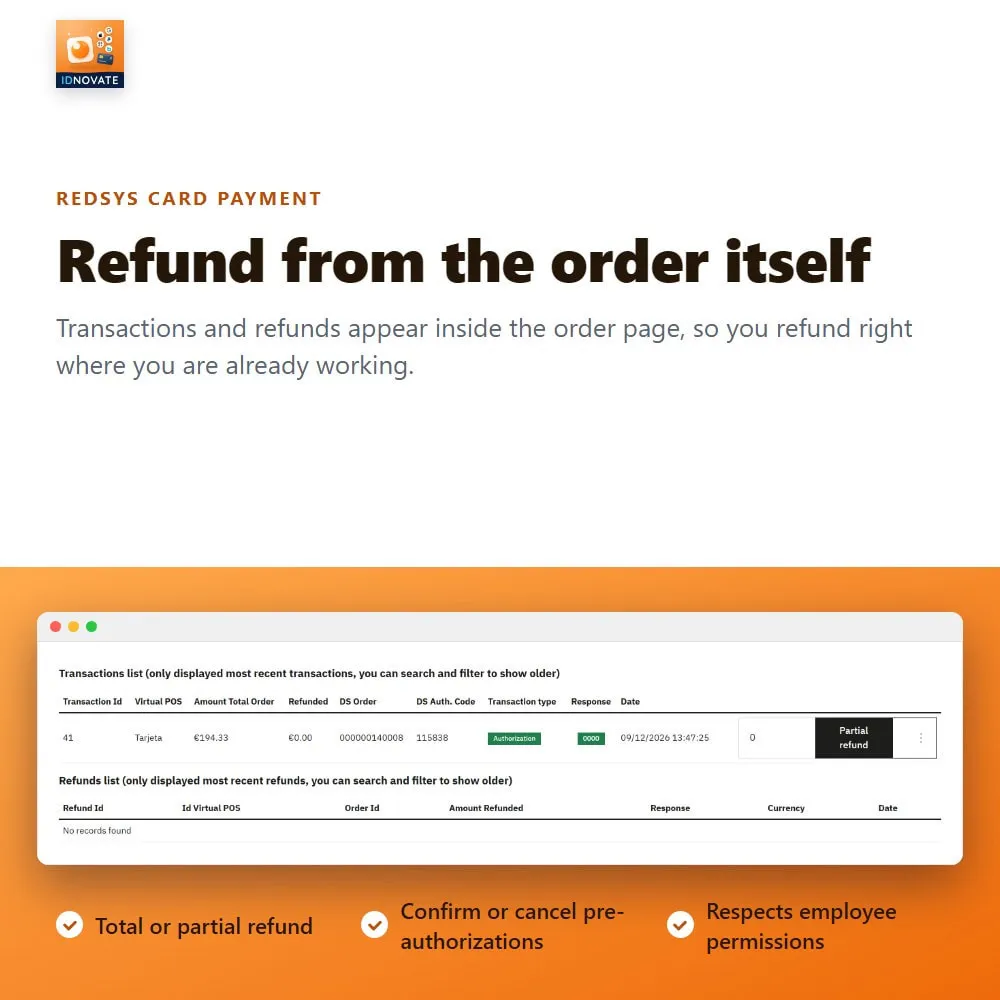
Total and partial refunds, with the amount already refunded always in sight, and pre-authorizations confirmed or cancelled from the order page or from the transaction list of the module. ✅
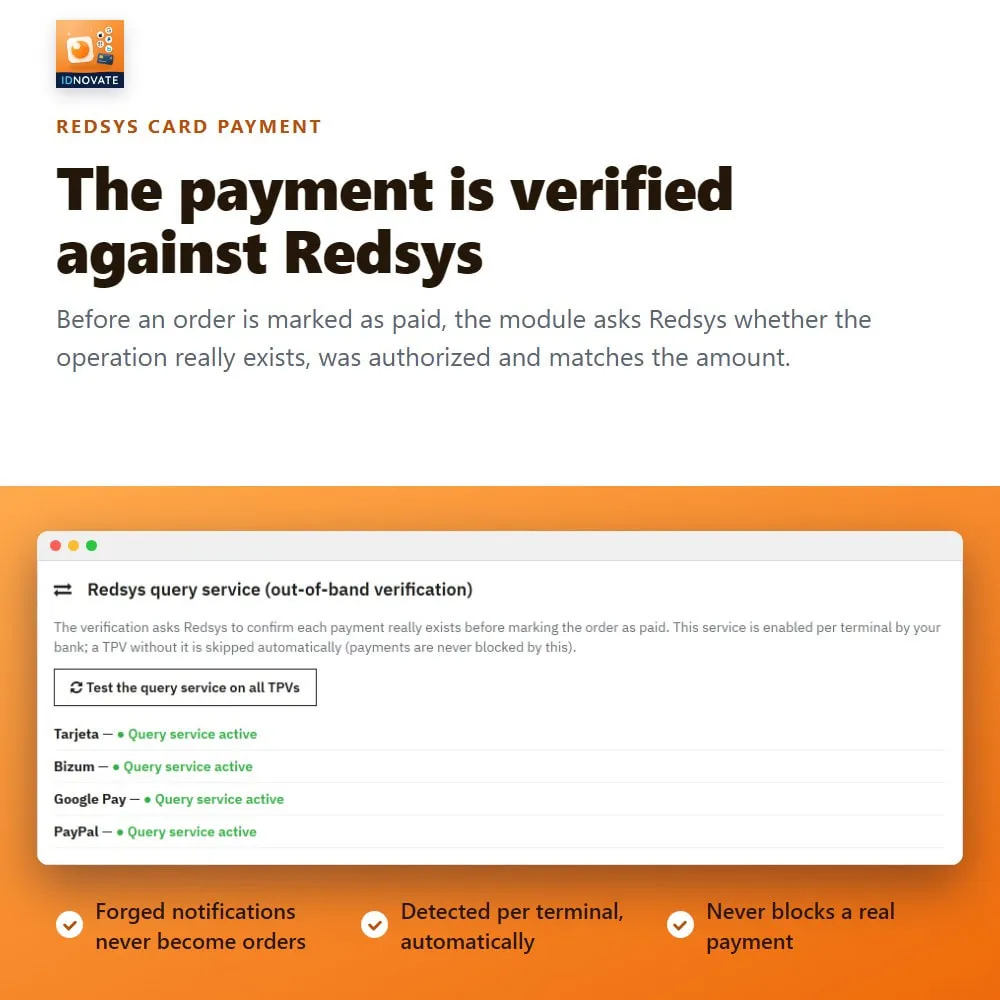
An optional check asks Redsys ®* whether the operation exists, whether it was authorized and whether the amount matches before the order is marked as paid. A lock on the bank notification and the customer's return makes sure only one of them creates the order, so it is never duplicated. ✅
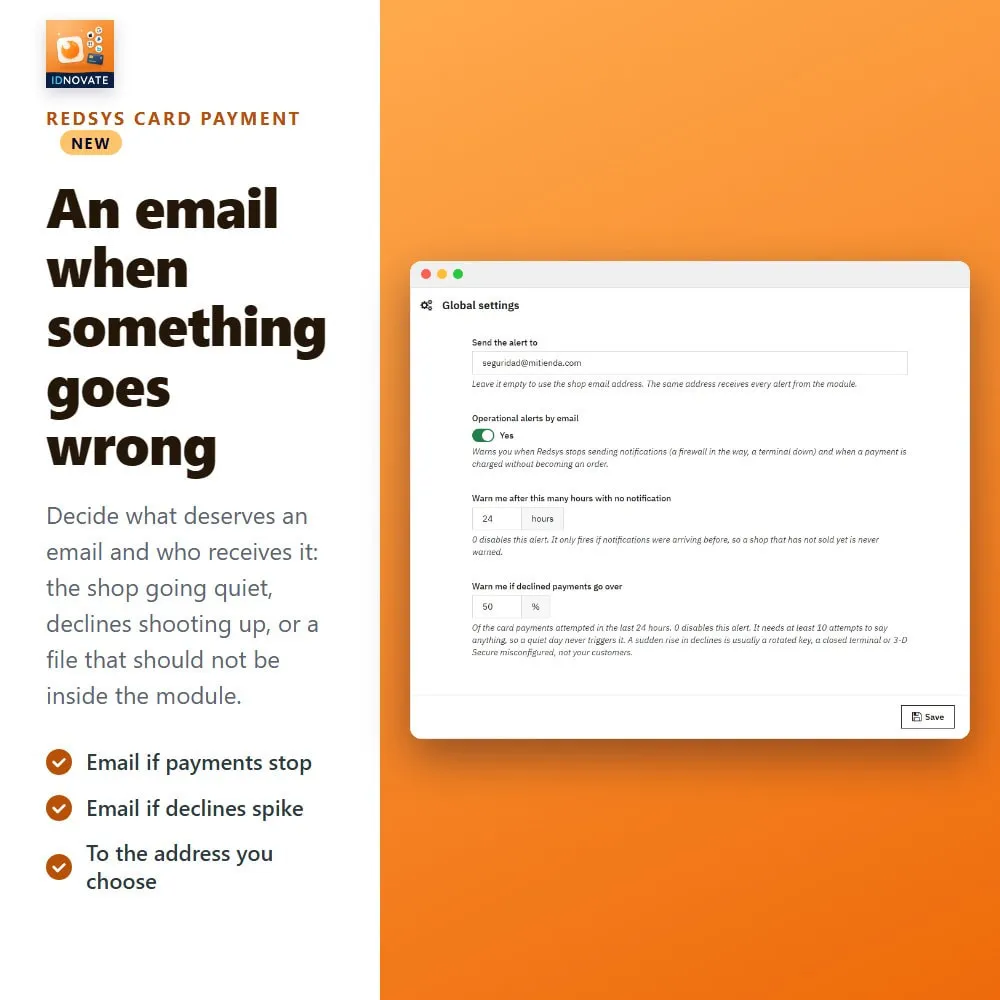
Statistics of authorized and declined payments with the reasons explained, every Redsys ®* notification on screen, and an email if the shop stops receiving payments, if declines shoot up or if Redsys ®* charged a payment whose order was never created. Create that order from the list in one click. ✨
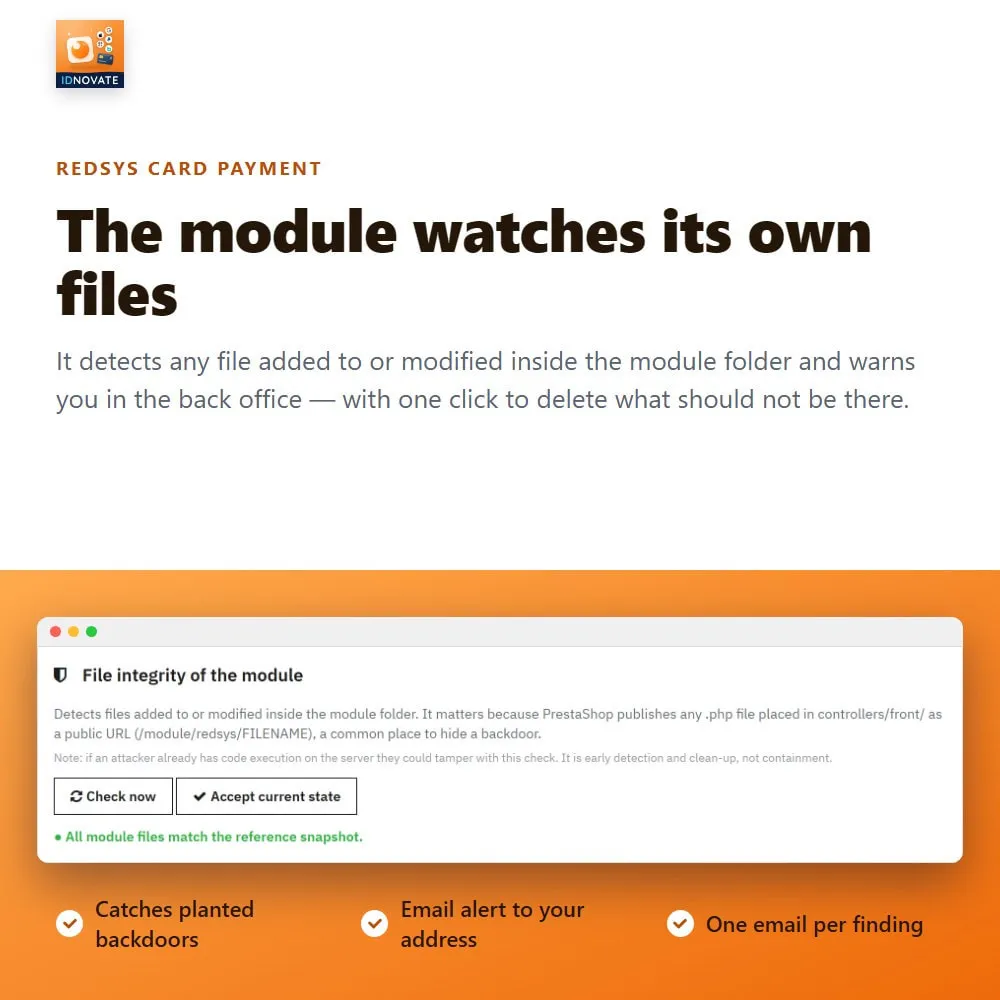
A file integrity control spots foreign or modified files inside the module folder, warns you in the back office, emails you and lets you remove them with one click. ✅
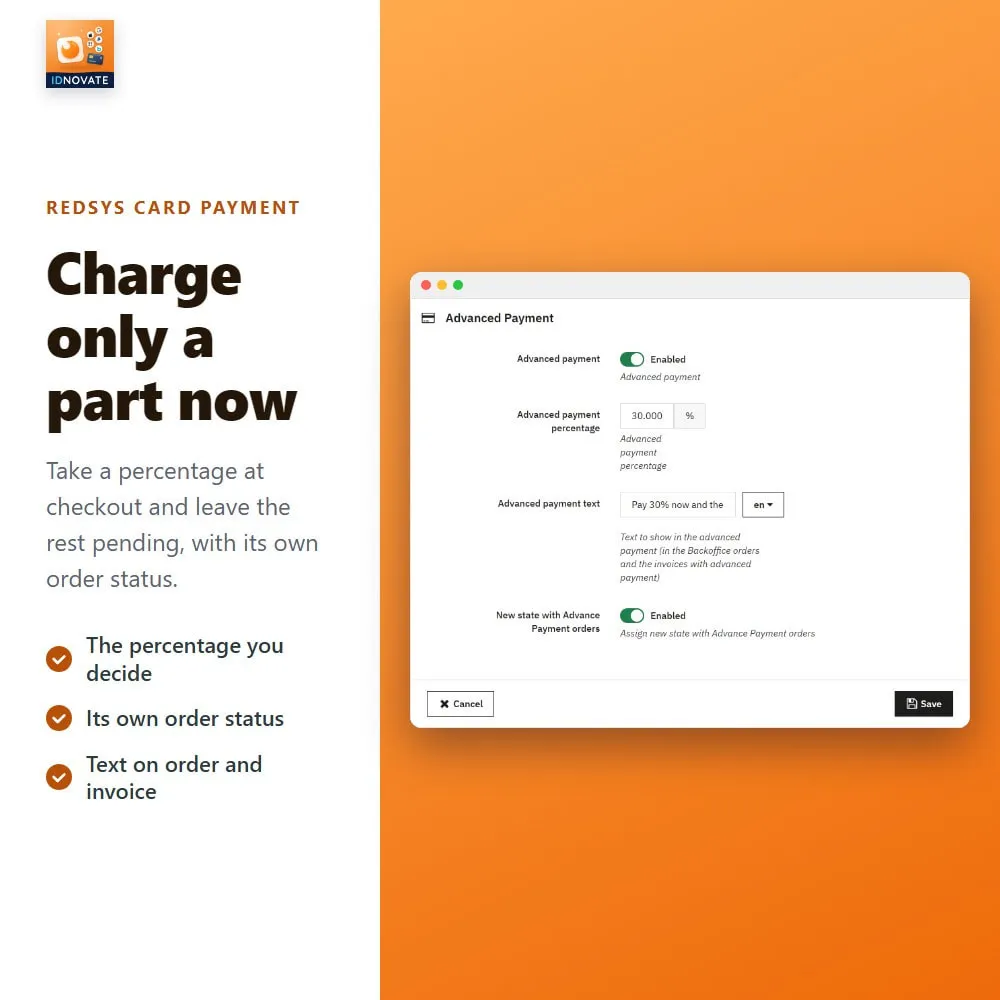
Charge more, or less, depending on the payment method, with its own tax rule, or charge only a percentage of the order now with its own order status. ✨
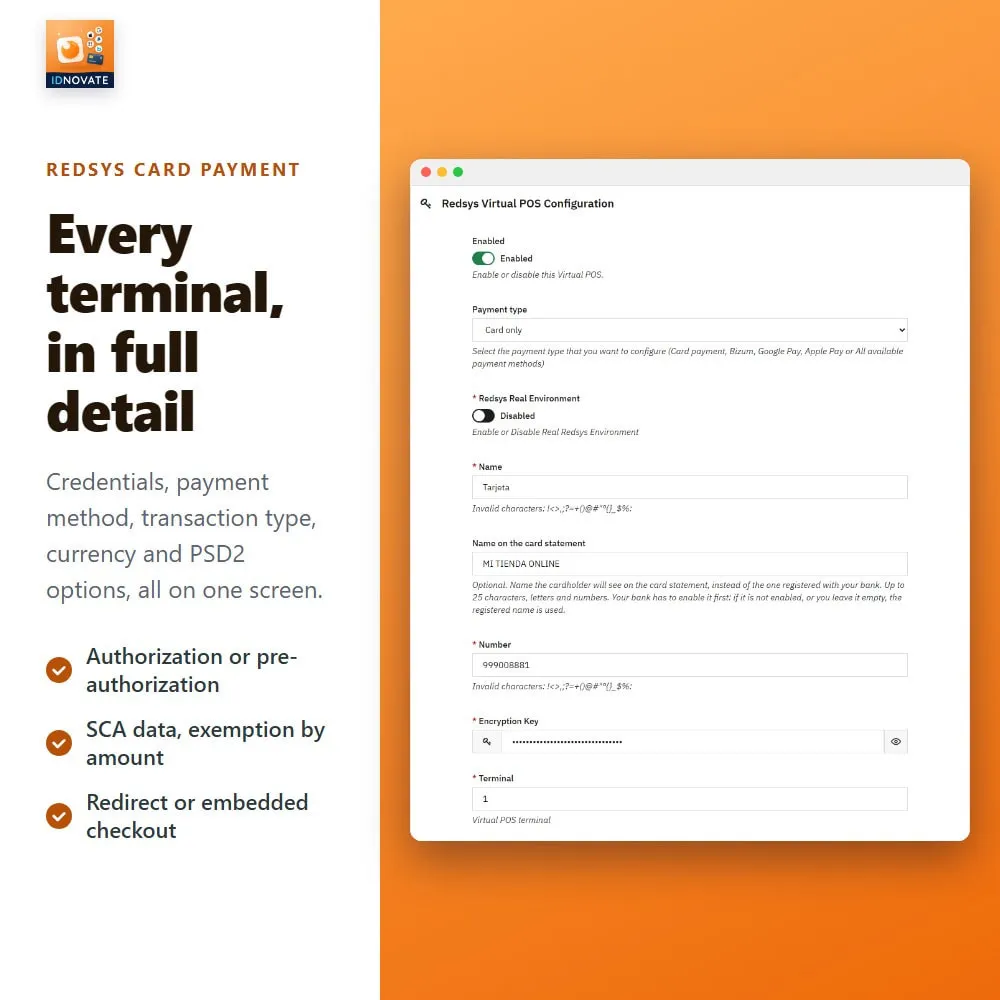
The EMV 3DS data travels with every payment so the bank can authenticate with as little friction as possible, and you can ask for the SCA exemption on orders below 100 or 250. ✅
♻️ Constant updates to stay compatible with the latest PrestaShop and Redsys ®* versions.
⚜️ Certified PrestaShop Partner with more than 14 years building modules.
☎️ We look after you ourselves: fast, human, high-quality support.
⭐ All the Redsys ®* payment methods
➡️ Card, Bizum ®*, Google Pay, Apple Pay, PayPal, QR and Click to Pay.
➡️ Direct debit, bank transfer and Wallet / Masterpass, for the terminals where your bank enables them.
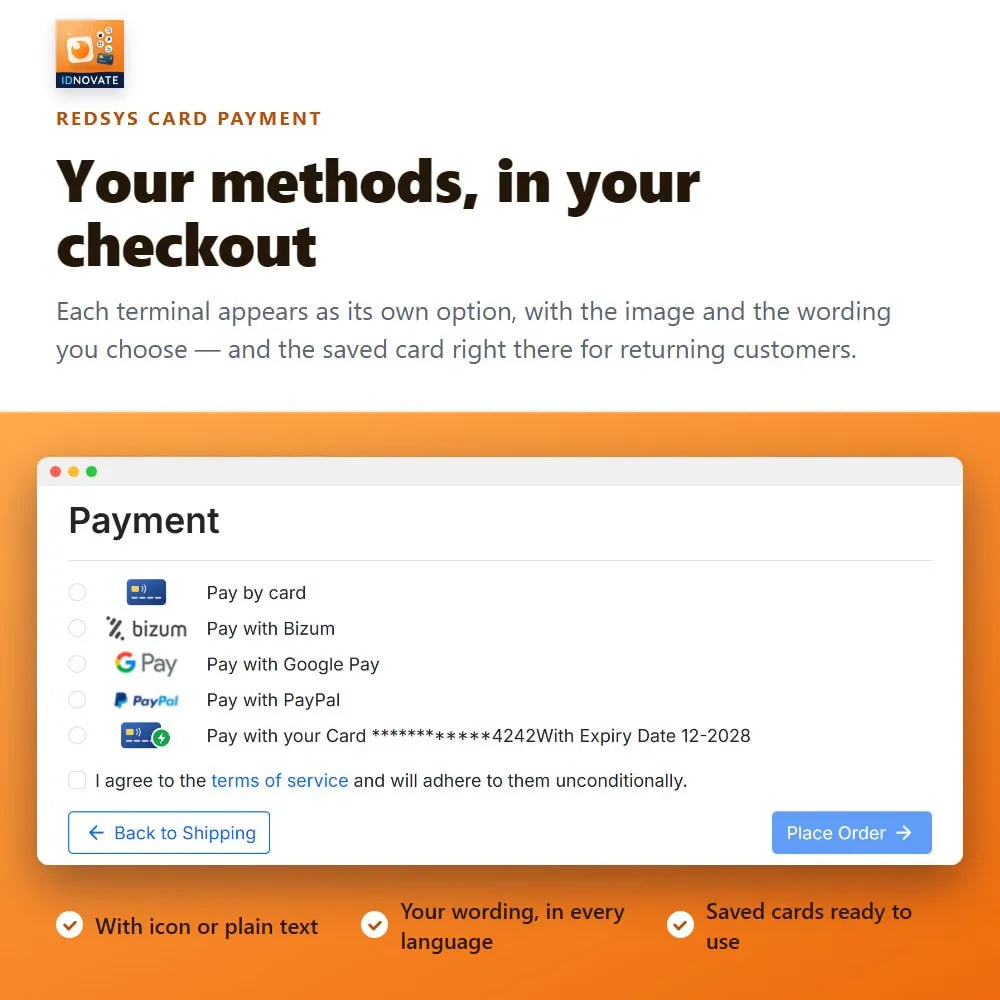
➡️ Each method as its own option at checkout, or all of them listed by Redsys ®*.
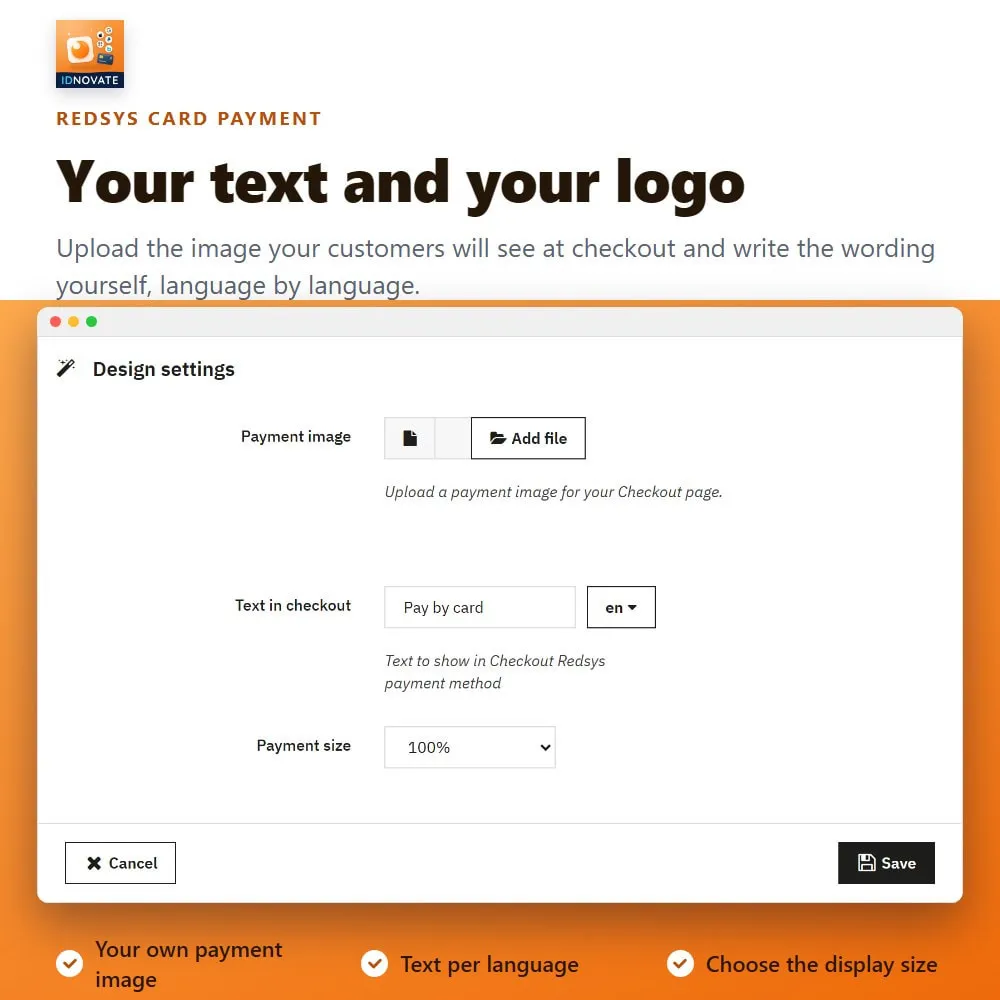
➡️ Your own image and your own text for every method.
⭐ Unlimited virtual POS (terminals)
➡️ One terminal per shop, currency, language or payment method.
➡️ Independent credentials, filters, fees and checkout text for each one.
➡️ Test and real environment per terminal.
➡️ The name your customers see on their card statement, if your bank enables it.
✨ The checkout you want
➡️ Redirect to Redsys ®*, or the card payment form embedded in your own shop.
➡️ Embedded at full width, or keeping your left or right column.
➡️ Payment page shown in your customer's language.
⚙️ Refunds and pre-authorizations from the back office
➡️ Authorization, pre-authorization and authentication-only transactions.
➡️ Total and partial refunds, with the amount already refunded always in sight.
➡️ Confirm or cancel a pre-authorization without leaving PrestaShop.
➡️ Transactions and refunds also shown inside the order page.
⭐ Saved cards
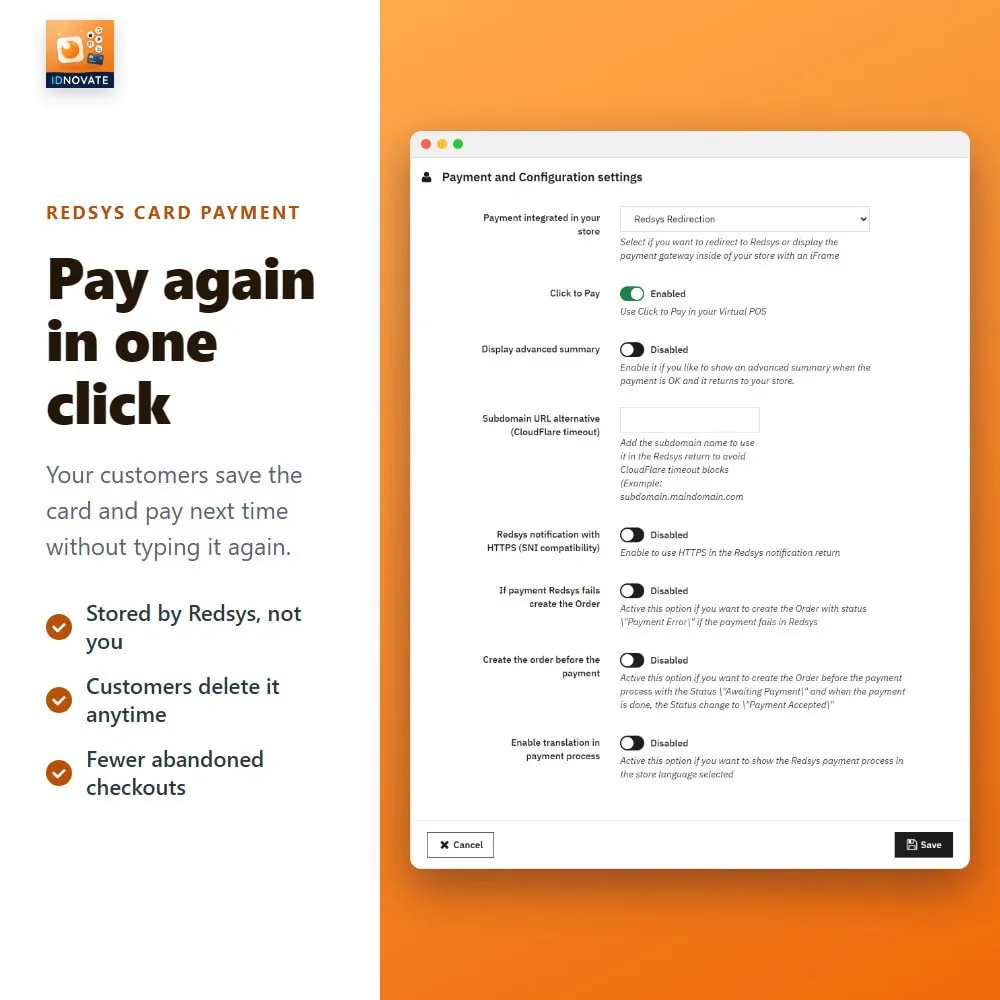
➡️ Customers pay again without typing their card details.
➡️ They manage their saved cards themselves, from their account.
➕ Fees, discounts and advance payment
➡️ Fee or discount per payment method: fixed amount or percentage, with a minimum and a maximum.
➡️ Applied only between the order totals you choose, with its own tax rule.
➡️ Advance payment: charge a percentage now, with its own order status.
✨ Display filters
➡️ Carrier, customer group, country, zone, category, manufacturer, supplier, language and currency.
➡️ Specific products or customers, with exclusion lists.
➡️ Minimum and maximum amount, and a strict evaluation mode.
⚙️ Security
➡️ EMV 3DS data (PSD2 / SCA) sent with every payment, and SCA exemption below 100 or 250.
➡️ Optional verification against Redsys ®* before marking an order as paid.
➡️ Lock that prevents duplicated orders.
➡️ File integrity control, with a back-office warning, an email alert and one-click removal of foreign files.
⭐ Know how your payments are doing
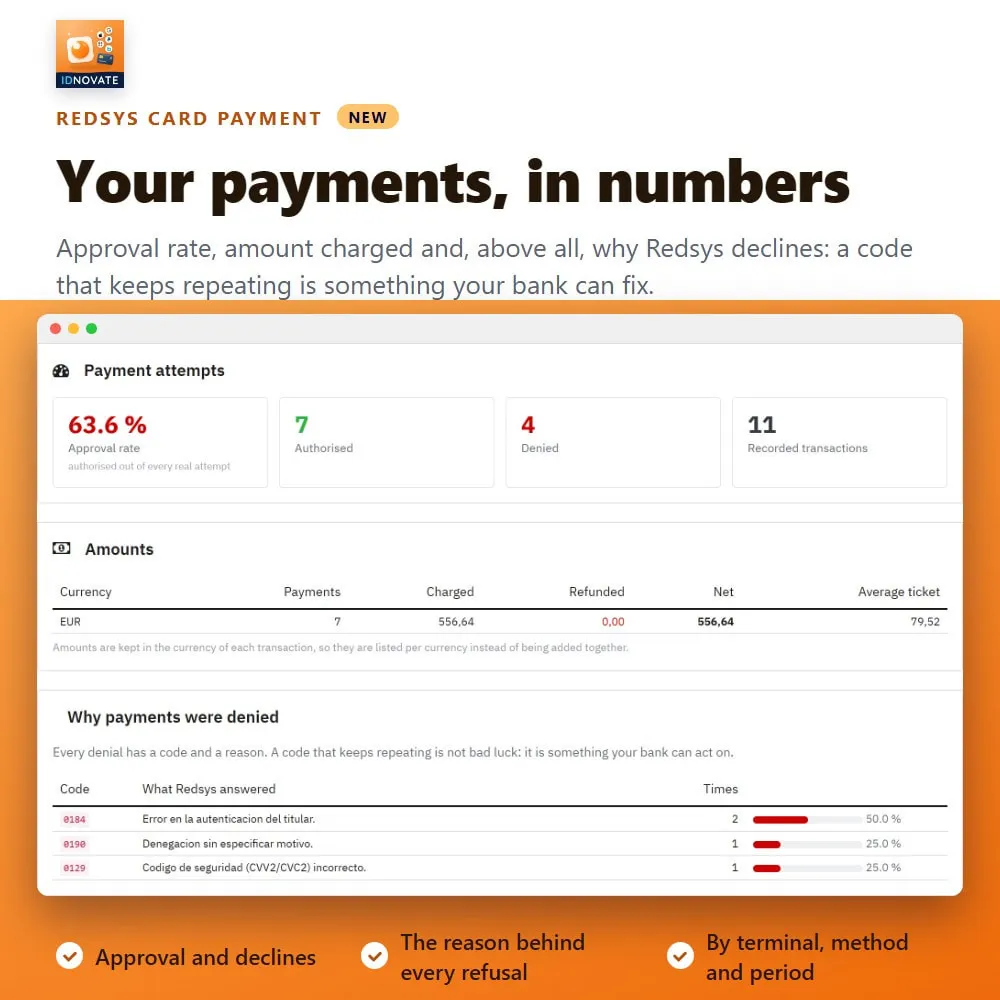
➡️ Statistics: authorized, declined, conversion rate and amount charged, by terminal, payment method and period.
➡️ The reasons your payments are declined, ranked, with the Redsys ®* code explained in plain words.
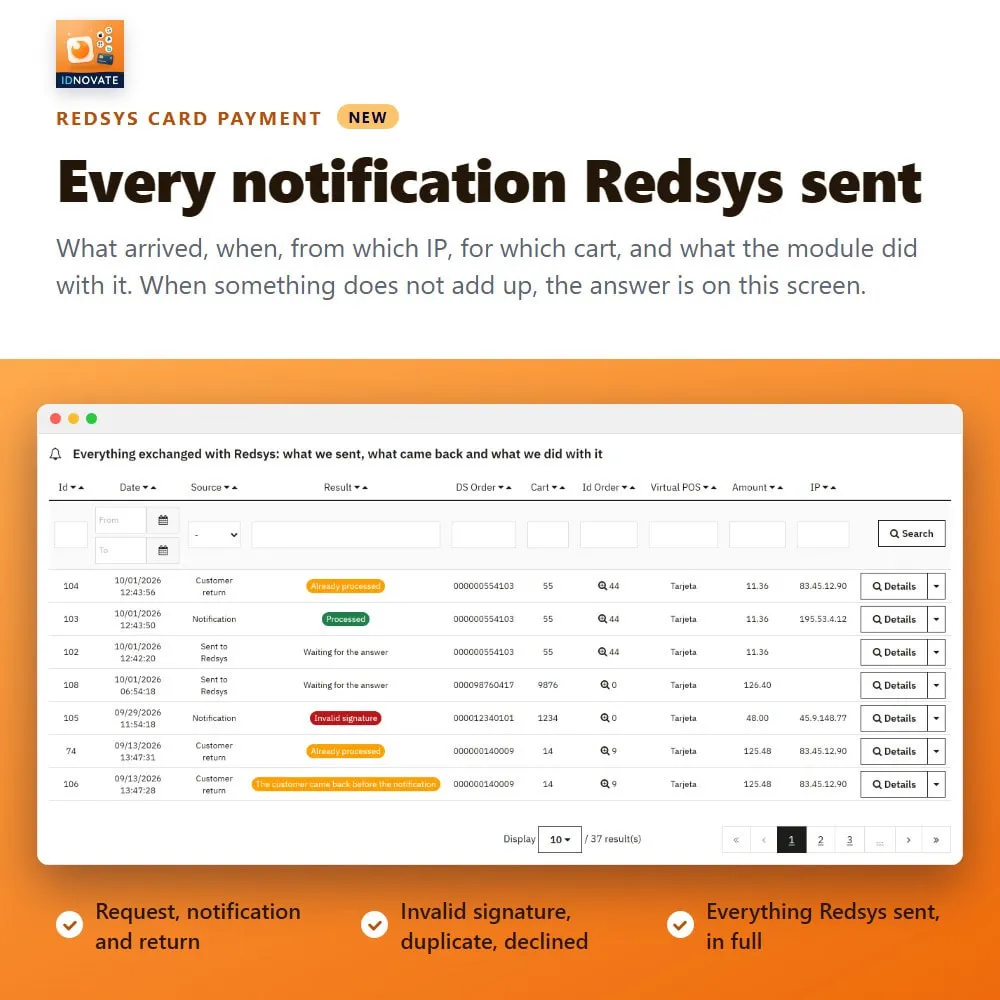
➡️ Every Redsys ®* notification on screen: what arrived, when, for which cart and what the module did with it.
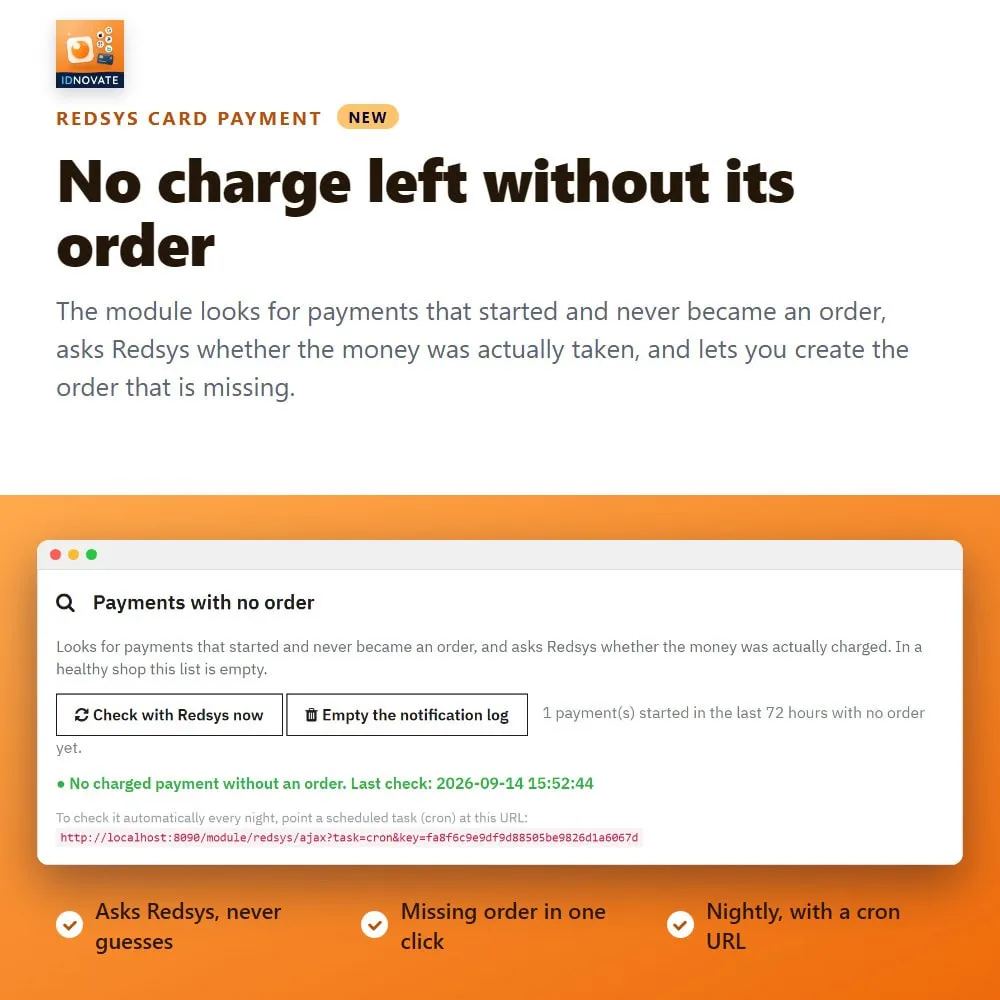
➡️ Payments charged by Redsys ®* whose order was never created, listed apart: create the order in one click.
✉️ Alerts by email
➡️ If the shop stops receiving payments, after the hours you decide.
➡️ If declined payments shoot up.
➡️ If a payment was charged and its order was not created.
➡️ If a foreign or modified file shows up inside the module folder.
ℹ️ Diagnostics
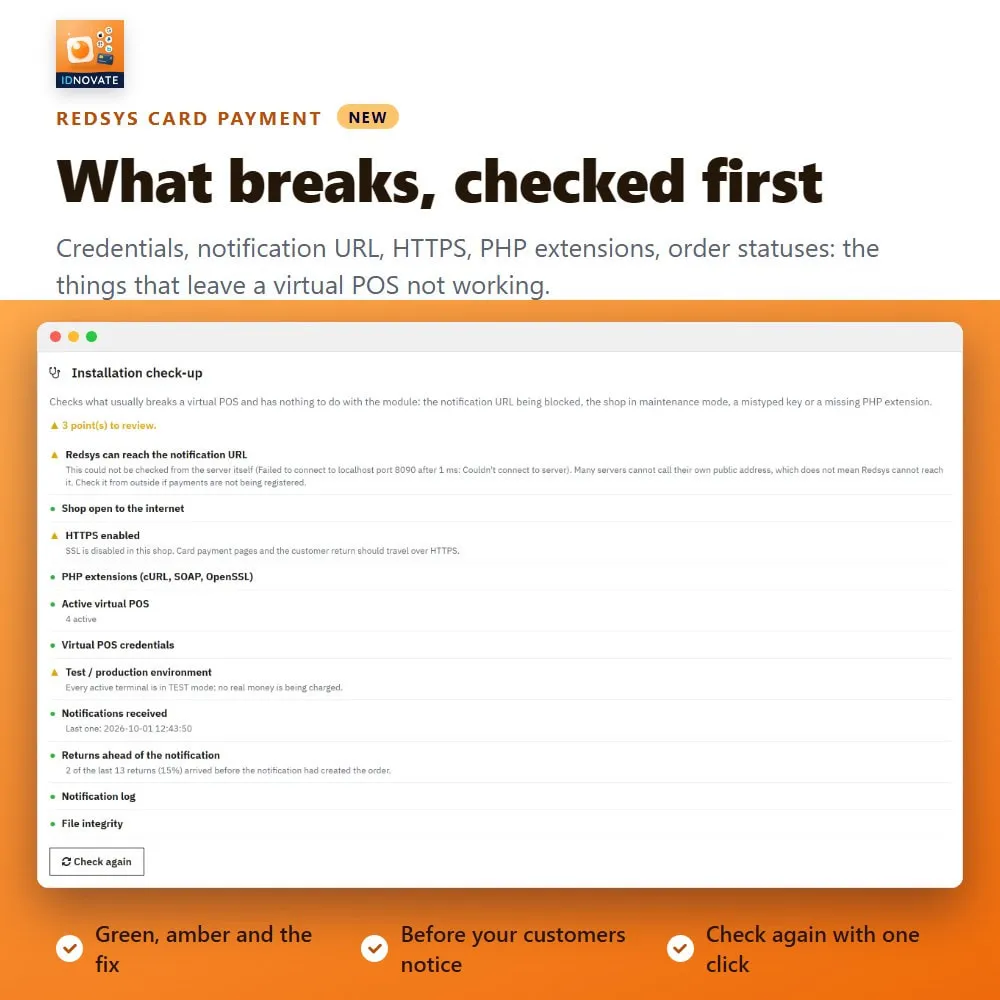
➡️ An installation check-up: notification URL, maintenance mode, credentials and server requirements at a glance.
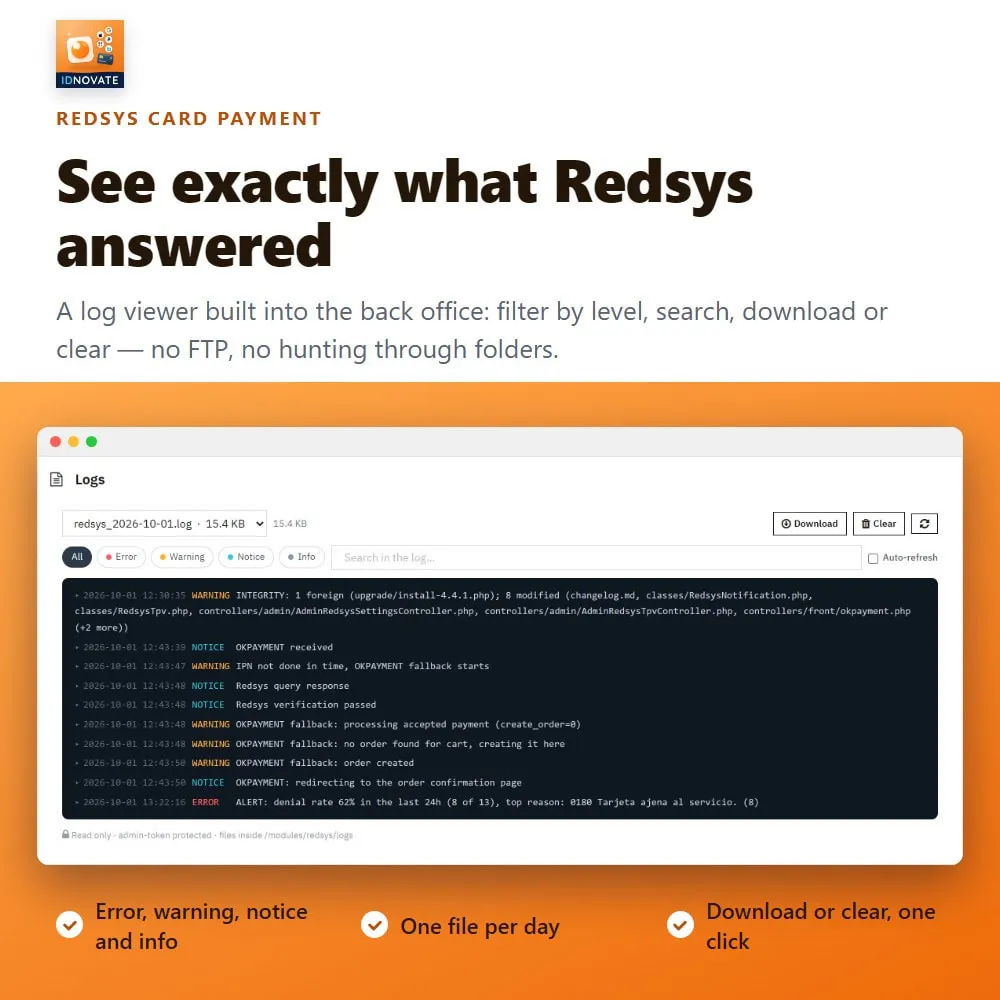
➡️ Log viewer in the back office, with download and clear.
➡️ Test of the Redsys ®* query service on every terminal.
▪️ Compatibility: PrestaShop 1.5 to 9.
▪️ You only need a Redsys ®* Virtual POS from your bank: merchant code, terminal and secret key.
❓ Do I need anything from my bank?
➡️ Yes, you need to hire a Redsys ®* Virtual POS (TPV) through your partner bank (https://redsys.es/documents/d/guest/socios-redsys/) and obtain your Redsys ®* credentials from them: the merchant code (FUC), the terminal number, and the SHA-256 secret key. Simply enter these into the module, and you’ll be ready to start accepting payments.
❓ Does it work with my bank?
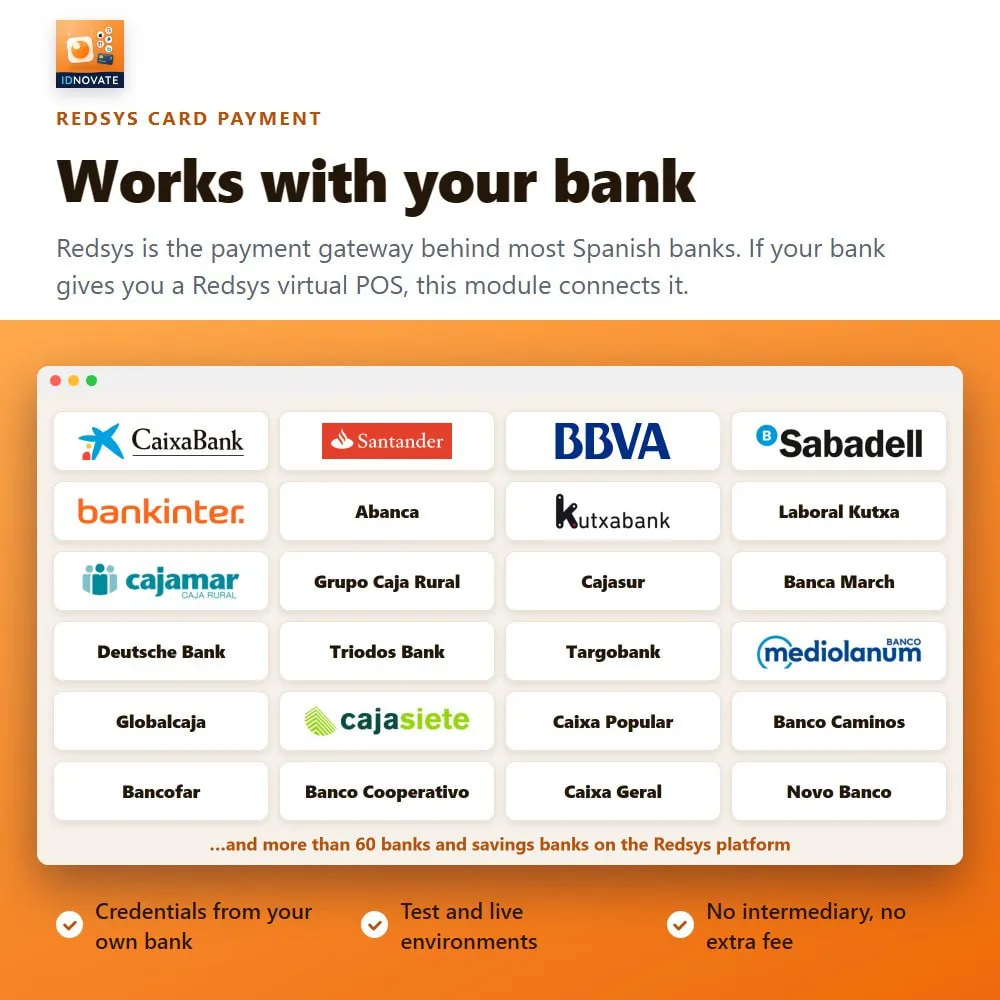
➡️ Redsys ®* is the platform behind most Spanish banks. If your virtual POS is a Redsys ®* one, this module works with it.
❓ Can I offer cards and Bizum ®* at the same time?
➡️ Yes. Create one terminal for cards and another for Bizum ®*: both appear at checkout, each with its own image, its own text and its own fee if you want one.
❓ Can I use direct debit, bank transfer or Wallet?
➡️ They are implemented and you can pick them for a terminal, but Redsys ®* will only process them if your bank has enabled that method on that terminal. If it has not, Redsys ®* answers SIS0231 and the module shows it to you in the log. Ask your bank for the activation and it starts working, with nothing to change in the module.
❓ How do I know whether my payments are going through?
➡️ The module has its own statistics screen —authorized, declined, conversion and the reasons behind each refusal— plus the full list of Redsys ®* notifications. And it emails you if the shop stops receiving payments or if declines shoot up, so you do not have to go in and look.
❓ Can I refund from PrestaShop?
➡️ Yes, total or partial, from the order page or from the module. The refund is sent to Redsys ®* and recorded in the transaction list.
❓ Does it support multistore?
➡️ Yes. Each shop can have its own terminals, and the transaction list always respects the shop context you are working in.
❓ Is it PSD2 / SCA compliant?
➡️ Yes. The module sends the complete EMV 3DS 2.x dataset so the bank can authenticate the buyer with as little friction as possible, and it lets you request an exemption below the amount you choose.
❓ What if two notifications arrive at the same time?
➡️ Nothing breaks. A lock guarantees that only one of them creates the order, so you never end up with duplicates.
❓ What happens if Redsys ®* charges a customer and the order is not created?
➡️ The module lists exactly those cases, apart, in its notification screen, with the amount and the cart. You create the missing order from there in one click, instead of discovering it when the customer writes in.
❓ Does the module receive updates?
➡️ Yes. The module receives constant updates and is backed by idnovate support, a certified PrestaShop partner ✅.
funciona de forma apropiada.

Excellent product with and excellent support
Un módulo muy fiable que llevamos utilizando en sus diferentes versiones desde hace varios años y todo perfecto. Recomendado al 100% y sus desarrolladores idnovate son muy profesionales y dan un soporte muy bueno.
Buen módulo, totalmente recomendable, de los más usados, funciona bien, puedes hacer devoluciones desde el modulo lo cual ahorra tiempo y lo mas importante es que si te surge algun problema o duda, hay soporte profesi...
Soporte técnico inmejorable, solucionados los problemas en 2 minutos. Buen módulo y buen precio
100% Recomendable.
Responden rápido
Funciona mejor que el oficial. Tiene mejor soporte. Responden y solucionan a una velocidad increíble. Compensa pagar el modulo, el cual recomiendo muchisimo.
Very good, met my expectations, I would recommend it!
Gran modulo con magnifica atención al cliente
La atención y soporte brindado por la empresa. GENIALES!!
amplia enormemente las características del addon oficial de RedSys, además permite gestionar los pagos del tpv directamente desde el back, y generar las devoluciones directamente desde el back ¡imprescindible!
Perfecto la funcionalidad que necesitabamos y buen soporte
A very complete plugin. It integrates easily with my website without the need to make modifications to make it compatible with other modules of my website. 100% recommended
El soporte es muy rápido y la atención muy buena. Módulo que hace lo que dice y sin problemas. Un 10
Muy buen producto y muy buen soporte
Funciona muy bien para efectuar los pagos mediante tarjeta. Responden con rapidez los problemas o consultas.
Sencillissimo de configurar y funcionando en 5mn,
El servicio técnico es excepcional, te ayudan rápido y eficazmente. El módulo funciona correctamente.

Fácil de instalar y configurar, tuve un pequeño problema y en un momento me lo resolvieron.
Al principio me daba algún error pero no era por el modulo si no por mi propria pagina web, los que se encargan del modulo han detectado el error y me ayudaron a corregir, ahora funciona perfectamente!
Great customer support
Excellent support! Could buy any other addon from this developer with full confindence!
easy install, and very easy to use


Bizum est l'un des modes de paiement qui se sont le plus développés ces derniers temps et l'un des plus utilisés en Espagne. Ce mode de paiement est simple, rapide et sécurisé. Et chez idnovate nous…
Si vous avez, ou envisagez d'avoir une boutique en ligne ou un e-commerce, basée sur le CMS PrestaShop, vous devez savoir à quel point il est important d'installer de bons modules de paiement dans…
Les modules complémentaires ou modules PrestaShop sont essentiels dans presque tous les e-commerces. Non seulement ils contribuent à améliorer les performances ou à ajouter de nouvelles…