Shopping Cart


- Online only
- -20%
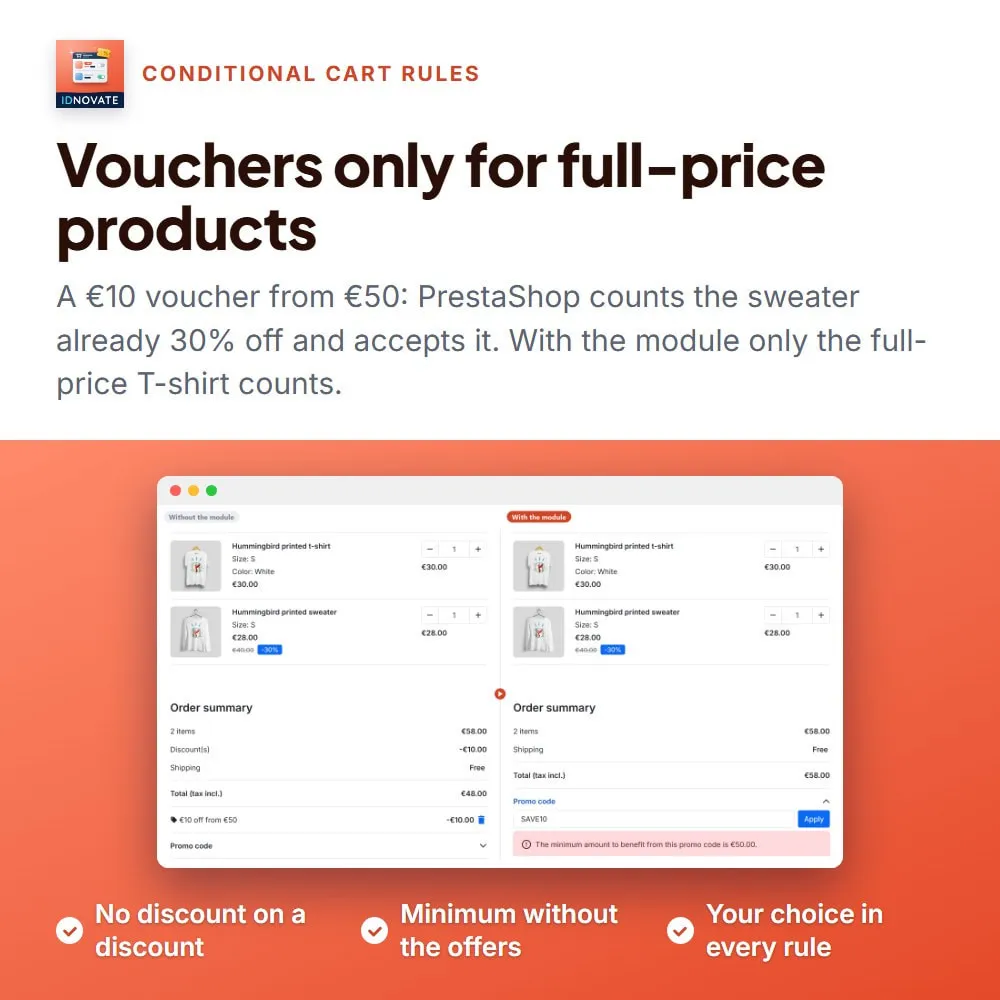
⚡ You launch a 10% voucher and, without noticing, it is added on top of your catalogue offers and your sales: a product already 30% off gets another 10% off, and the margin is gone. PrestaShop cart rules apply to every product in the cart by default. Our module adds the options to choose, rule by rule, whether a voucher also applies to discounted products and to products on sale, so every discount goes exactly where you want it.
❓ Why choose our module?
❓ What makes this module essential for your shop?
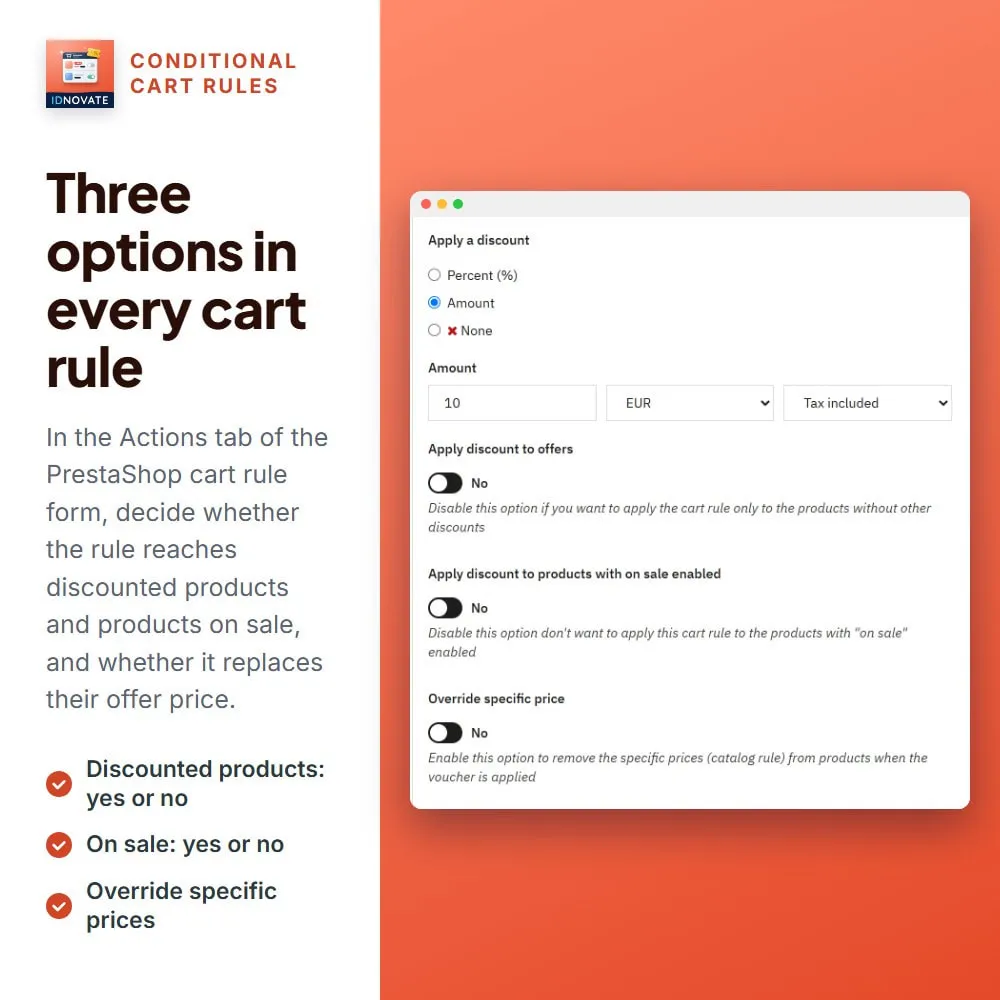
Switch off "Apply discount to offers" and the cart rule ignores the products with a discount: specific prices, catalogue price rules and the reductions by group of our module of price increments and reductions. The rest of the cart gets the voucher as usual. ⚡
Switch off "Apply discount to products with on sale enabled" and the products you have marked as on sale never receive the voucher. ✅
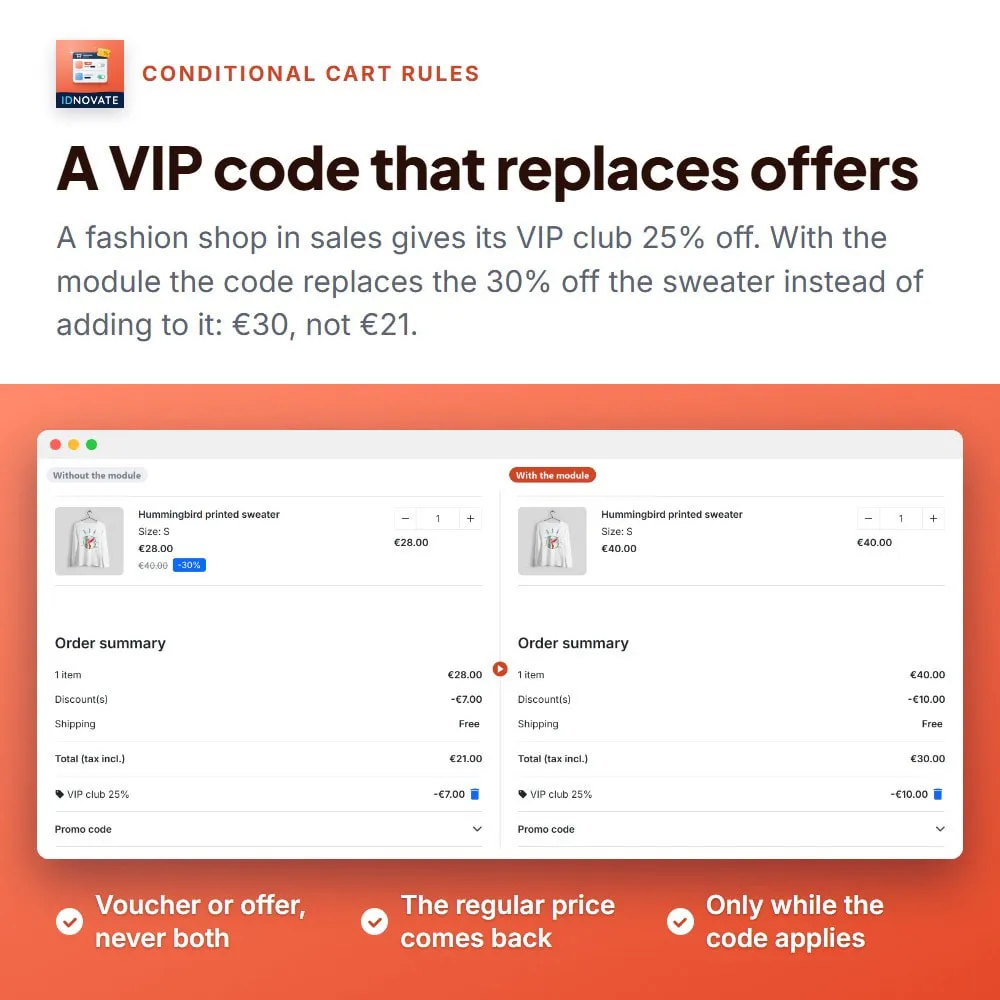
With "Override specific price", while the voucher is in the cart the specific prices of the products are switched off: the customer gets the voucher or the offer, never both. ✨
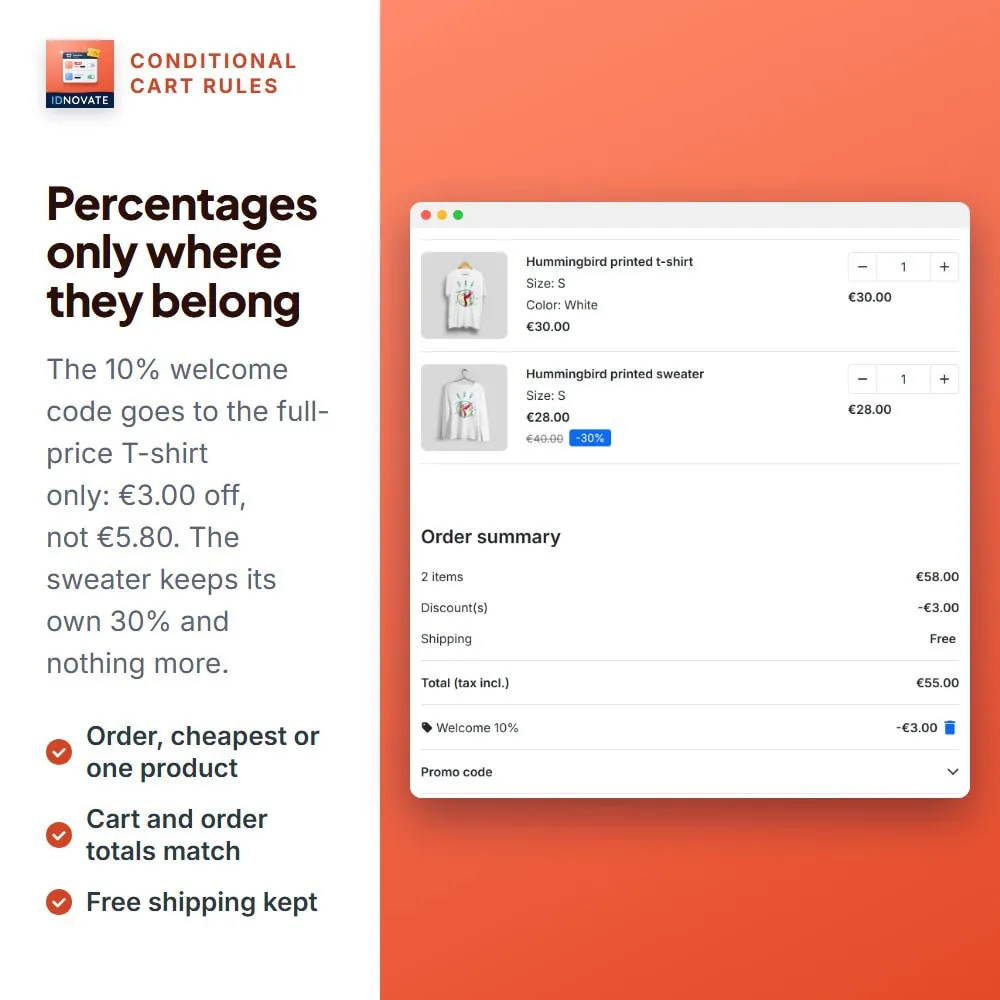
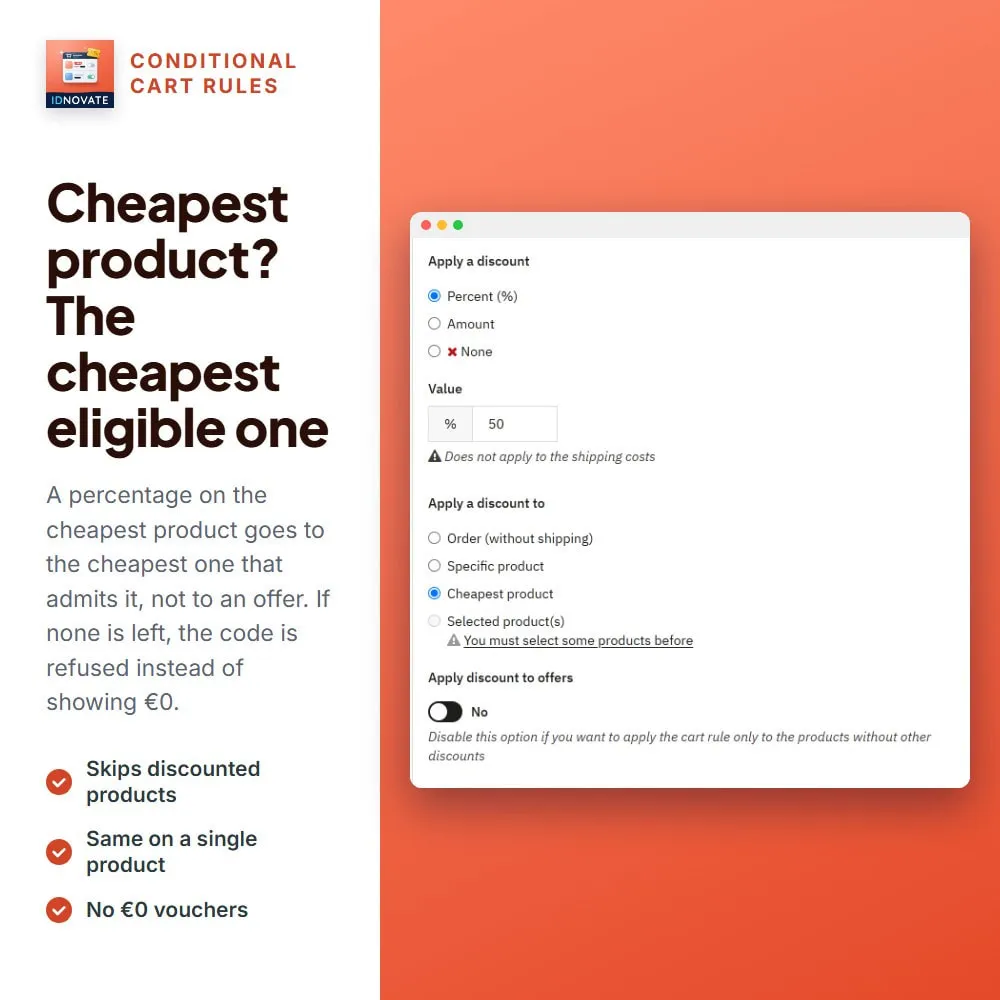
A percentage is calculated only on the eligible products; on the cheapest product, it goes to the cheapest eligible one. If no product of the cart can receive it, the customer sees a clear message instead of a voucher worth 0. ✅
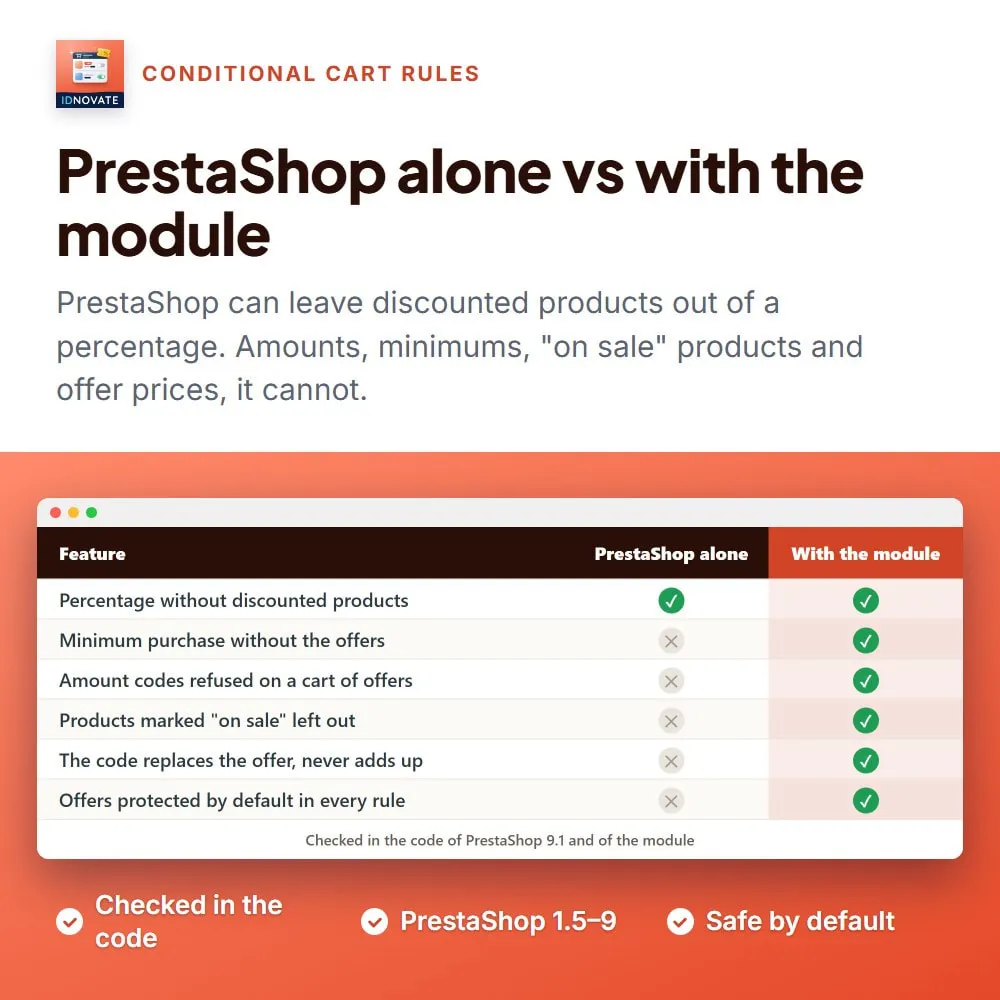
For fixed amount and free shipping vouchers, the minimum amount of the rule is checked against the eligible products only, with the tax and currency of the rule. ✅
When part of a partial-use voucher is not spent because some products were left out, the customer gets a new voucher with what is left, and that voucher keeps the same options. ✨
❓ What are the main features of the module?
FREQUENTLY ASKED QUESTIONS - FAQ
❓ Where are the new options?
➡️ In the form of each cart rule, "Actions" tab, below the PrestaShop fields.
❓ What does the module consider a product with a discount?
➡️ A product with a specific price that reduces its price, including catalogue price rules, or with a reduction by group from our module of price increments and reductions.
❓ Can a voucher leave out the products on sale even if they have no reduction?
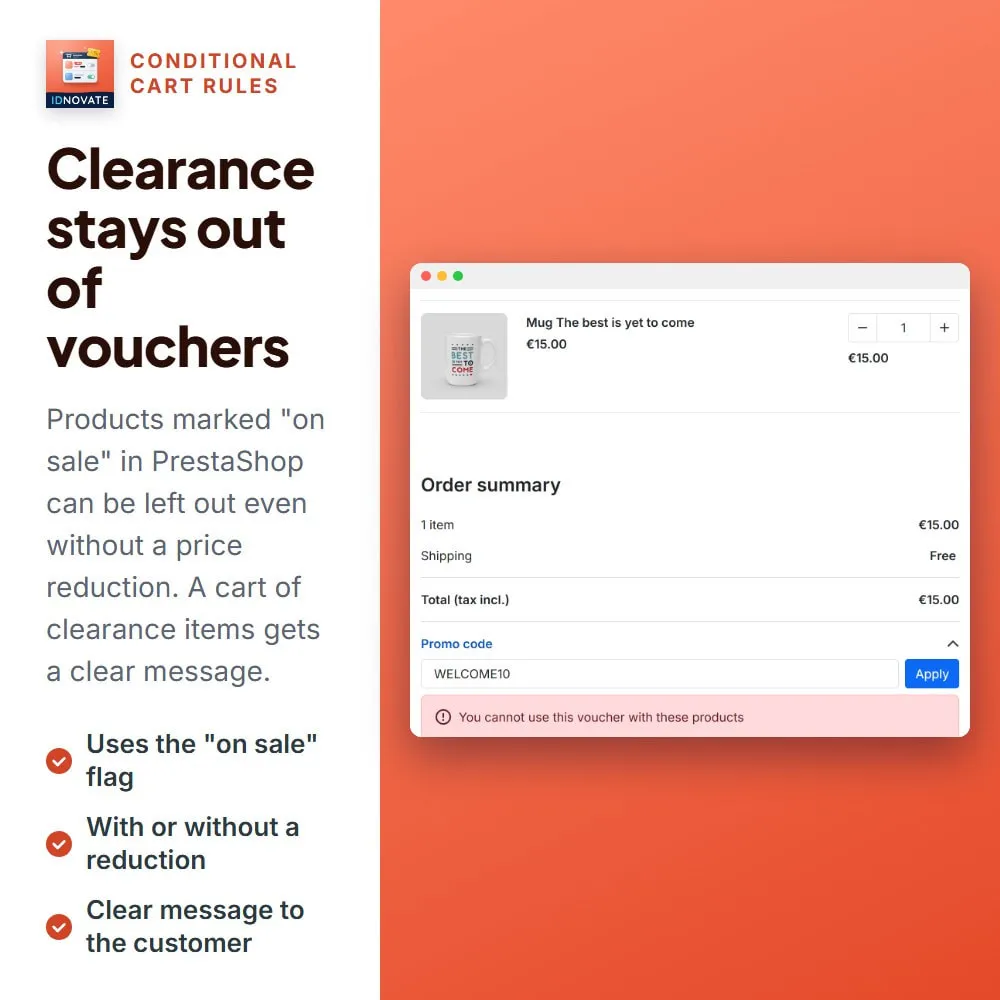
➡️ Yes. The "on sale" option only looks at the "on sale" flag of the product, so it works on its own or together with the offers option.
❓ What happens with a percentage voucher if the cart has offers?
➡️ The percentage is calculated only on the products without offers. If the rule is on the cheapest product, it goes to the cheapest product without an offer.
❓ And if every product of the cart is an offer?
➡️ The voucher cannot be used, and the customer sees the message "You cannot use this voucher with these products" instead of a discount of 0.
❓ Is the minimum purchase of the voucher calculated on the whole cart?
➡️ For fixed amount and free shipping vouchers, only the eligible products count. A percentage already shrinks with the excluded products.
❓ What does "Override specific price" do?
➡️ While the voucher is in the cart, the specific prices of the products are not applied, so the customer gets the voucher instead of the offer, not both.
❓ How do cart rules behave once the module is installed?
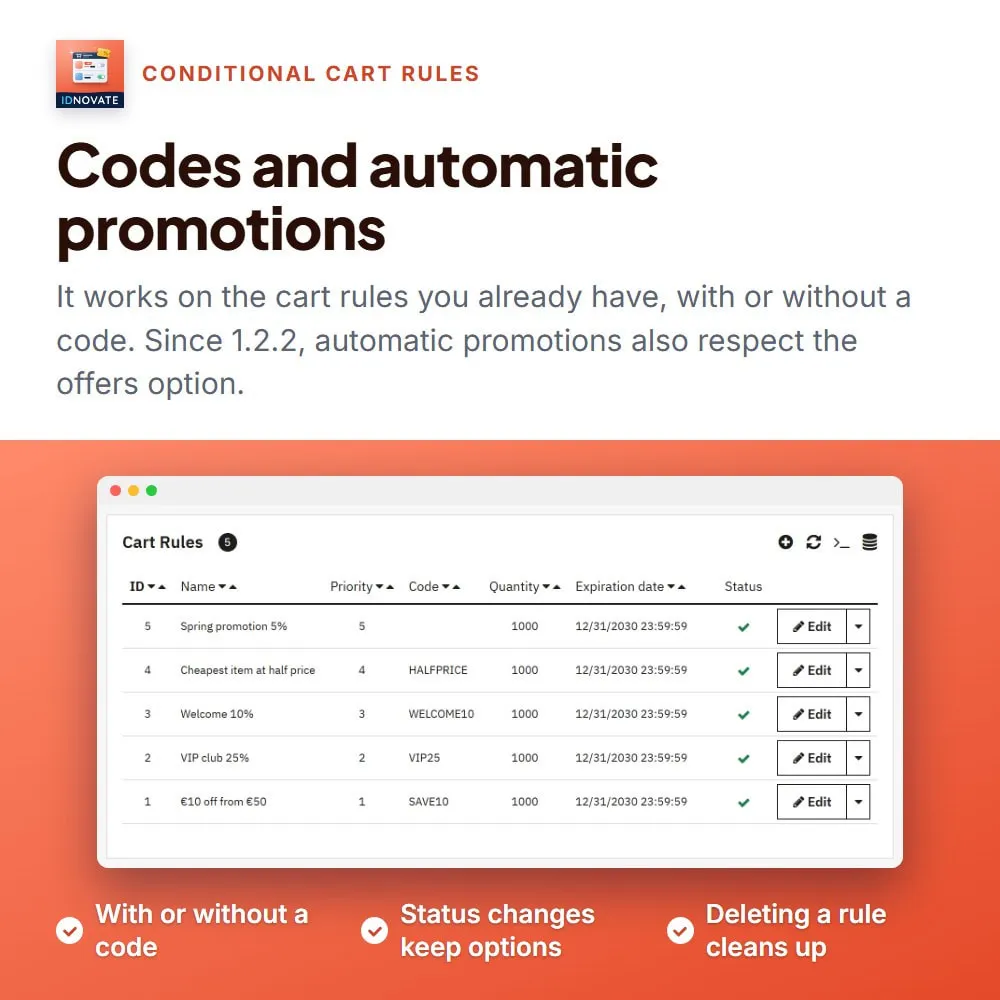
➡️ By default the offers and the products on sale are left out of every cart rule. For the rules that should also discount them, set the options to Yes in the "Actions" tab.
RO: Cel mai bun modul pentru a evita discounturile cumulative. Am avut o problema pe care developer-ul a rezolvat-o rapid si profesional. Recomand EN: The best module to avoid cumulative discounts. I had a issu...

Very good and efficient. Excellent option.
Module works great, exactly as we need. Thanks.
Does what it says. Actually, it's indispensable if you have a lot of cart rules.
Support vite et efficace. Fonctionne bien.

Muy buen servicio de Atención al Cliente, rápidos y eficientes. Me personalizaron el módulo para que los vales de descuentos no fueran acumulables ni a otras ofertas ni a otros vales de descuento, algo que Prestashop ...

La atención al cliente es excelente y el módulo cumple su función completamente.
Realmente cumple lo que promente en la descripción , deberían ser parte colaborativa de Prestashop para añadir muchas de estos microdesarrollos en versiones nativas del sistema.
Put a 3-for-2 deal, a sale with a strikethrough price and a coupon on the same product, and PrestaShop may apply all three at once. Here's what PrestaShop gives you out of the box and how to set up…