Shopping Cart


- Online only
- -20%
⚡ Your bulk prices are already in PrestaShop. The problem is the grey table nobody reads. qdbuttons turns it into buttons the customer can click, and shows the same offer in the places where they actually decide: the product page, the quick view and the product lists.
❓ Why choose our module?
❓ What makes this module essential for your shop?
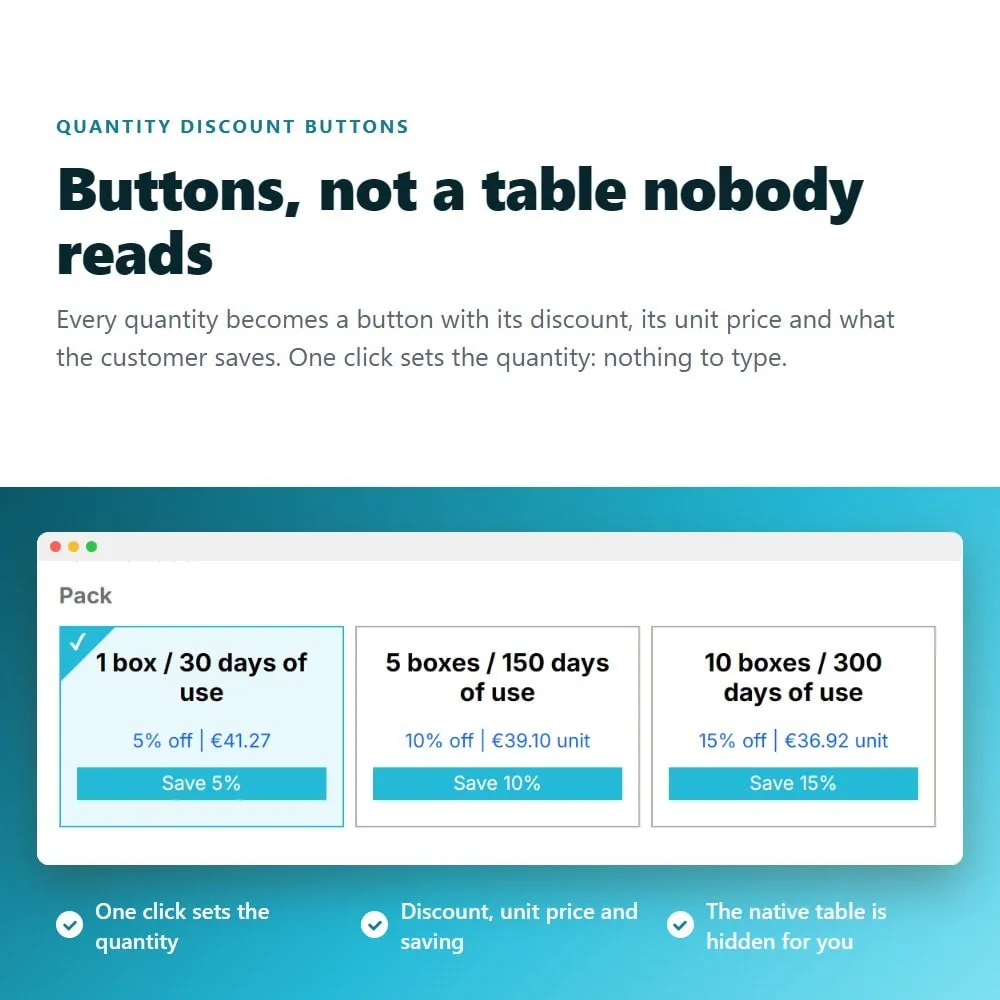
Every quantity becomes a button with its discount, its unit price and what the customer saves. One click sets the quantity and the basket follows⚡
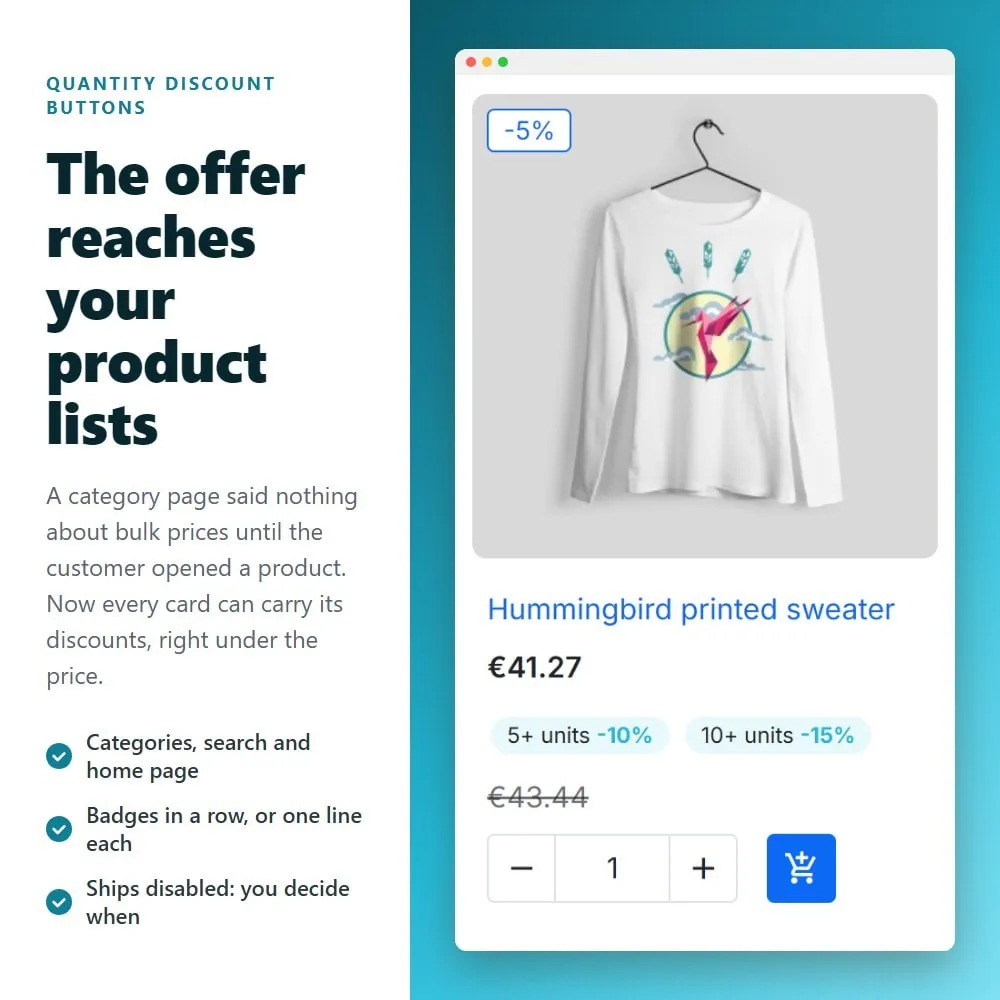
A category page used to say nothing about bulk prices until the customer opened a product. Now each card can carry its discounts, and on themes with a quantity field the customer picks one without leaving the list✨
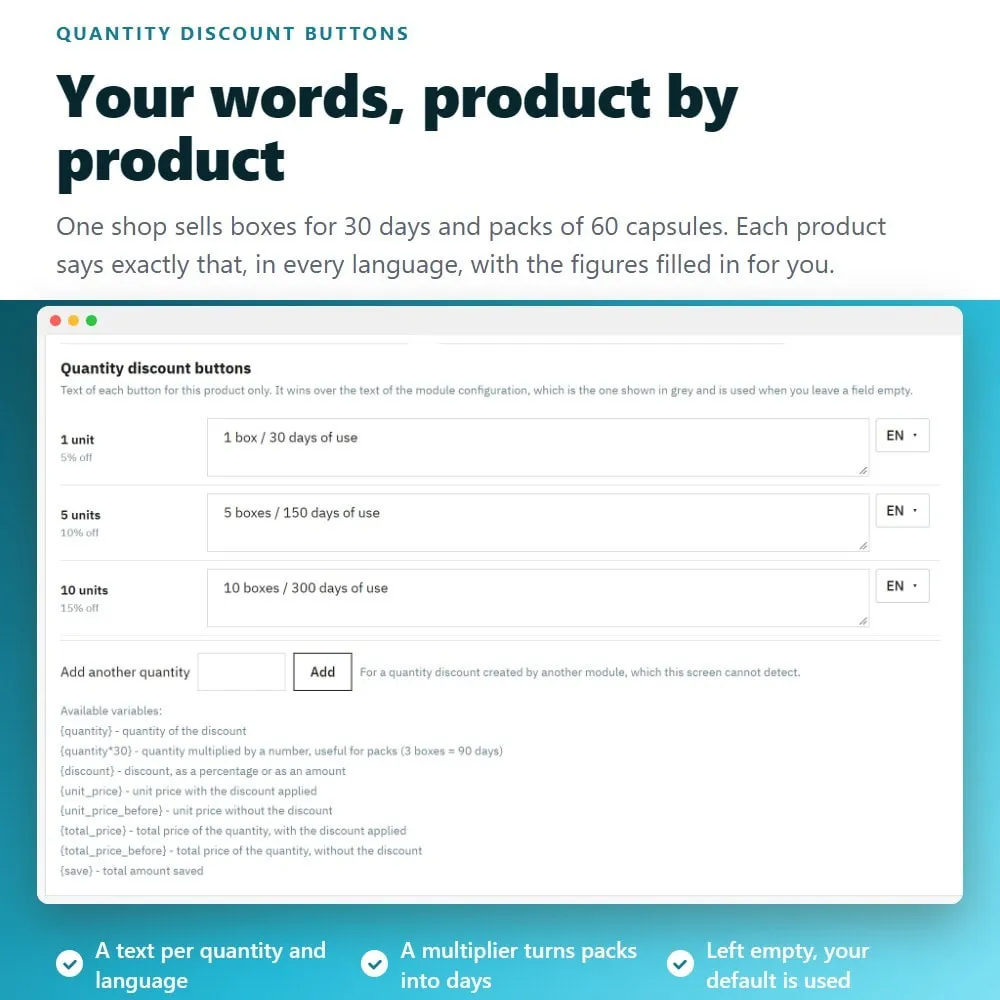
One shop sells boxes for 30 days, packs of 60 capsules and bottles of 50 servings. Each product can say exactly that, in every language, with the quantity, the discount, the prices and the saving filled in for you✅
Customers compare. An optional first button shows one unit at its normal price - with its own discount if it has one - so the saving of buying more is obvious ✅
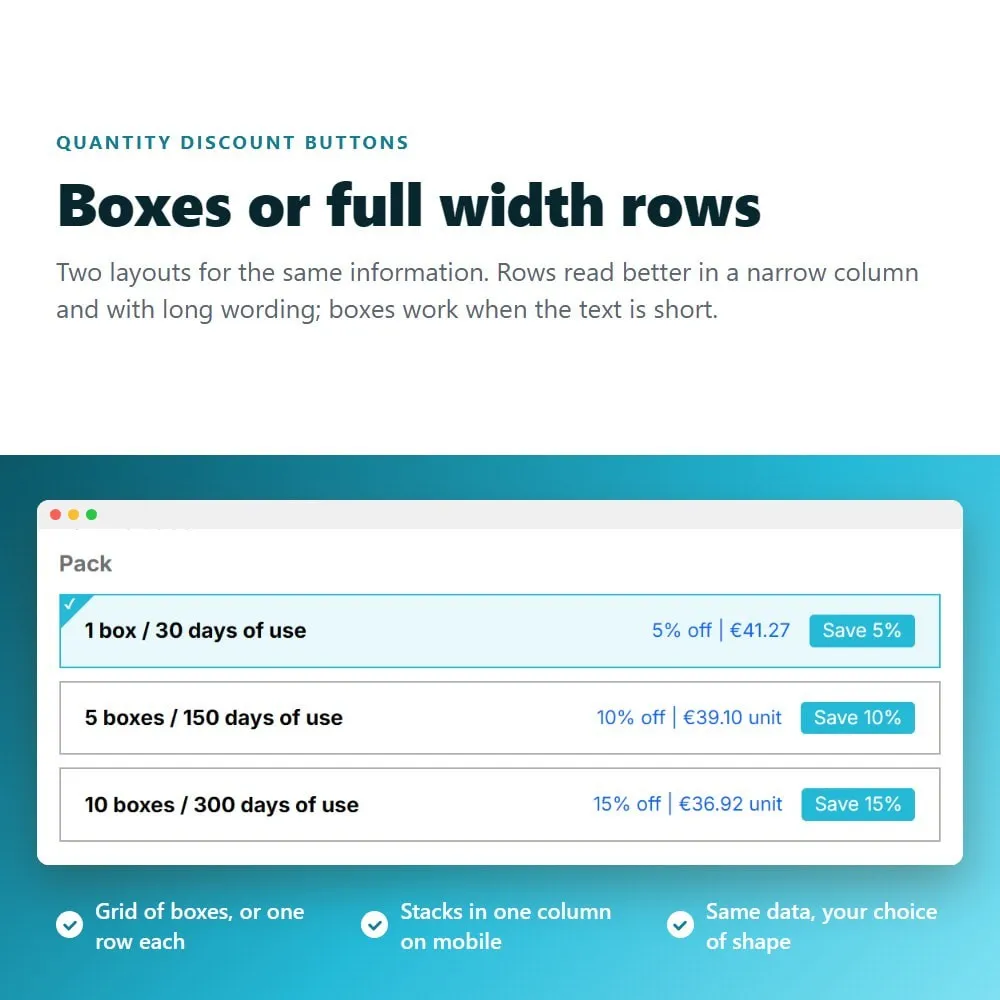
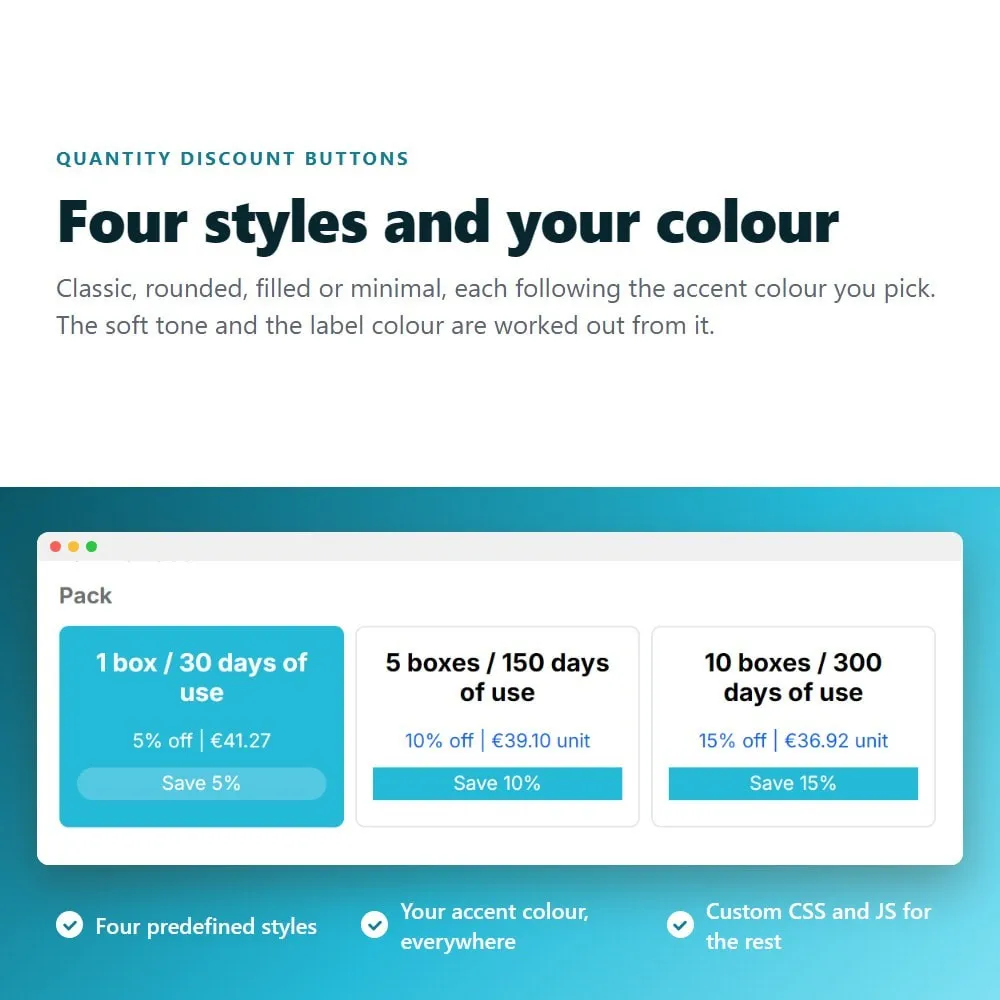
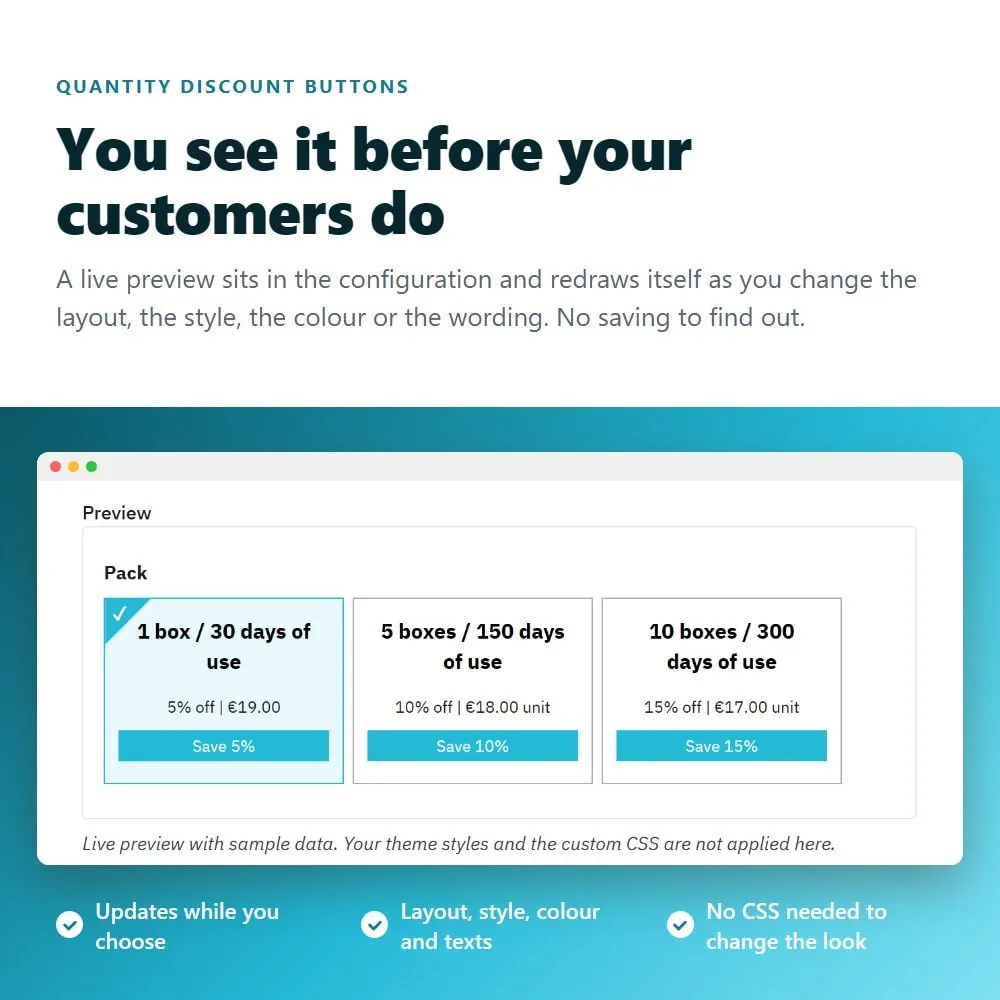
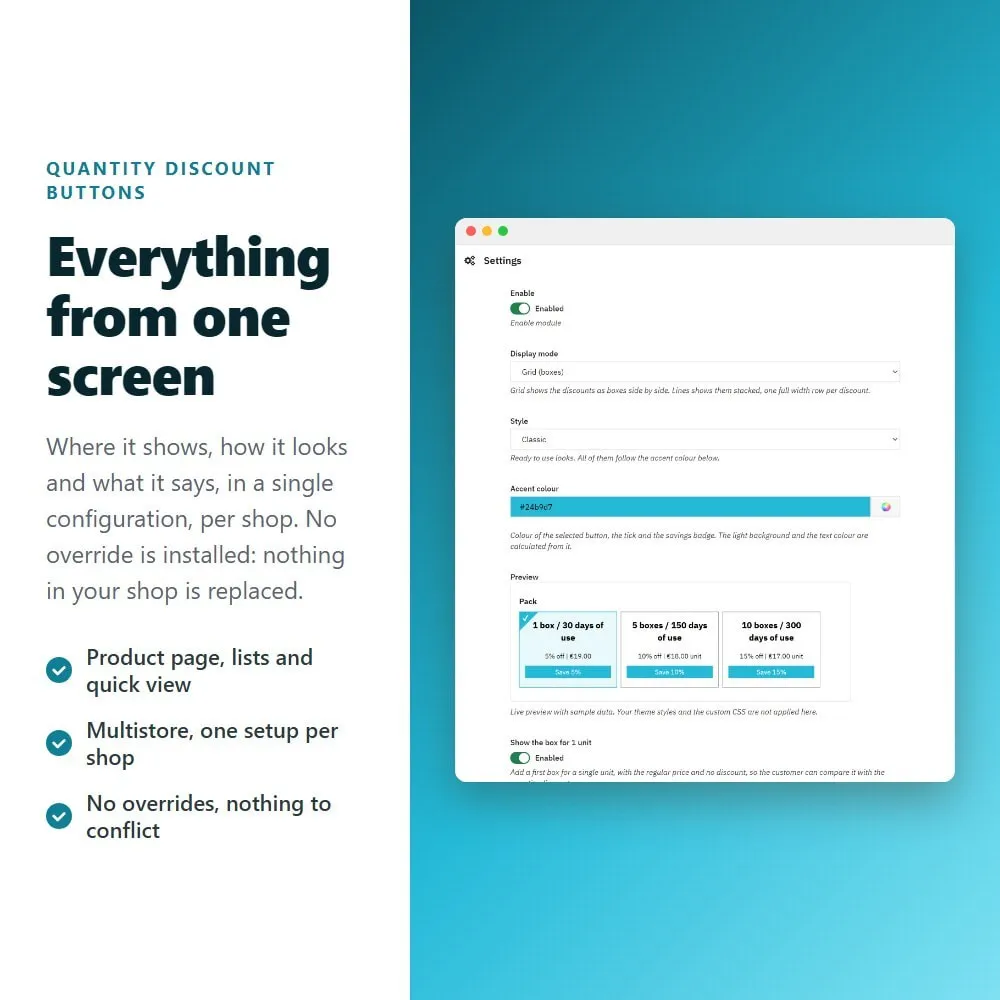
Boxes or full width rows, four predefined styles, your accent colour, and a preview that updates while you choose. Custom CSS and JavaScript fields are there if you want them ✅
Not only the ones typed in the Prices tab: discounts created by other pricing modules are picked up too, and the buttons are ordered by quantity✨
♻️ Constant updates to stay compatible with the latest PrestaShop versions.
⚜️ Certified PrestaShop Partner with more than 14 years building modules.
⭐ Clickable quantity buttons
The native discount table becomes a row of buttons.
➡️ One button per quantity, with the discount, the unit price, the total and the saving.
➡️ Clicking sets the quantity, so the customer never types a number.
➡️ The selected button is highlighted, and the native table is hidden on every theme.
✨ Summary in product lists
The discounts show up before the customer opens the product.
➡️ On category, search and home pages, under the price of each card.
➡️ Two looks: badges in a row, or one line per discount.
➡️ Clickable on themes whose cards have a quantity field; a plain list of figures where they do not.
➡️ Ships disabled, so nothing changes in your catalog until you turn it on.
⚙️ Quick view
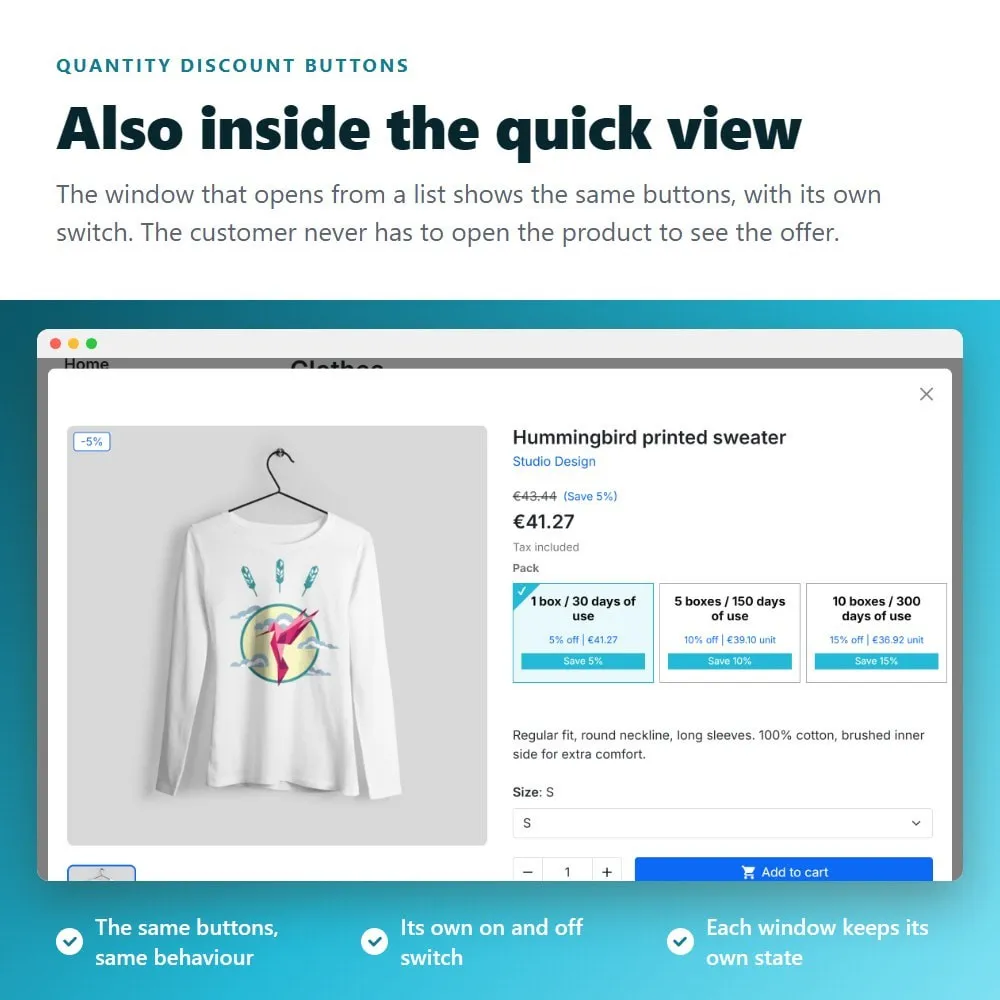
The same buttons inside the quick view window opened from a list, with its own switch.
➕ Your own text, with variables
Write what each button says instead of accepting a fixed label.
➡️ Variables: {quantity}, {discount}, {unit_price}, {total_price}, the prices before the discount and the saving.
➡️ {quantity*30} multiplies the quantity, so 3 packs can read "3 boxes / 90 days of use".
➡️ Per language, and per product: each product can describe its own packaging.
➡️ Basic formatting is accepted, so a price can be struck through next to the discounted one.
⭐ Looks, without CSS
➡️ Two layouts: boxes in a grid, or one full width row per discount.
➡️ Four predefined styles and your own accent colour, applied everywhere.
➡️ A live preview in the configuration that updates as you choose.
➡️ Custom CSS and JavaScript fields, with a code editor, for anything else.
▪️ A first box for one unit
Optional, with the regular price, or with its own discount if the product has one for a single unit.
⚖️ Prices the way your shop shows them
Unit price and total price can each be shown or hidden, with or without tax, in the currency of the customer.
▪️ Compatibility: PrestaShop 1.5, 1.6, 1.7, 8 and 9
▪️ No overrides - nothing in your shop is replaced.
▪️ Multistore ready, with its own configuration per shop.
▪️ Translated into English, Spanish, French, Italian, German and Polish; and every text shown to your customers is editable in all the languages of your shop.
▪️ Picks up quantity discounts created by other pricing modules, not only the native ones.
FREQUENTLY ASKED QUESTIONS - FAQ
❓ Which PrestaShop versions are supported?
➡️ The module works on PrestaShop 1.5, 1.6, 1.7, 8 and 9 ✅.
❓ Does it install any override?
➡️ No. The module adds no override to your shop, so there is nothing that can conflict with another module that touches the product page ✅.
❓ Do I have to create the discounts again?
➡️ No. It uses the quantity discounts you already have in the Prices tab of each product, and it also reads the ones created by other pricing modules ✅.
❓ Can the discounts be shown in category listings?
➡️ Yes. Each product card can carry a short summary of its discounts, in badges or in lines. On themes whose cards include a quantity field, clicking one sets the quantity without leaving the list; on themes without it, the summary stays a plain list of figures ✅.
❓ Can I change what each button says?
➡️ Yes, per language and per product. Variables fill in the quantity, the discount, the prices and the saving, and {quantity*30} multiplies the quantity so a pack can be described in days, servings or units ✅.
❓ Can I change how it looks without writing CSS?
➡️ Yes. Choose boxes or rows, one of four styles and your accent colour, and watch the preview update in the configuration. Custom CSS and JavaScript fields are there if you want to go further ✅.
❓ Does the old discount table still show up?
➡️ No. The module hides the native table on the classic theme, on the default theme of PrestaShop 9 and on 1.5 and 1.6 themes, so the information is not duplicated ✅.
❓ Does it work with product combinations?
➡️ Yes. The buttons are rebuilt when the customer changes a combination, with the prices of the one selected ✅.
❓ Does it work with multistore?
➡️ Yes, and each shop of the installation keeps its own configuration and its own texts ✅.
❓ Do I get updates and support?
➡️ Yes. The module receives constant updates and is backed by idnovate support, a certified PrestaShop partner ✅.