Shopping Cart


- Online only
- -20%
⚡ A shirt at 25.00 € reads heavier than one at 25 €, a Swiss customer expects CHF 1'050.76 and not 1,050.76 CHF, and some shops simply want EUR where PrestaShop writes €. Our module lets you decide how every price of your shop is written, currency by currency: how many decimals, which separators, which symbol and where it goes. And when you remove the decimals, the prices are really rounded, so what your customers see is exactly what they pay.
❓ Why choose our module?
❓ What makes this module essential for your shop?
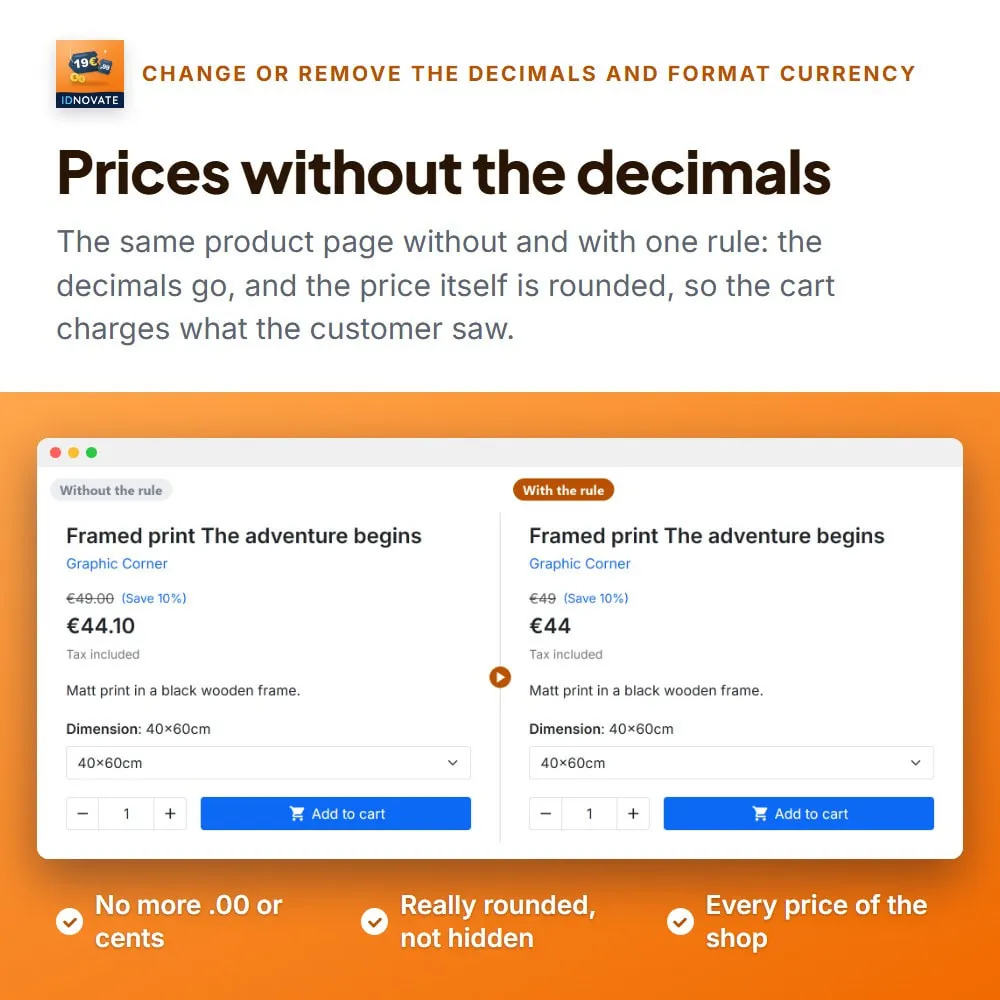
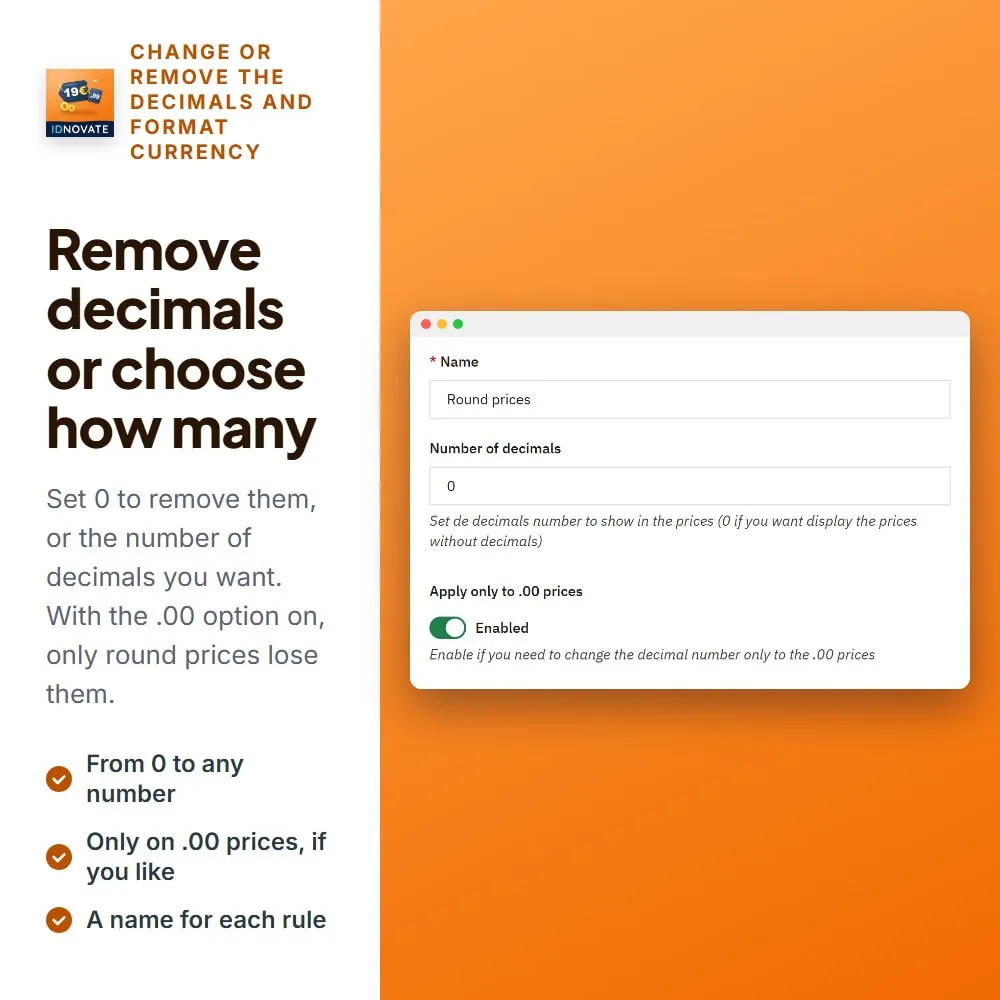
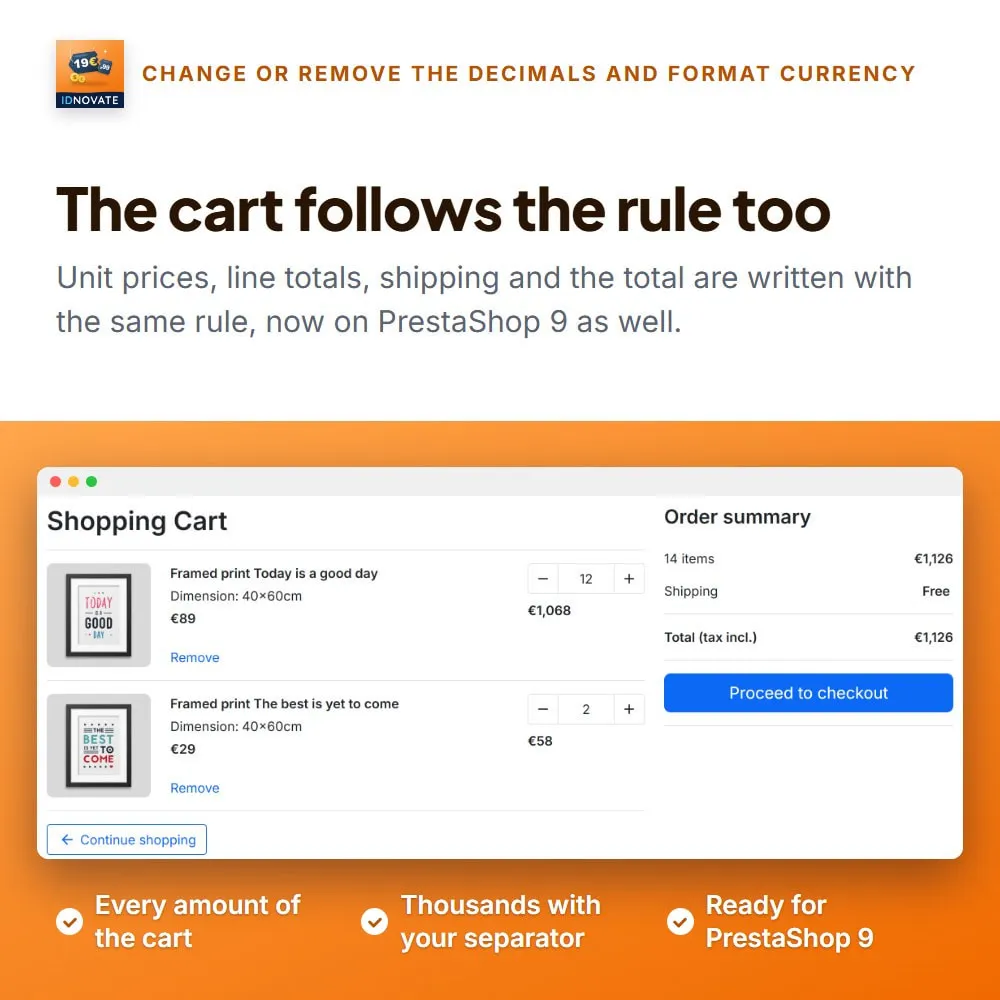
Choose how many decimals your prices have, or 0 to show them whole. The prices are rounded to that number in the product price, the cart total and the shipping cost. ⚡
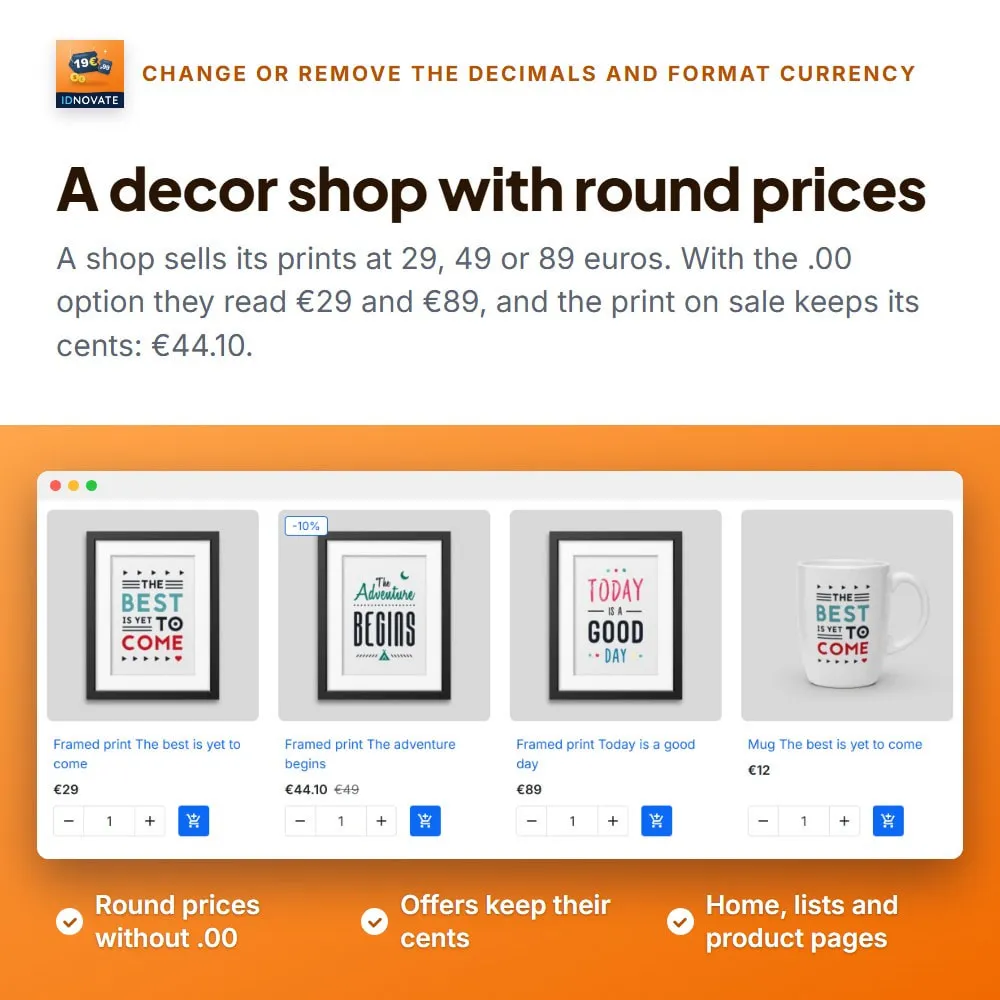
With the .00 option, 25.00 is written 25 while 24.90 keeps its cents. Nothing is rounded, only round prices change. ✨
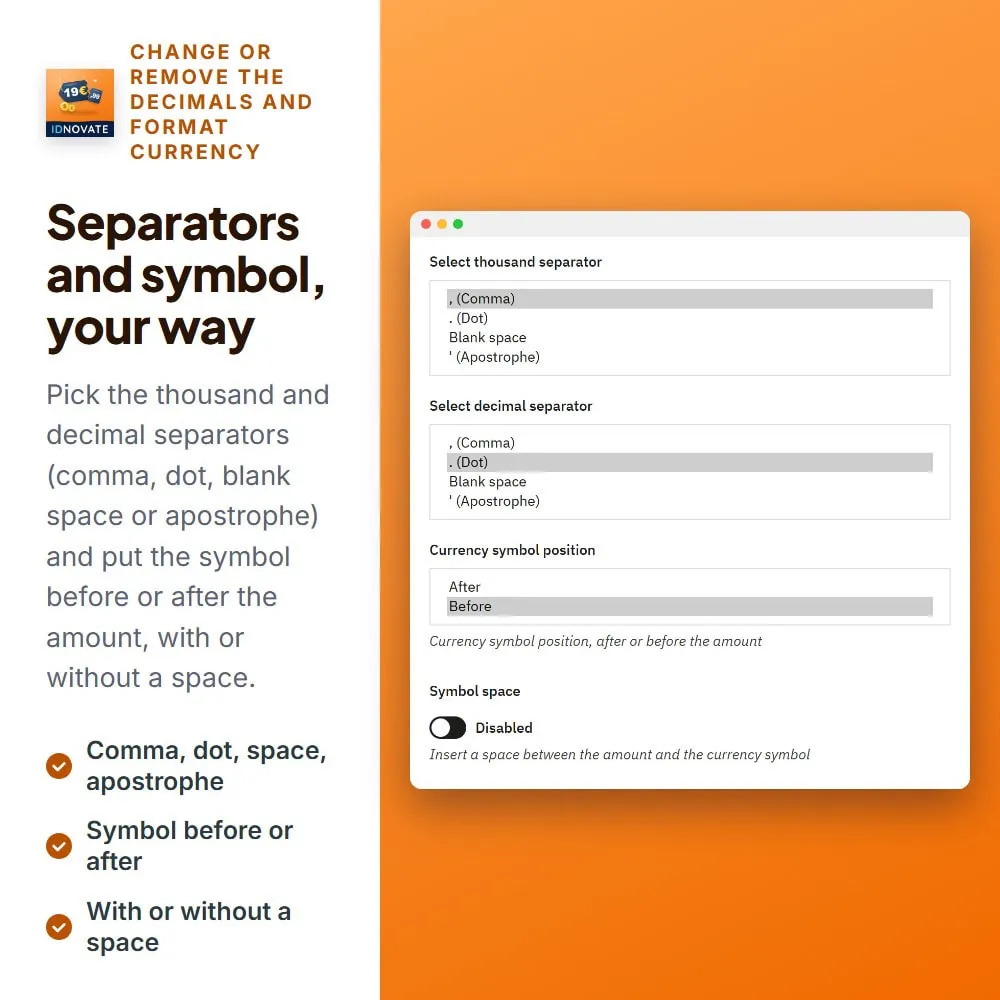
Comma, dot, blank space or apostrophe for thousands and for decimals: 1.050,76 €, 1,050.76 $ or CHF 1'050.76. ✅
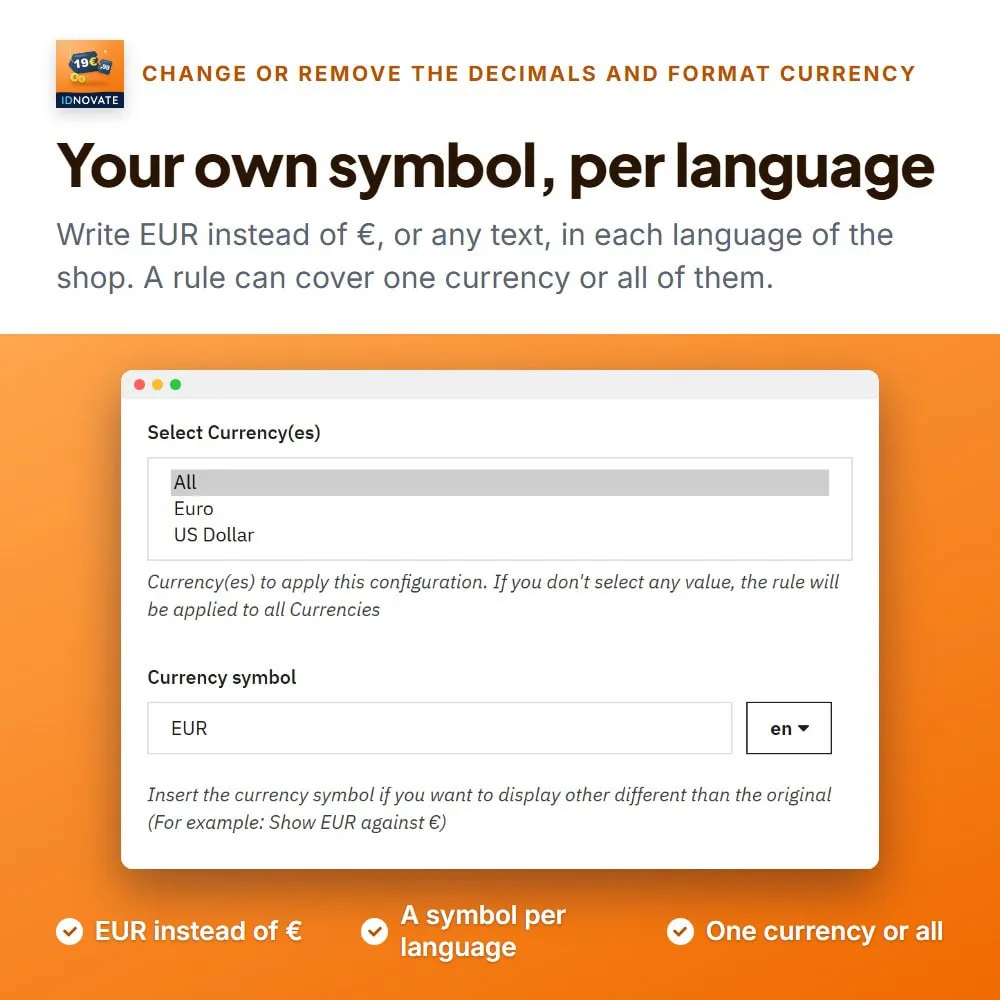
Show EUR instead of €, USD instead of $, or any text you like, with a different symbol for each language of the shop, before or after the amount and with or without a space. ✨
Product pages, lists, cart and checkout, the prices the theme recalculates when a combination or a quantity changes, and the currency selector of the theme. ✅
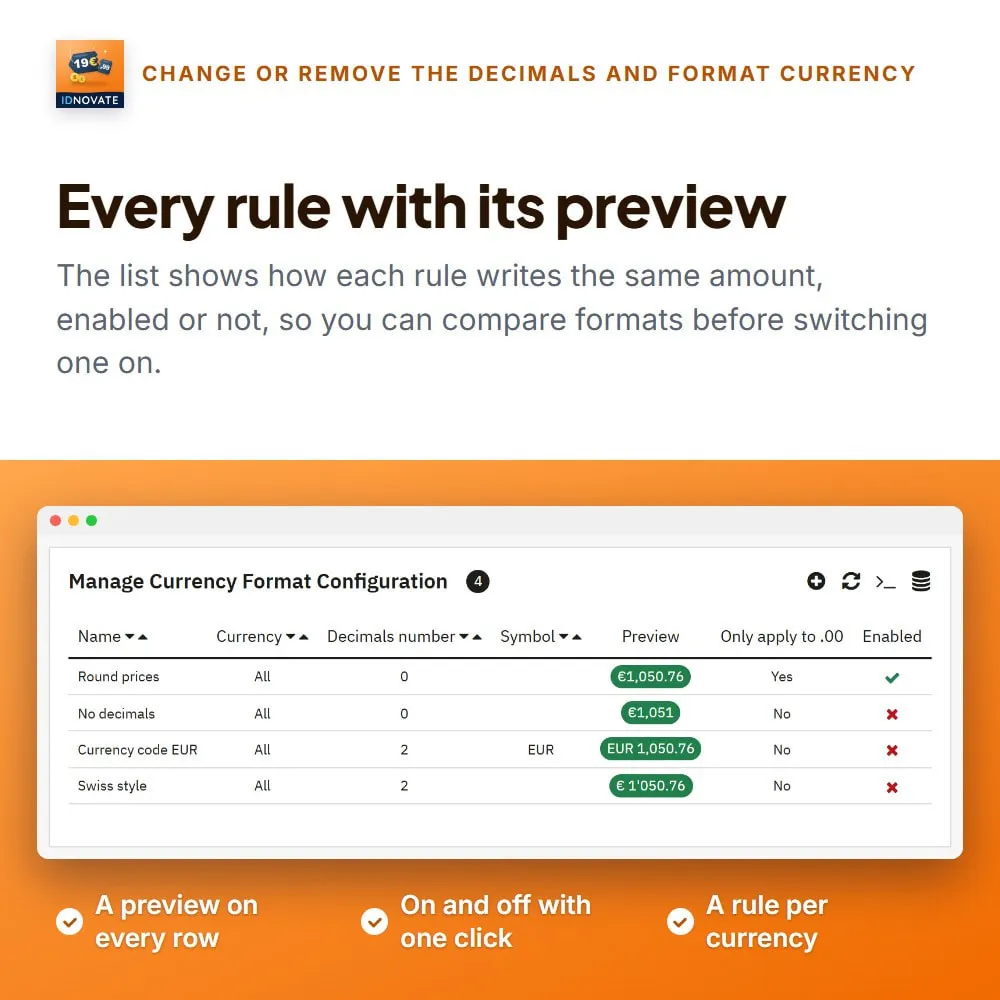
A list of rules with a preview of each one, enabled or disabled with one click, and one rule per shop with multistore. ✅
❓ What are the main features of the module?
▪️ Uninstall the module and your shop goes back to the format of PrestaShop.
FREQUENTLY ASKED QUESTIONS - FAQ
❓ Does removing the decimals change the price or only how it looks?
➡️ It changes the price. With 0 decimals a product at 24.90 is sold at 25, and the cart total and the shipping cost are rounded too, so the customer pays exactly what is shown.
❓ I only want to hide the ,00 of round prices. Can I?
➡️ Yes. Turn on Apply only to .00 prices: 25,00 € is written 25 €, 24,90 € stays as it is, and nothing is rounded.
❓ Can each currency have its own format?
➡️ Yes. Create one rule per currency, or one rule for all of them. If two active rules reach the same currency, the oldest one wins.
❓ Can I show EUR instead of €?
➡️ Yes. Write the symbol you want in the rule, one for each language of your shop, and choose whether it goes before or after the amount.
❓ Which separators can I use?
➡️ Comma, dot, blank space or apostrophe, for thousands and for decimals, as long as the two are different.
❓ Will the back office show my format too?
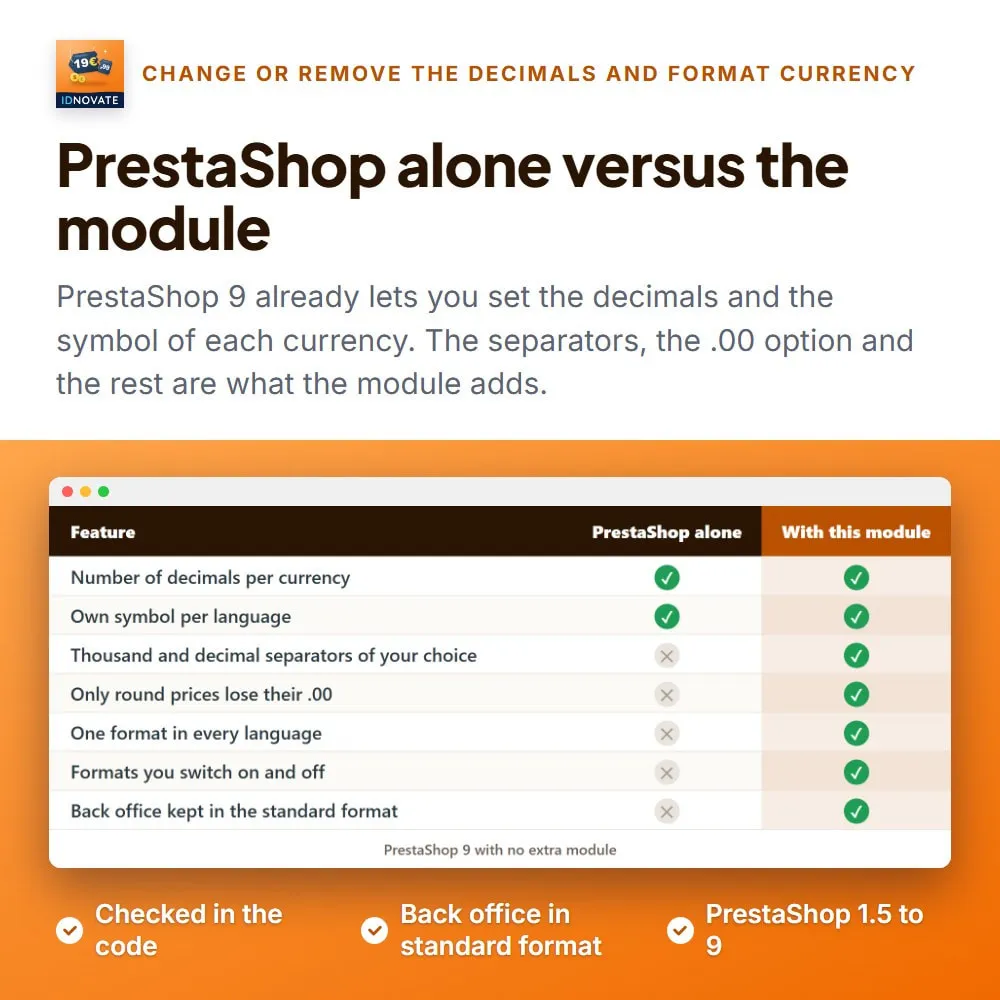
➡️ No, on purpose. The rules apply to the storefront, and the back office keeps the standard format of PrestaShop so you always read the real amounts.
❓ Does it work with my payment and checkout modules?
➡️ Yes. The module changes how prices are written and rounded, not the payment, so it works with any payment or checkout module.
❓ Does it work with multistore?
➡️ Yes. Each rule belongs to the shop it was created in, so every shop can have its own format.
❓ What happens if I uninstall it?
➡️ The rules are deleted and your shop goes back to the format of PrestaShop.
This module is very good to 'clean up' the decimals you don't need for big numbers currencies. Important to make your shop looking professional and well designed from head to toes. Very easy to use. The support is fas...

Great module for international business!
Had some issues and the developer solved it for me. Thanks!
GOOD MODULE
Great module for international business!
Easy to use module which does what is promised. I can highly recommend Idnovates modules, always high quality and exceptional support.
El módulo hace lo que promete. El soporte técnico es muy bueno. Debo destacar que yo poseo un carrito de compras en mi tienda personalizado a través de un módulo extra. Al principio el módulo daba conflictos dado que ...

Funciono correctamente.
Module et équipe de qualité ! Le suivi en cas de question est top.

Es facil y sencillo de instalar y configurar, pienso que debería estar incluido en las configuraciones de Prestashop
Très bon module. Très bon support.
Un support magnifique et une qualité de produit irréprochable Fait exactement ce qu'il faut