Shopping Cart




- Online only
- -20%

Are you looking for an easy way to show or hide combinations in your PrestaShop online store? Take a look at our PrestaShop combinations module!
This module allows you to easily control the visibility of your product combinations. You can show or hide any particular combination in your store, allowing you to tailor your catalog to the needs of your customers and increase the efficiency of your business. In addition, you will be able to choose whether these combinations are available or not based on certain customer characteristics, such as the geographical region in which they are located, stock, etc.
With our PrestaShop combinations module you can quickly show or hide the combinations of your products, without having to make manual changes to each product individually. In addition, you will be able to control the visibility of the combinations both on the product page and in the catalog of your store.
Install our PrestaShop combinations module and increase the efficiency of your business today! With our module you can improve the shopping experience in your store.
These are the main advantages that you will get after its installation:
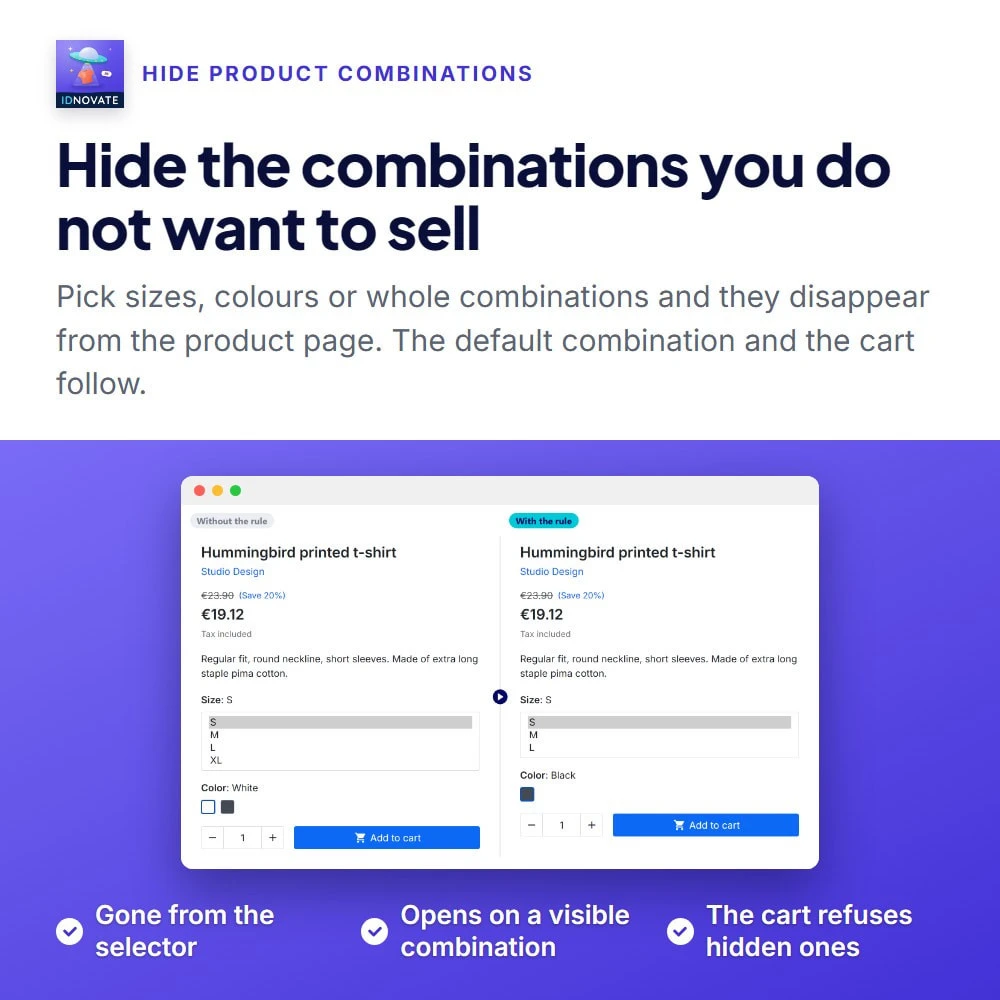
⚡ A size that has run out, a colour you no longer make, a combination you cannot ship to some countries or do not want to sell to your wholesale customers: in PrestaShop the only native way to stop selling it is to delete it, and then its stock, its images and its history go with it. Our module hides them instead, with rules, and shows them again when the rule stops applying. And your customers only see the sizes and colours they can actually buy, so they never choose one that is not for them.
❓ Why choose our module?
❓ What makes this module essential for your shop?
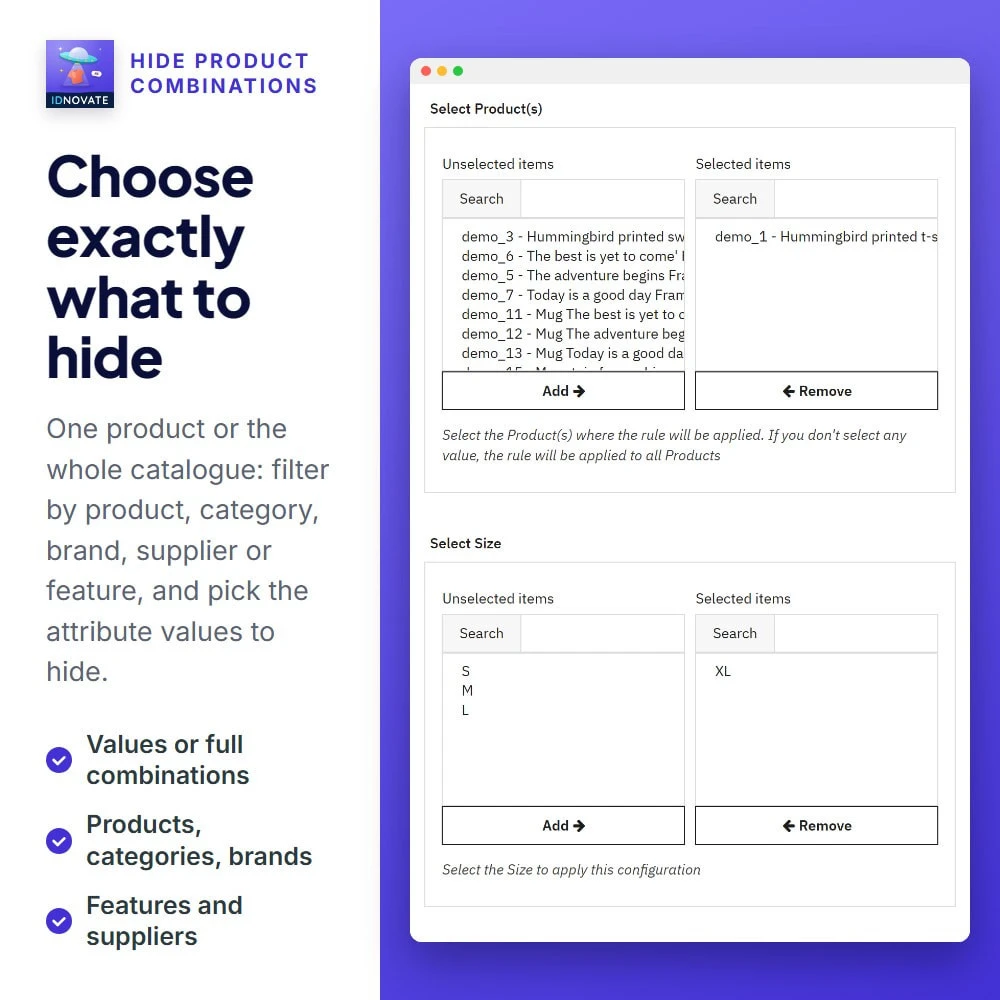
Choose one value (every combination in size XL) or one value per group (only the white T-shirt in size S). The hidden values disappear from the selectors of the product page and the quick view. ⚡
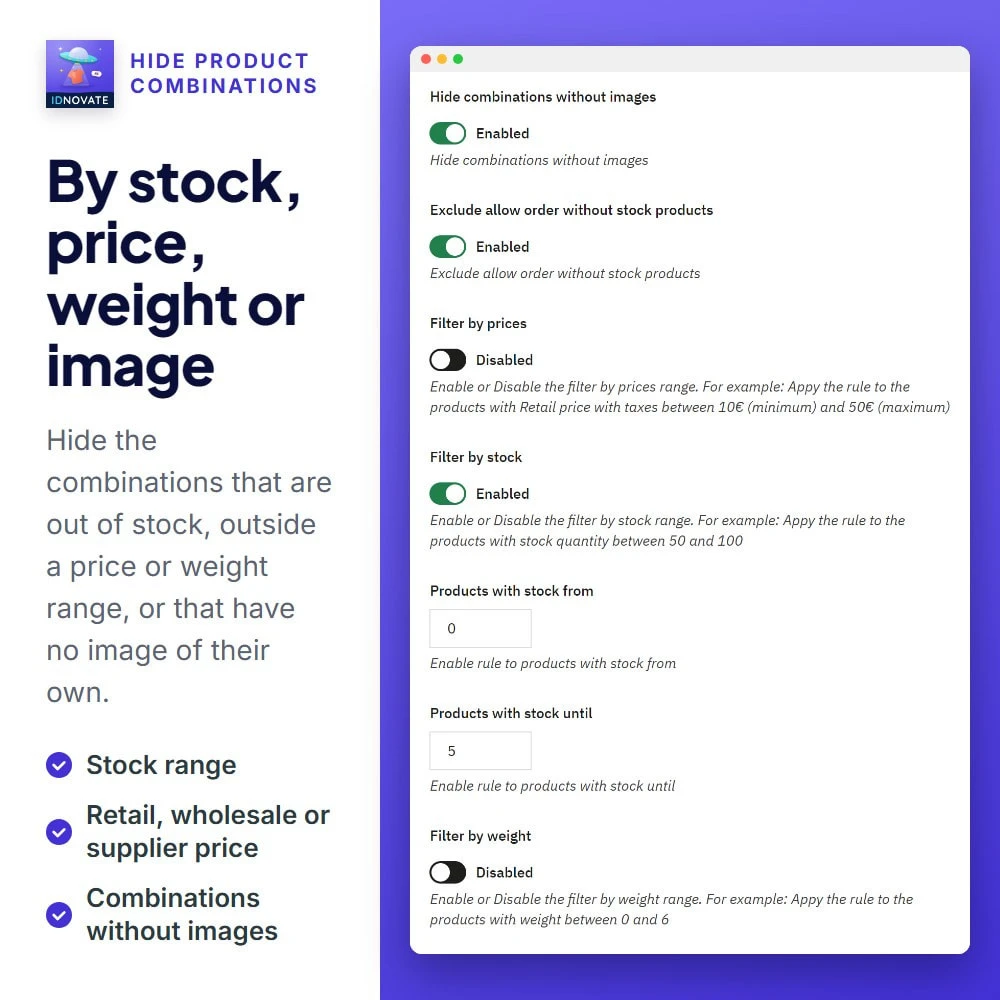
Products, categories, brands, suppliers and features, plus ranges of stock, price and weight, and the combinations that have no image of their own. ✅
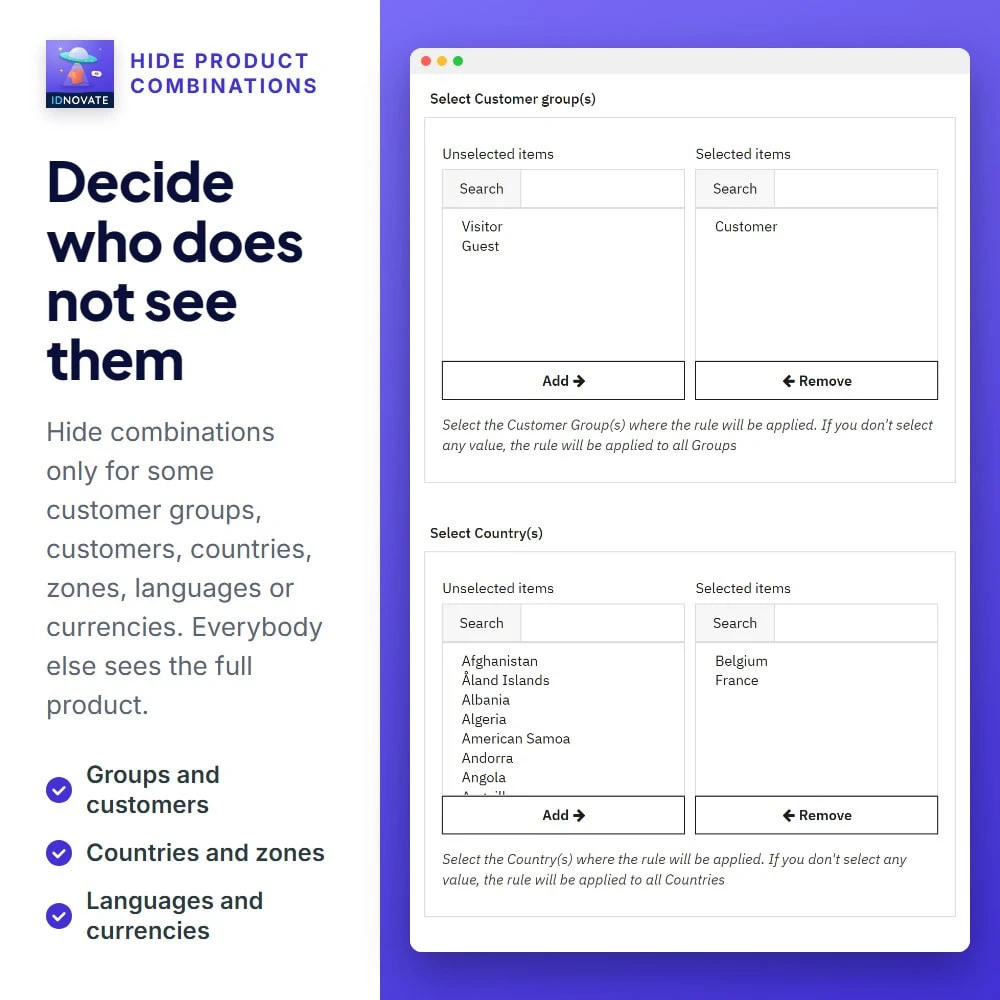
Hide combinations only for some customer groups, customers, countries, zones, languages or currencies. Everybody else keeps seeing the full product. ✨
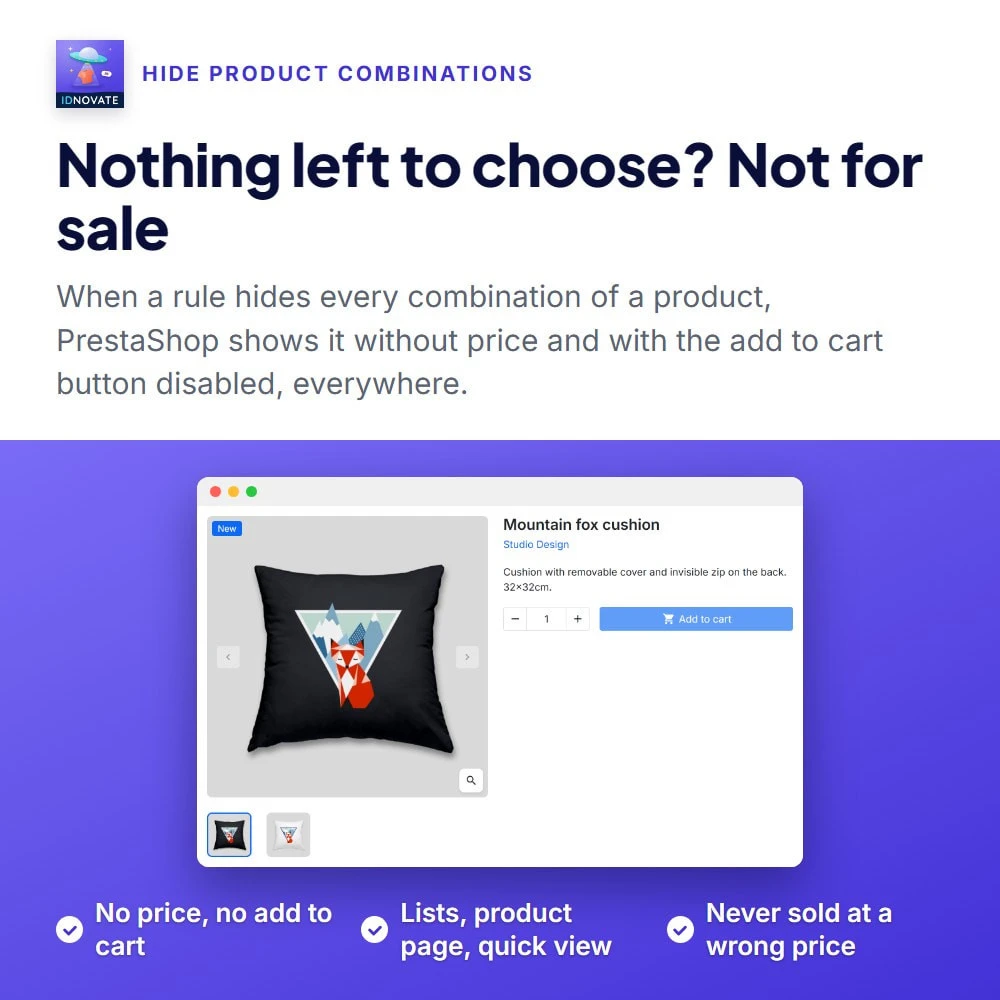
When a rule hides every combination of a product, PrestaShop shows it without price and with the add to cart button disabled, in the product lists, on the product page and in the quick view (PrestaShop 1.7.1 and later). It is never sold at a wrong price. ✅
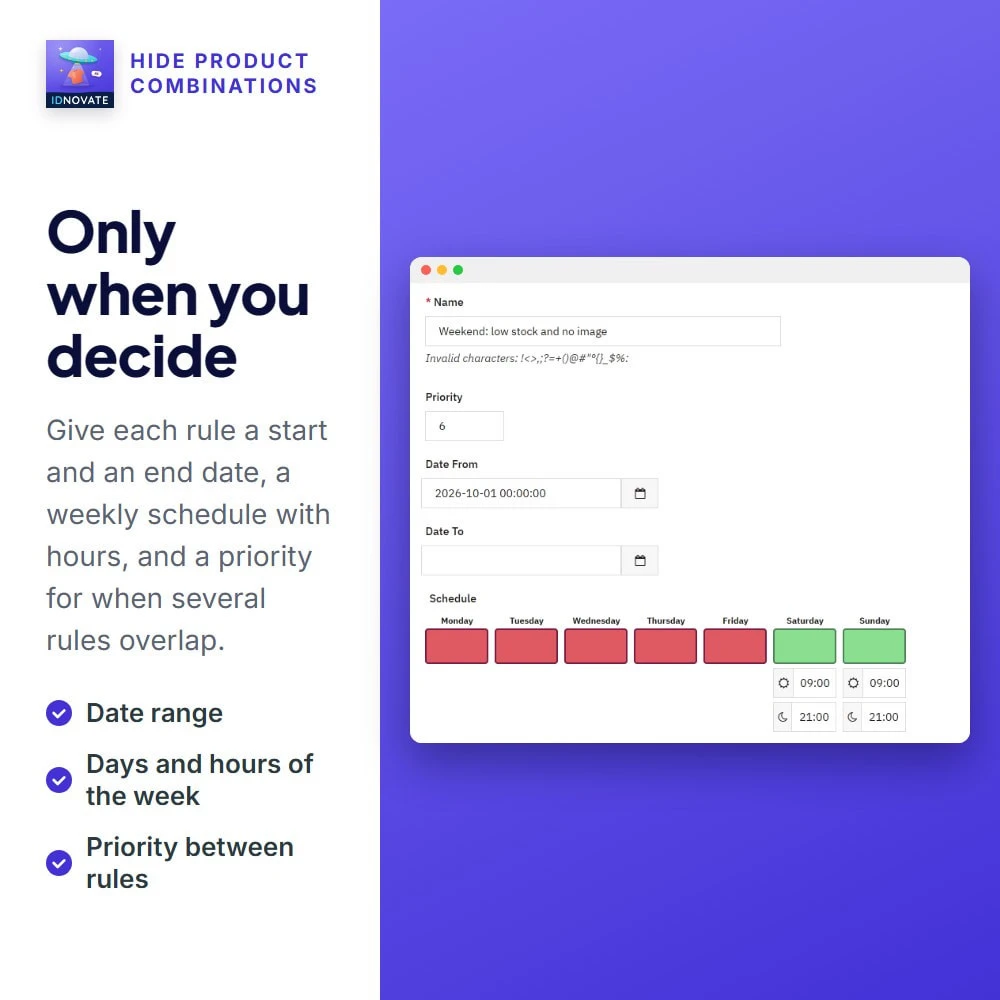
Give each rule a start and an end date and the days and hours of the week when it applies, and a priority for when several rules overlap. ✨
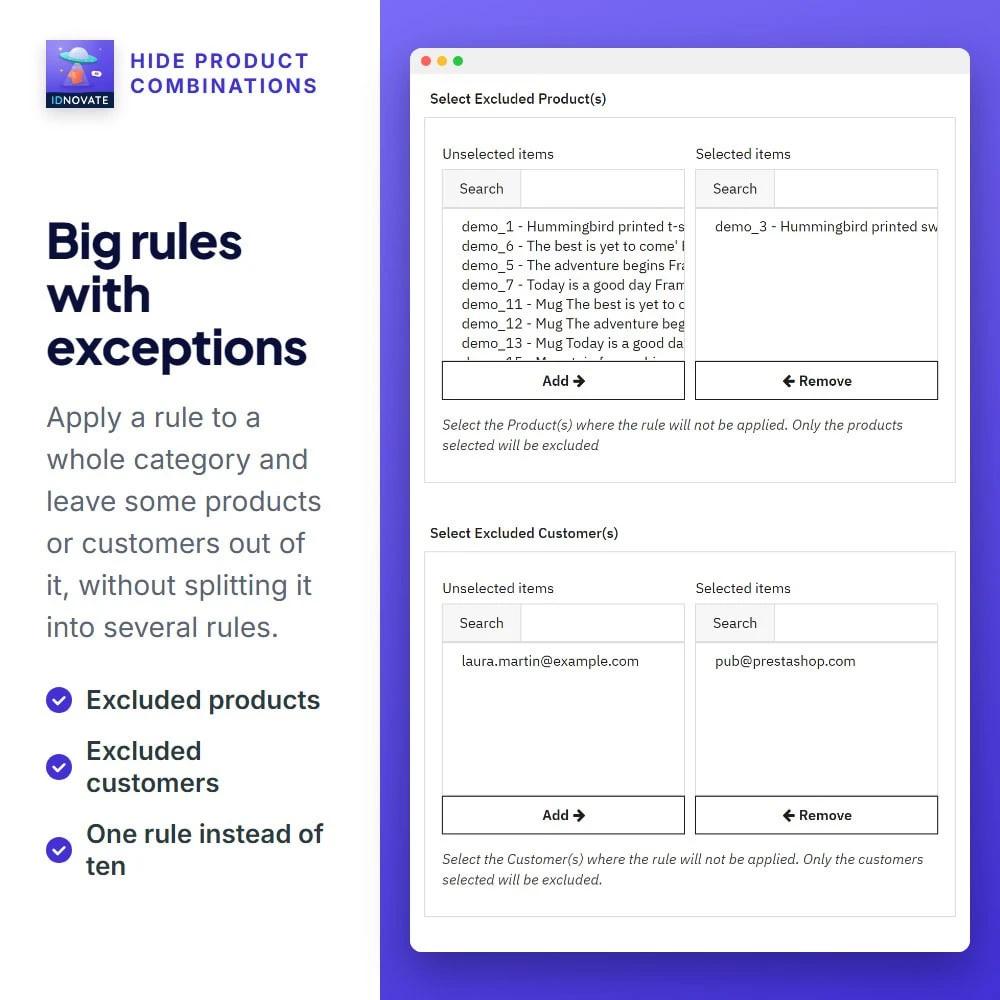
Apply a rule to a whole category and leave some products or customers out of it. ✅
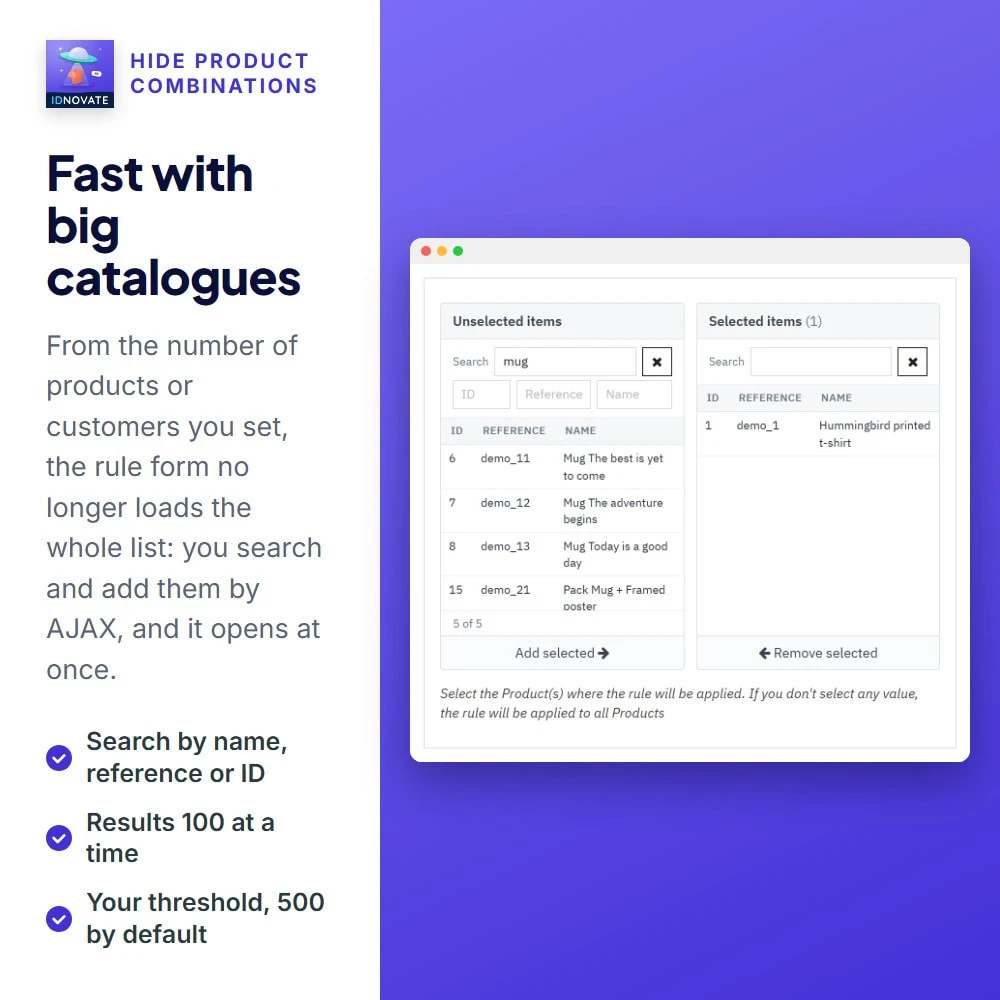
From the number of products or customers you set (500 by default), the rule form searches them by AJAX instead of loading the whole list, so it opens at once. ✅
❓ What are the main features of the module?
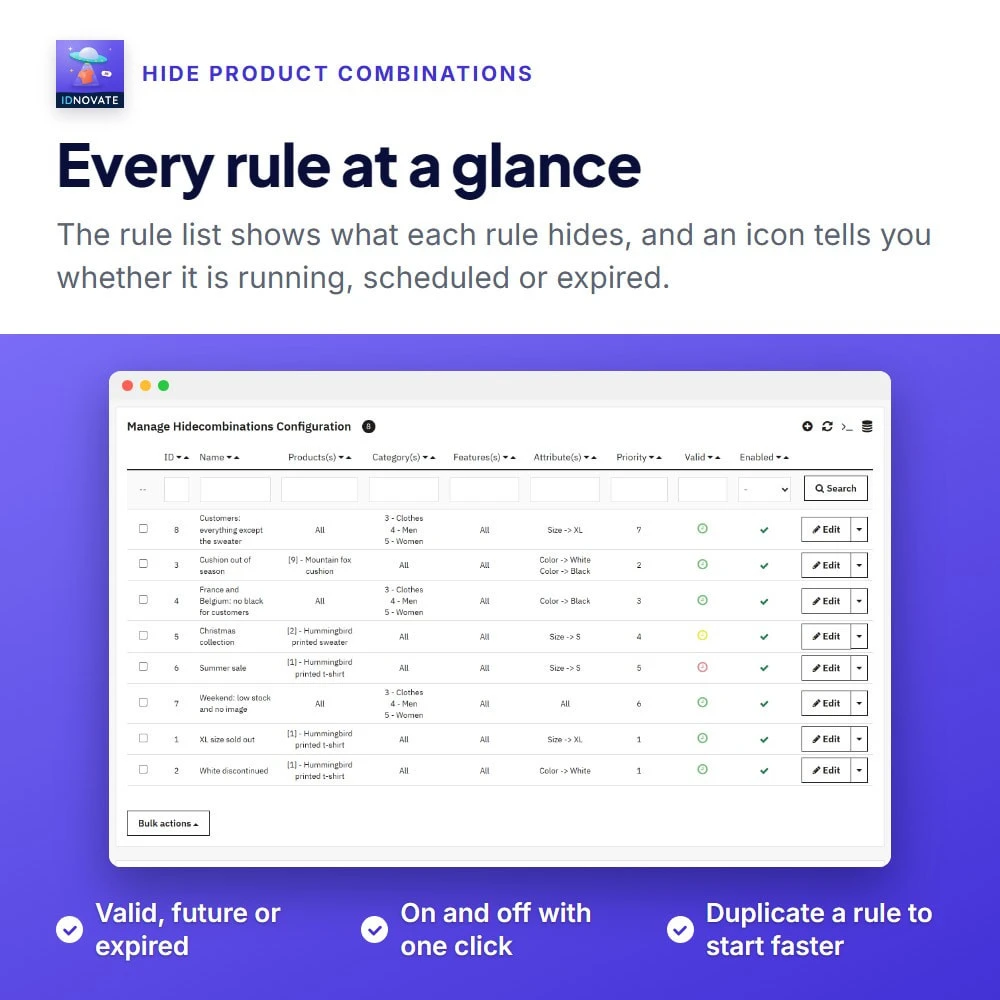
▪️ The hidden combinations are never deleted: disable the rule or the module and they are back.
FREQUENTLY ASKED QUESTIONS - FAQ
❓ Are the hidden combinations deleted?
➡️ No. They stay in your catalogue with their stock, prices and images. They are only hidden in the shop while a rule applies.
❓ Can I hide one exact combination and not all the ones with that colour?
➡️ Yes. Choose one value of each attribute group (white and size S) to hide only that combination, or a single value (white) to hide every combination that has it.
❓ Can I hide combinations only for some customers or countries?
➡️ Yes. Each rule can be limited to customer groups, customers, countries, zones, languages and currencies.
❓ Can I hide the combinations that are out of stock?
➡️ Yes. Use the stock filter of the rule, for example from 0 to 0 units, or up to 5 units to hide the ones that are running out.
❓ What happens if every combination of a product is hidden?
➡️ From PrestaShop 1.7.1, the product is shown without price and with the add to cart button disabled, so it cannot be bought.
❓ And if the default combination of a product is hidden?
➡️ The product opens on the first visible combination, and the product lists link to it.
❓ Can a customer still buy a hidden combination with an old link?
➡️ No. The link leads to the product page, and the cart refuses a hidden combination.
❓ Does it work with big catalogues?
➡️ Yes. From 500 products or customers (you can change the number) the rule form searches them by AJAX instead of loading the whole list.
❓ Do I get updates and support?
➡️ Yes. The module receives constant updates and is backed by idnovate support, a certified PrestaShop partner.
Good product, and technical support services very efficient. They answer you very fast and help you.

Perfect module and support!
Absolutely amazing module and best support on the market. Highly recommeded !!!
Great module and, most important, amazing customer service and support!!! Everything works perfectly and, if it does not, the developers will be very kind to assist you as soon as they can!
Nice and quick client service. It works perfectly with another related modules we got. Thanks!
Muy buen modulo

Funciona perfectamente, tuve un problema con la configuración inicial (no entendía bien el funcionamiento) y me ayudaron en seguida. Atienden en menos de una hora, ¡gran servicio!
J'ai eu un problème avec l'installation du module mais qui a était très vite pris en charge et réparer par le support. Très professionnel.

El producto cumple exactamente con lo que se indica en la descripción y el soporte nos indicó como configurarlo. Lo recomiendo!


Basic Information on Data Protection
idnovate.com informs you that the personal data you provide by filling out this form will be processed by Innovación y Desarrollo, SCP as the responsible party for this website.
The purpose of collecting and processing the personal data we request is to manage the subscription to this service.
Legitimation: By checking the acceptance box, you are giving your legitimate consent for your data to be processed according to the purposes of this form.
As a user and interested party, we inform you that the data you provide will be located on the servers of MailRelay (email marketing service provider) through its company CPC SERVICIOS INFORMATICOS APLICADOS A NUEVAS TECNOLOGIAS SL located in Europe, guaranteeing MailRelay's company adequate security levels. See MailRelay's privacy policy.
The fact that you do not enter the personal data that appears in the form as mandatory may result in us not being able to fulfill your request.
You can exercise your rights of access, rectification, limitation, and deletion of data at info@idnovate.com, as well as the right to file a complaint with a supervisory authority.
You can consult additional and detailed information about Data Protection on our website: www.idnovate.com, and also check our privacy policy.
How can we help you?
Choose your preferred contact method and we'll get back to you as soon as possible.
Loading the chat, one moment please.


