Shopping Cart


- Online only
- -20%

⚡ A product out of stock, an item you only sell to your wholesale customers, a collection that is not for some countries, products that have been in the catalogue for too long: disabling them one by one breaks their links and you have to remember to enable them again. Our module hides them with rules, only for the customers you choose and only while the rule applies, and the old links lead your customers somewhere useful. Your customers see it too: a tidy catalogue with only the products they can buy, without sold-out or out-of-season items in the way.
❓ Why choose our module?
❓ What makes this module essential for your shop?
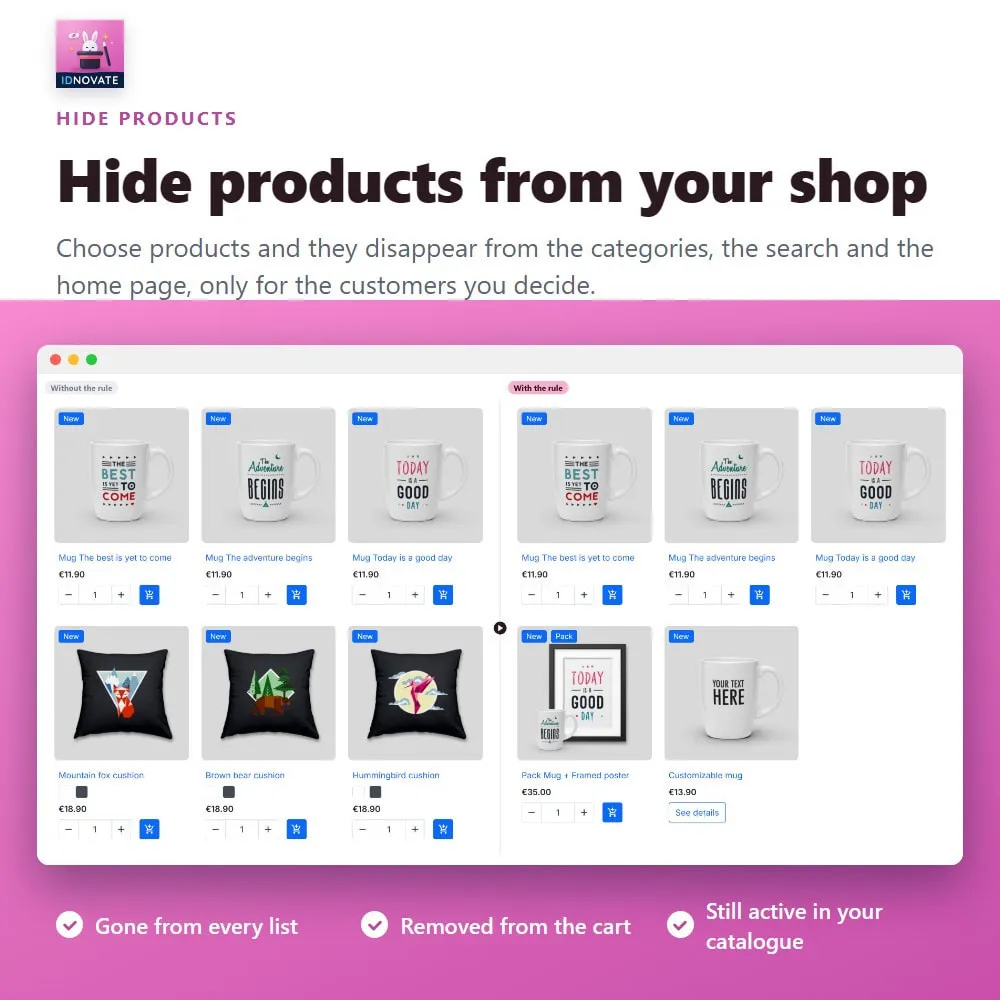
The hidden products disappear from the categories, the search, the home page, the brand pages and the specials, and they are removed from the cart of the customers who cannot see them. ⚡
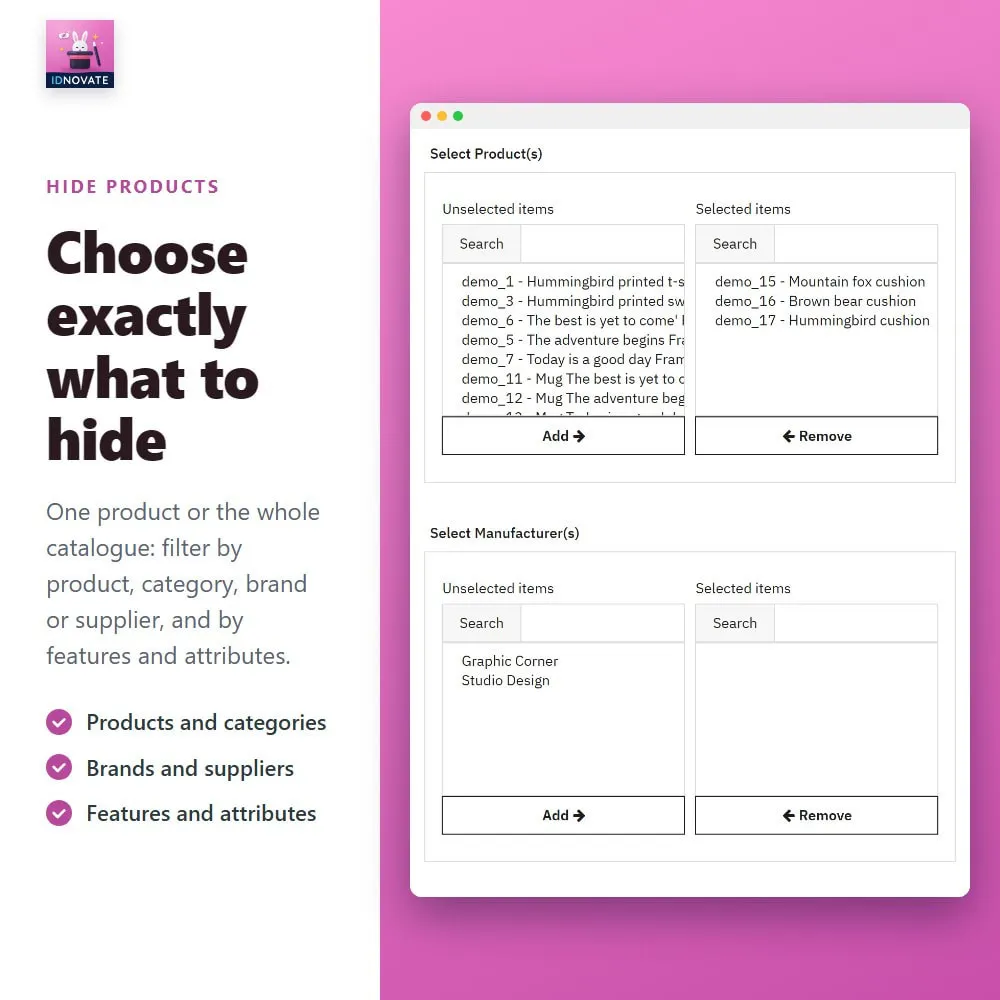
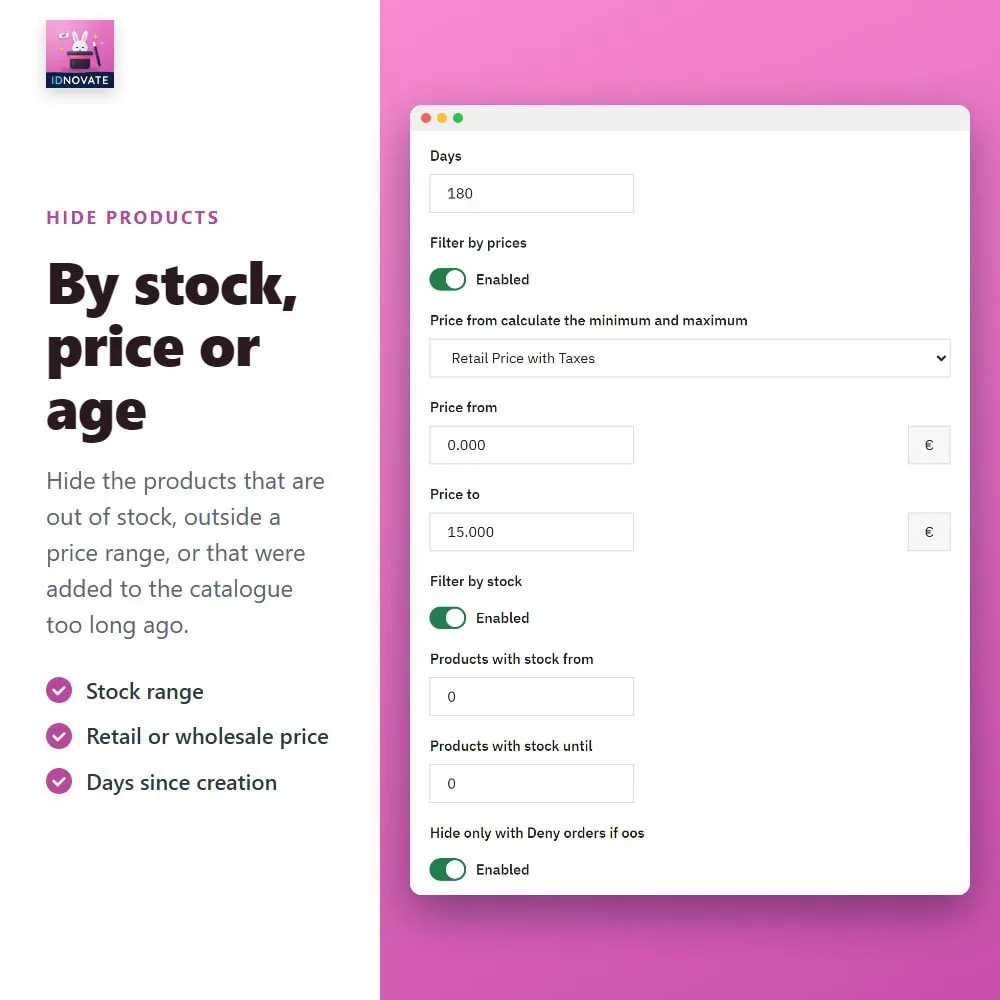
Products, categories, brands, suppliers, features and attributes, plus ranges of stock, price and weight, products with or without a discount or an image, and products created more than a number of days ago. ✅
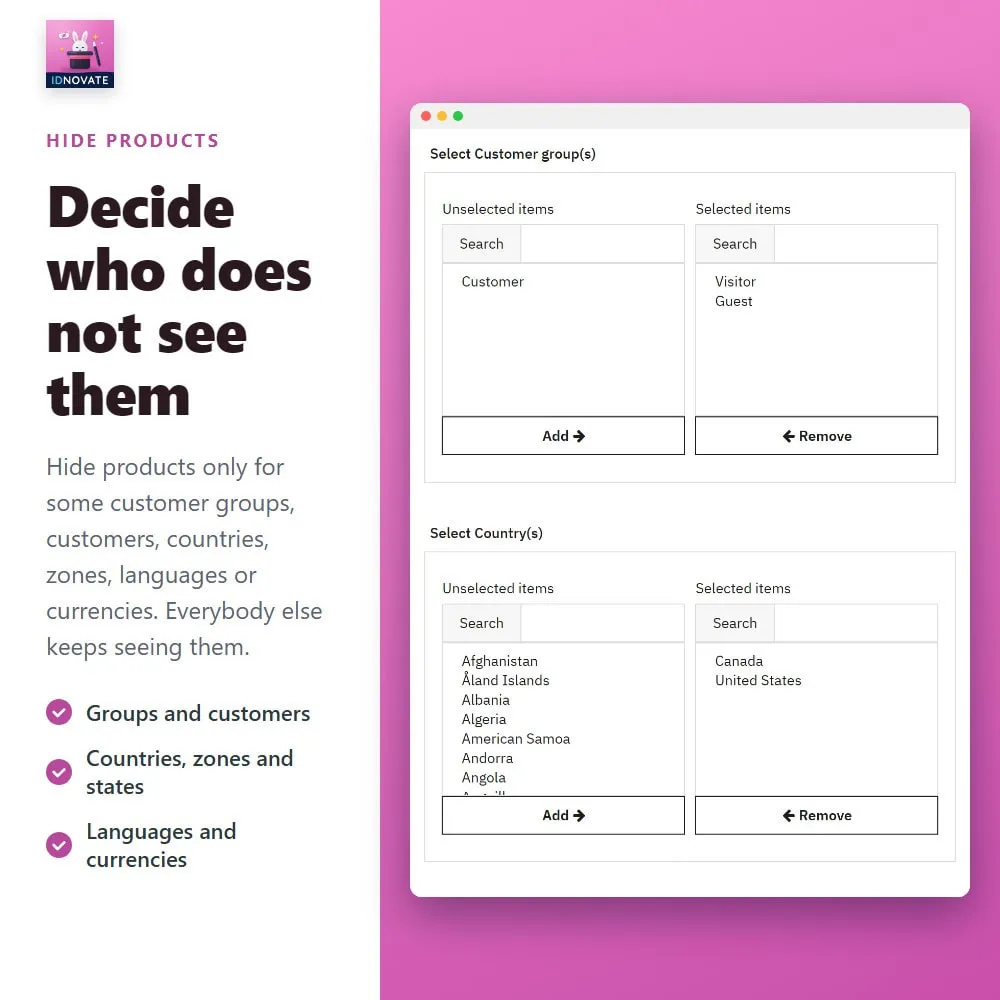
Hide products only for some customer groups, customers, countries, zones, states, languages or currencies. With PrestaShop geolocation, the country is detected when the customer arrives. ✨
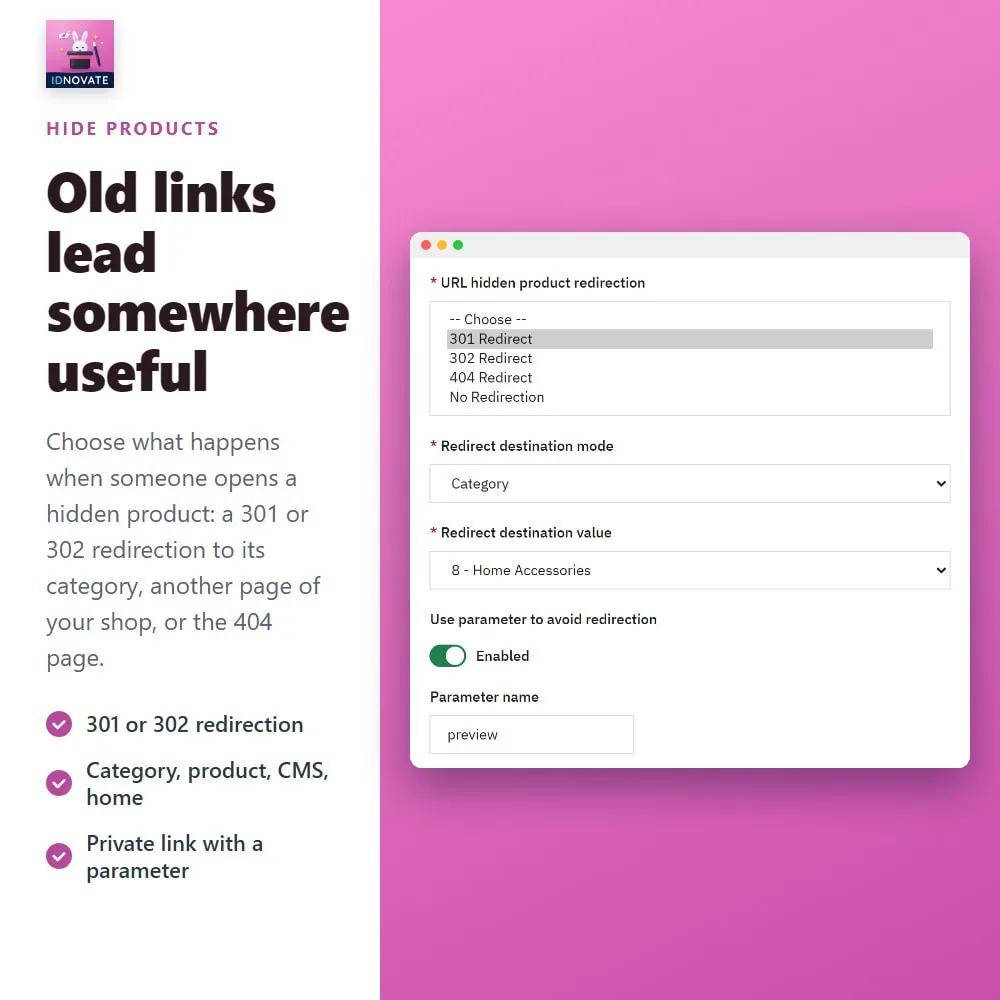
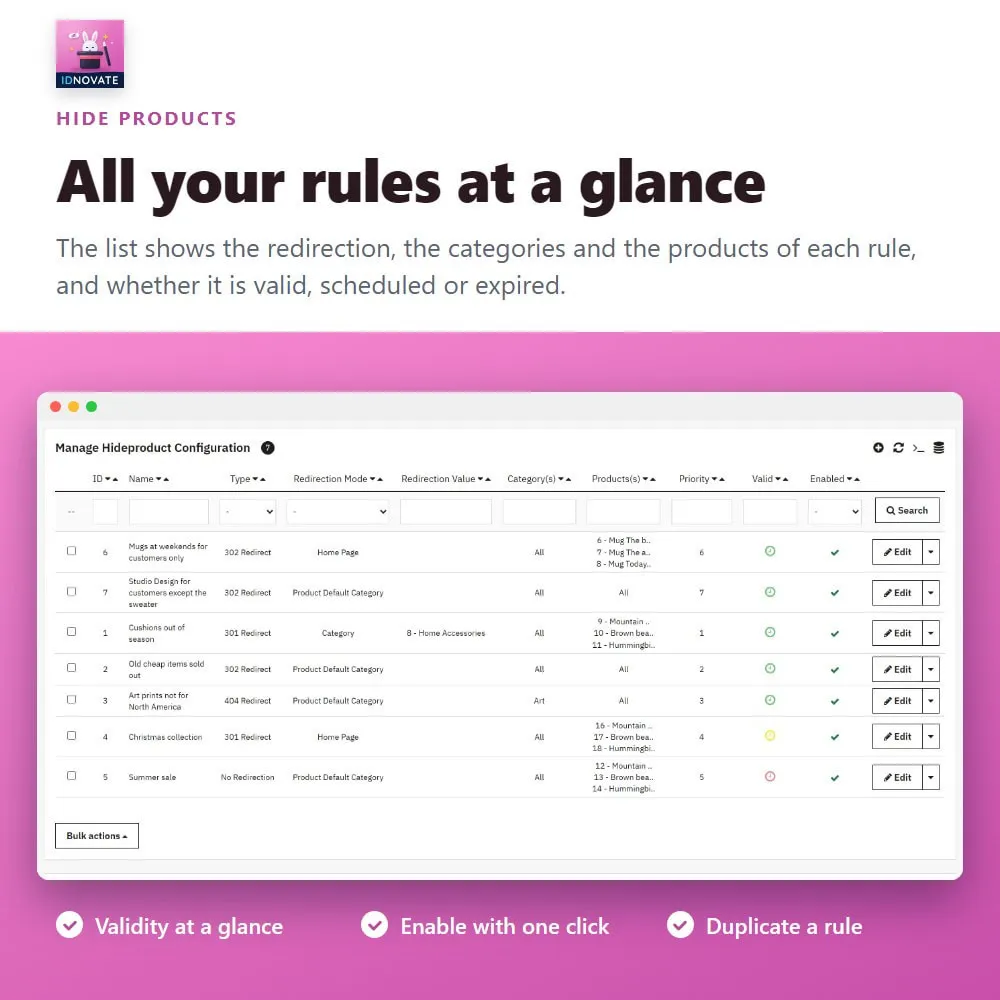
Choose a 301 or 302 redirection to the default category of the product, another category, another product, a CMS page, a brand, a supplier, the home page or the specials, or send the customer to the 404 page. ✅
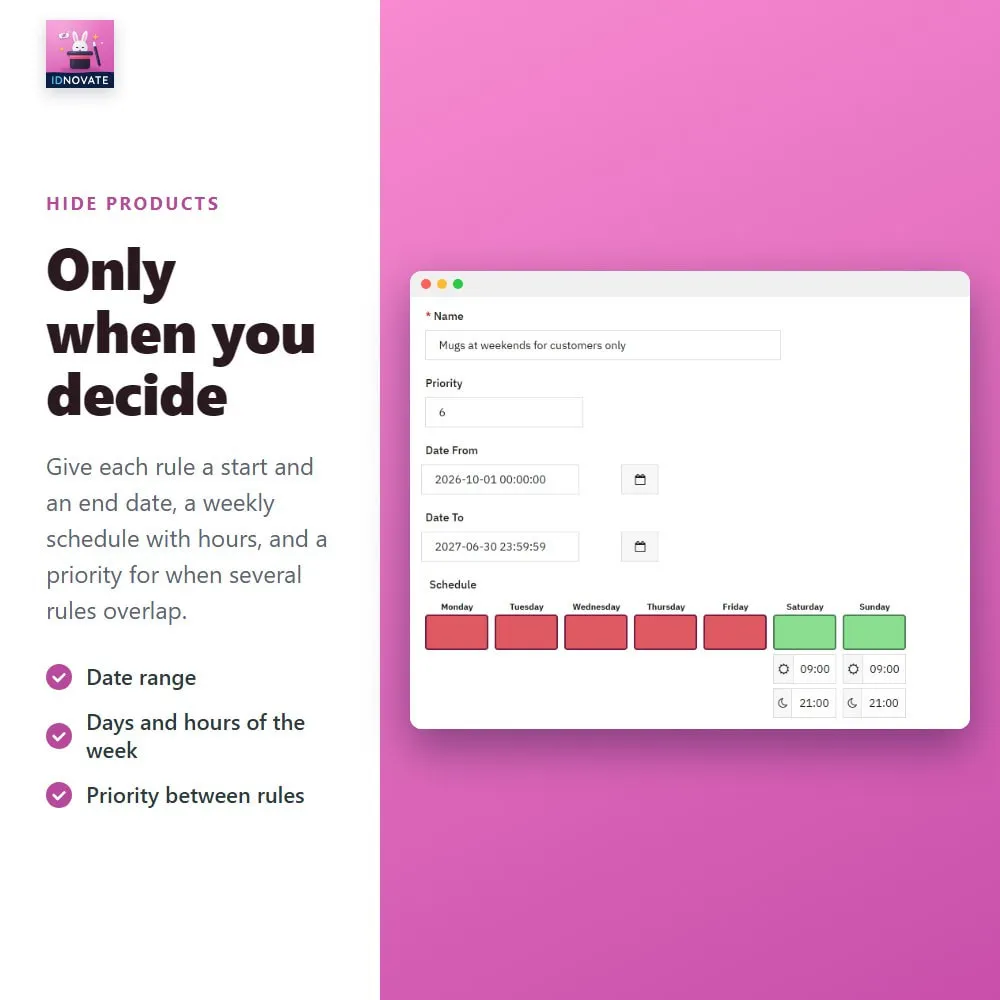
Give each rule a start and an end date and the days and hours of the week when it applies, and a priority for when several rules overlap. ✨
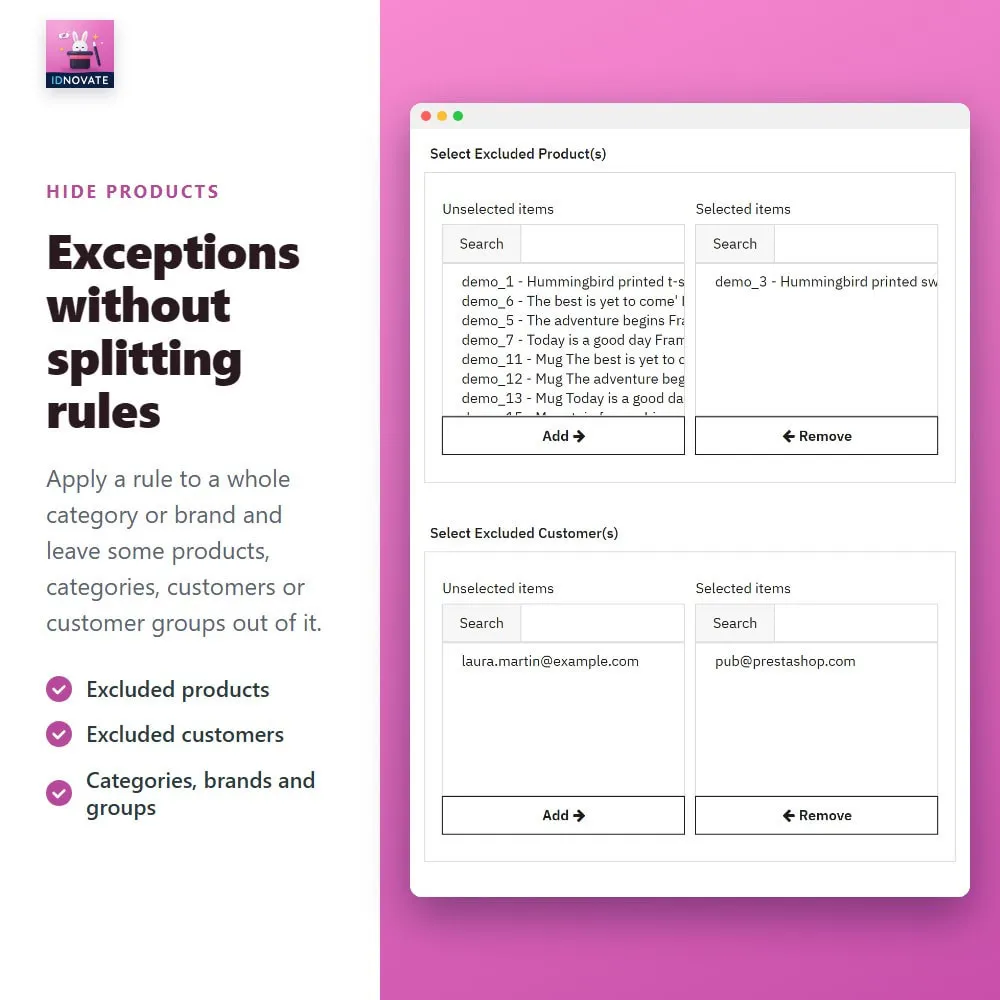
Apply a rule to a whole category or brand and leave some products, categories, customers or customer groups out of it. ✅
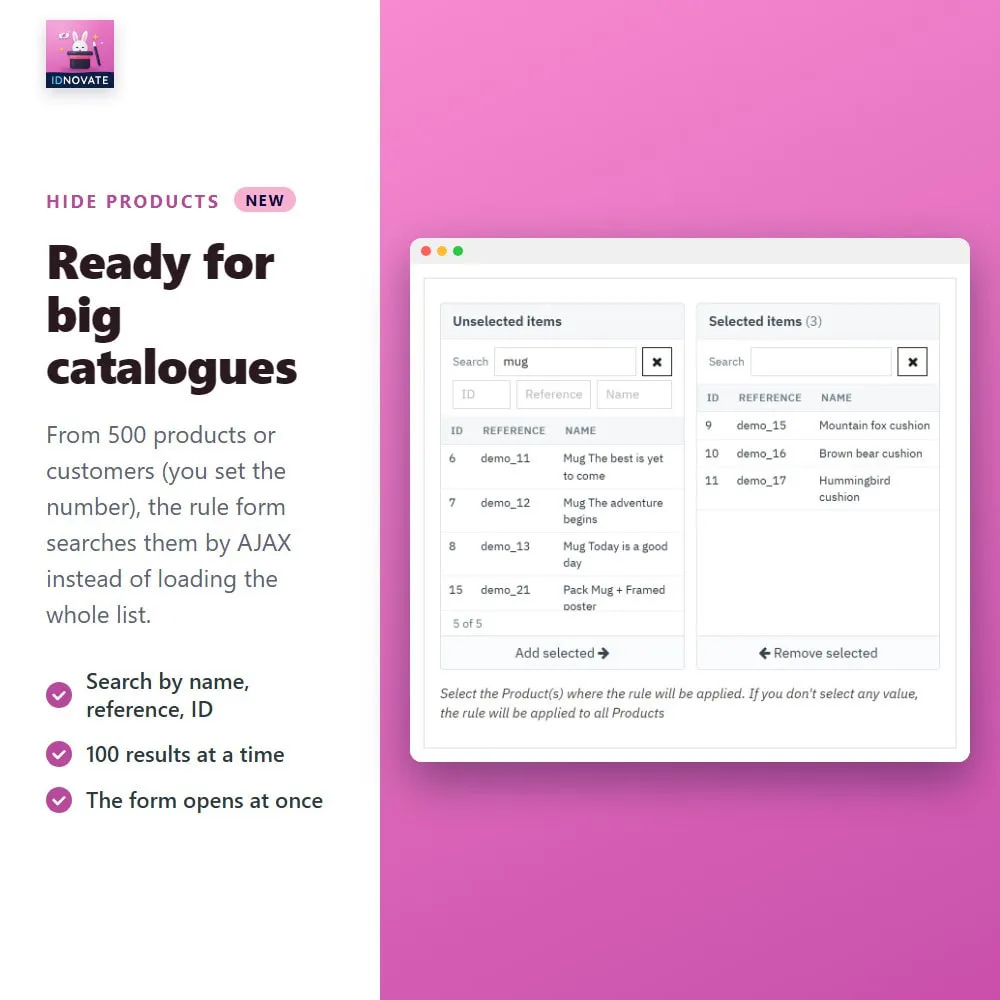
From the number of products or customers you set (500 by default), the rule form searches them by AJAX instead of loading the whole list, so it opens at once. ✅
❓ What are the main features of the module?
▪️ The hidden products are never disabled or deleted: disable the rule or the module and they are back.
FREQUENTLY ASKED QUESTIONS - FAQ
❓ Are the hidden products disabled or deleted?
➡️ No. They stay active in your catalogue with their stock, prices and images. They are only hidden in the shop while a rule applies.
❓ Can I hide the products that are out of stock?
➡️ Yes. Use the stock filter of the rule, for example from 0 to 0 units, and choose whether to hide only the products that do not accept orders when out of stock.
❓ Can I hide products only for some customers or countries?
➡️ Yes. Each rule can be limited to customer groups, customers, countries, zones, states, languages and currencies.
❓ What happens if a customer opens the link of a hidden product?
➡️ You choose it in each rule: a 301 or 302 redirection to its category, the home page or another page of your shop, the 404 page, or no redirection.
❓ Can I still open a hidden product myself?
➡️ Yes. Set a URL parameter in the rule and add it to the link of the product to open it without being redirected.
❓ Can I hide products only for a while?
➡️ Yes. Each rule has a start and an end date and a weekly schedule with days and hours.
❓ Can I hide a whole category except some products?
➡️ Yes. Enable the exclusions and leave some products, categories, brands, customers or customer groups out of the rule.
❓ Does it work with big catalogues?
➡️ Yes. From 500 products or customers (you can change the number) the rule form searches them by AJAX instead of loading the whole list.
❓ Do I get updates and support?
➡️ Yes. The module receives constant updates and is backed by idnovate support, a certified PrestaShop partner.
So useful module, So good and responsible support, So compassionate and professional developer group

Module très efficace est complet, les développeurs sont très réactifs et vous répondent rapidement. Le module est facilement configurable, je recommande.
Thanks Fantastic Support and a terrific module which allows you to hide and display products to selected customers
perfect product and assistance!
The best module to hide and redirecto products. The Support Team is really helpfull and answered really fast to any issues.
El módulo funciona bien y el soporte es muy bueno, hemos necesitado hacer unos ajustes para que funcione bien y han sido muy pacientes y atentos. Muy recomendable.
Very good product and perfect support, always on time
Nice Module - Fast customer Service !
support and solution is the fastest I never saw.
Bardzo dobry moduł, który idealnie spełnił moje oczekiwania. Ukrywanie produktów jest bardzo łatwe, dużo możliwych zmiennych do wyboru. Deweloper świadczy też bardzo dobre usługi wsparcia. Kontakt jest bardzo dobry (s...

El modulo es justo lo que necesitamos! El servicio técnico es muy bueno y efectivo, ya que nos solucionaron bastantes dudas tras comprarlo. Gracias

Soporte técnico super eficiente!!
Ottimo prodotto che fa quello che dice. Per farlo funzionare a dovere ho dovuto farmi supportare dall'assistenza, ma sono stati abbastanza veloci. Costoso ma utile.

Este módulo es justo lo que necesitaba, de fácil instalación y configuración, 100% recomendado. Lo mejor, el excelente soporte que me ha brindado el desarrollador. El módulo no acaba de ir fino en mi web, lo solucion...
How can we help you?
Choose your preferred contact method and we'll get back to you as soon as possible.
Loading the chat, one moment please.