Shopping Cart




- Online only
- -20%
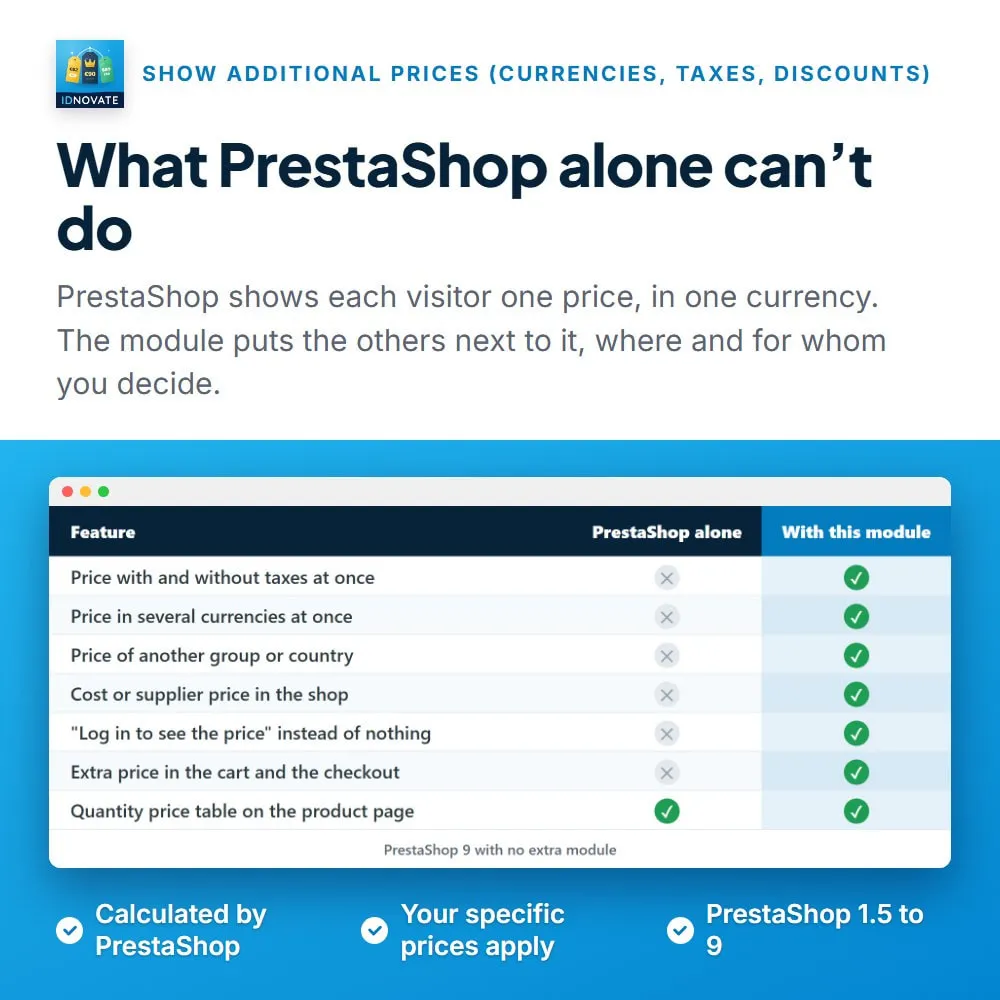
⚡ Your B2B customers want the price without taxes, your foreign visitors want it in their currency, your wholesale group wants to see what they save. PrestaShop shows one price. Our module adds as many as you need next to it, with rules: the price without or with taxes, in one or several currencies, the price of a customer group or of another country, the cost or supplier price. Each one with your own text, on the product page, in the product lists and in the cart, only for the products and the customers you choose. Your customers see the price that matters to them at a glance, without doing the maths.
❓ Why choose our module?
❓ What makes this module essential for your shop?
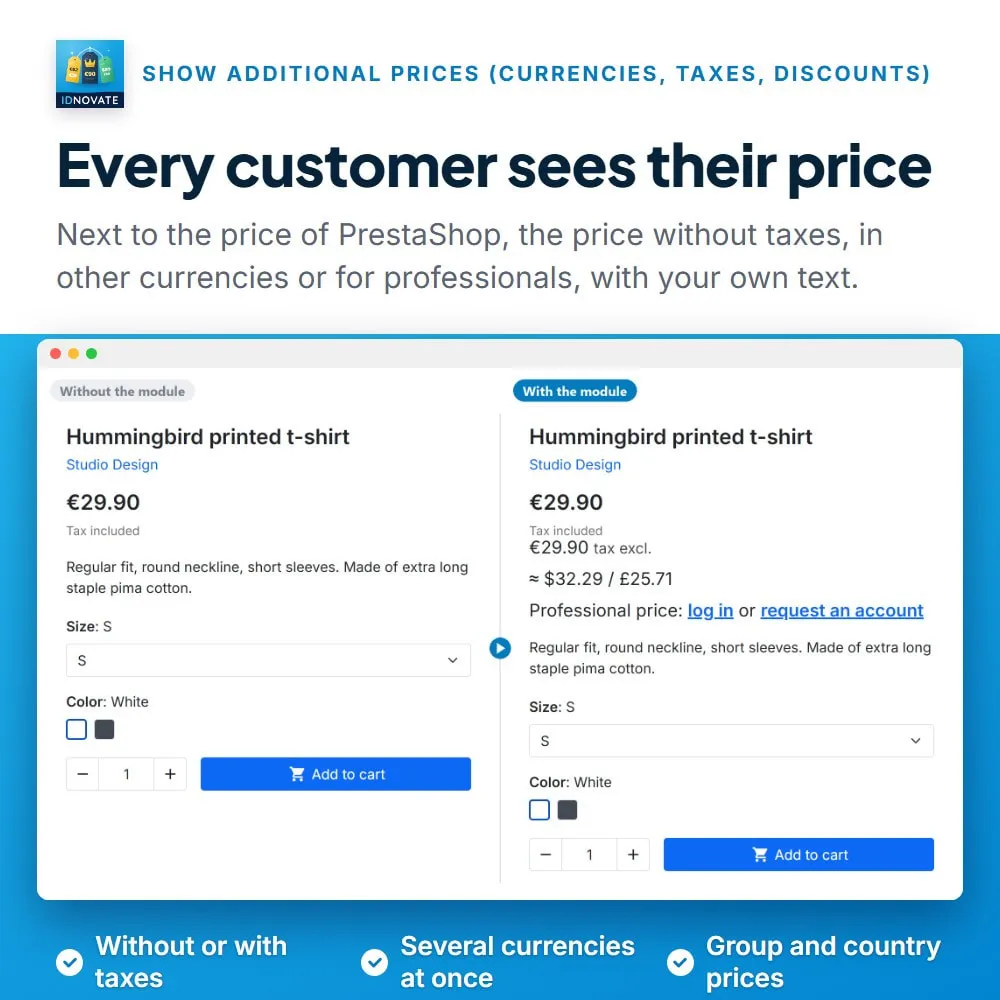
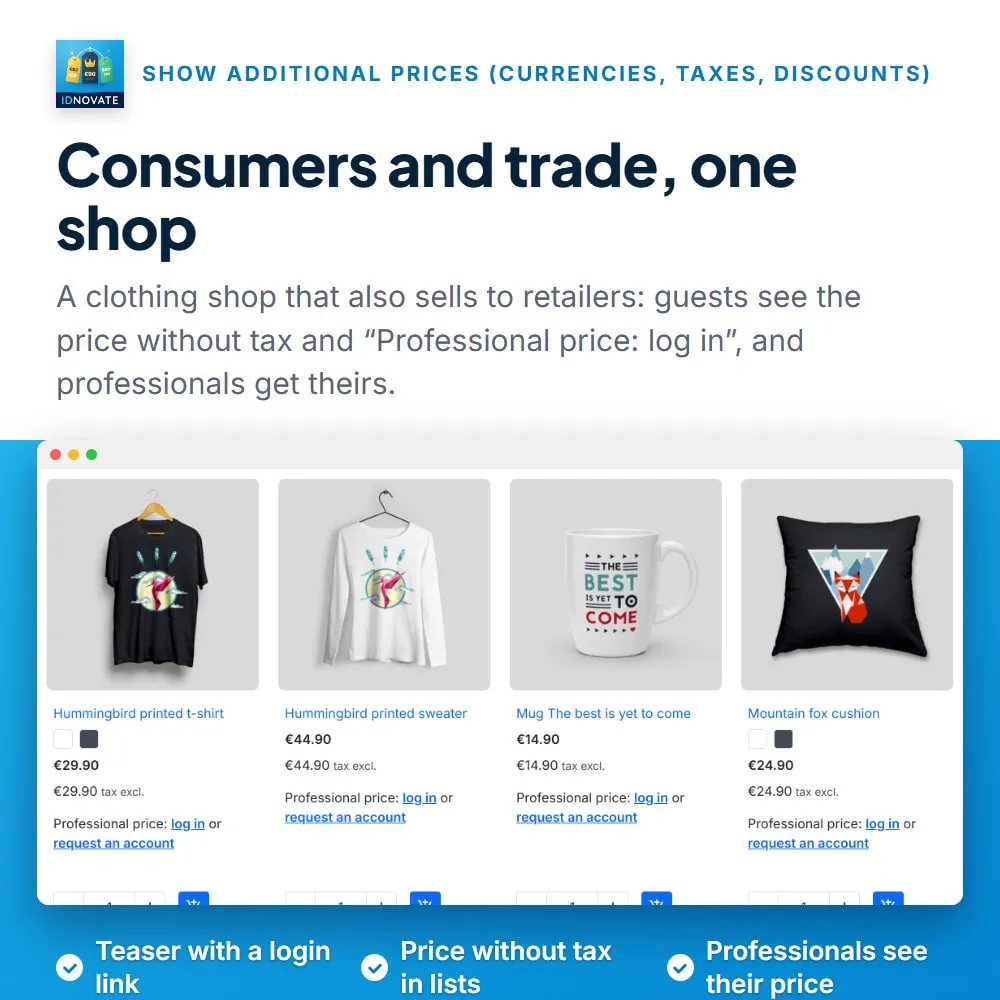
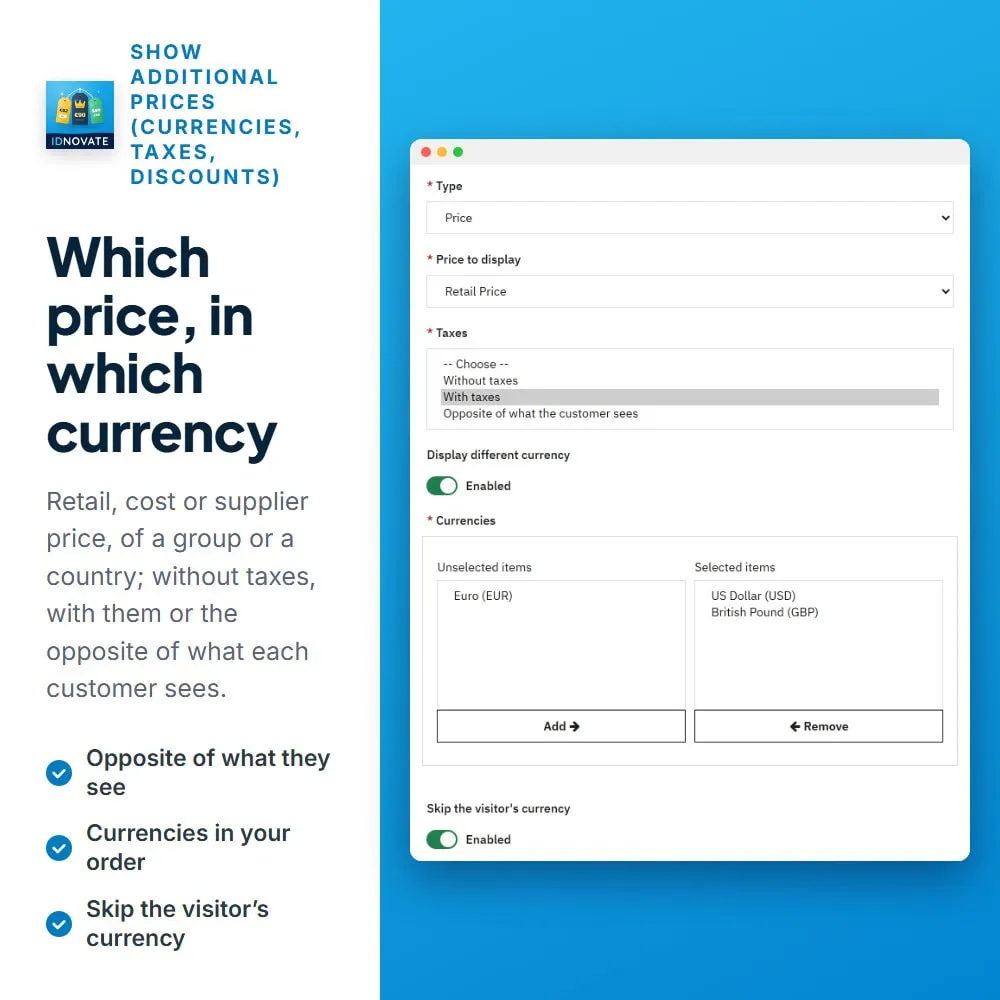
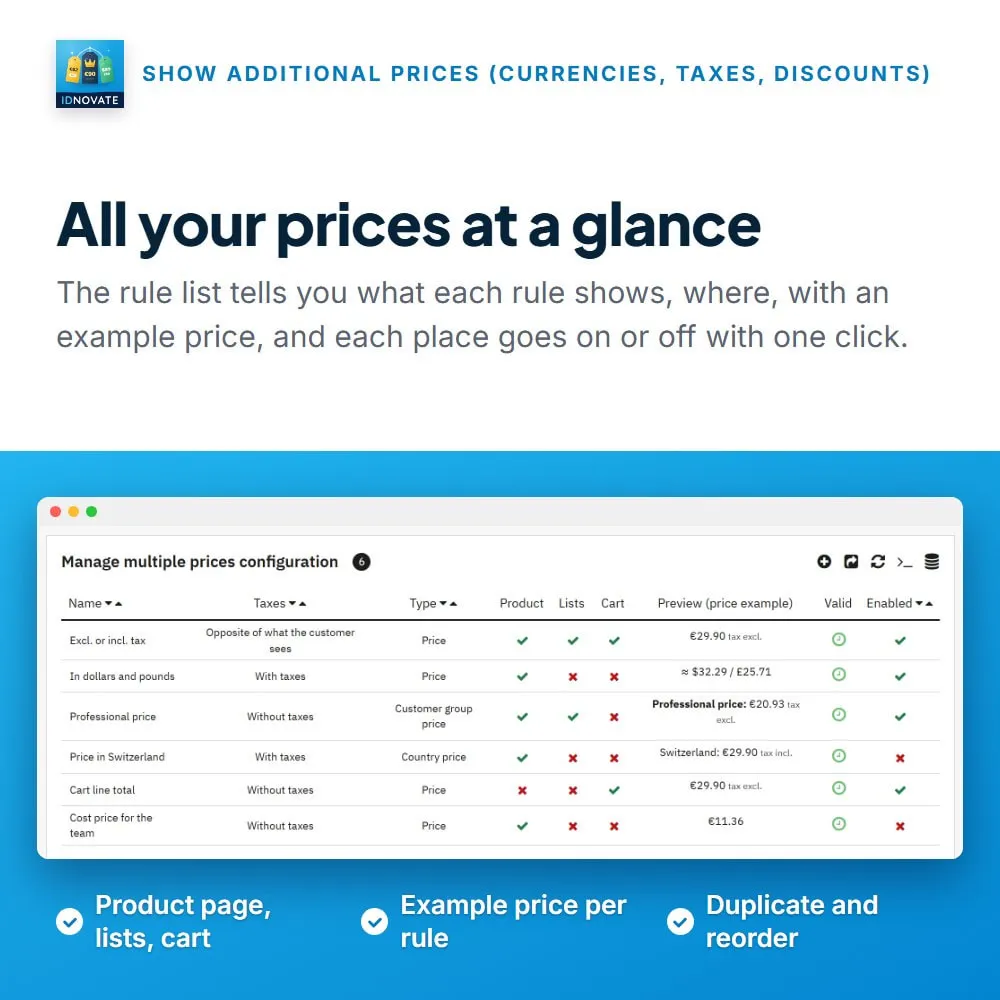
Show the price without taxes next to the price with taxes, or the other way round, or simply the opposite of what each customer sees. Ideal for shops that sell to businesses and consumers at the same time. ⚡
Show the price in one or several currencies at once, or place each currency where you want in the text. The currency the customer is browsing in is not repeated if you prefer. ✅
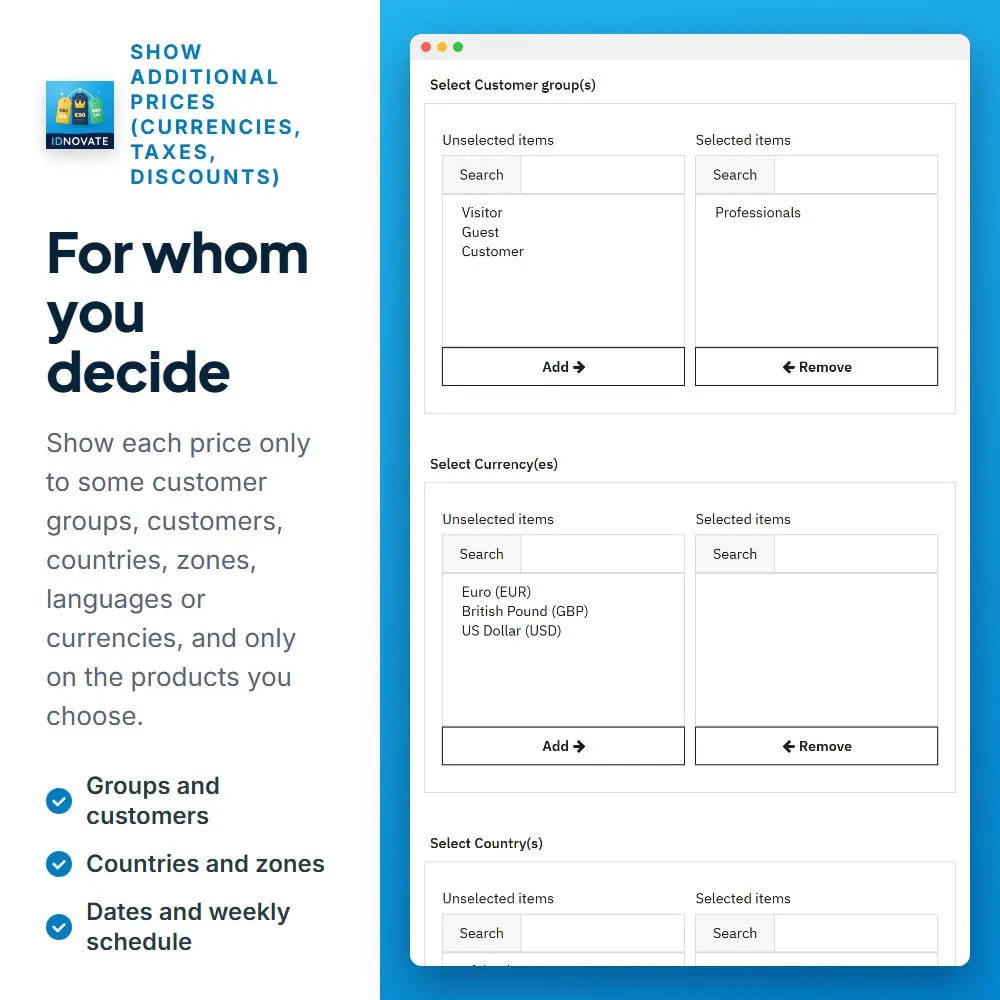
Show the price of a customer group (wholesale, professional...), the price in another country with its taxes, or the cost or supplier price of the product. ✨
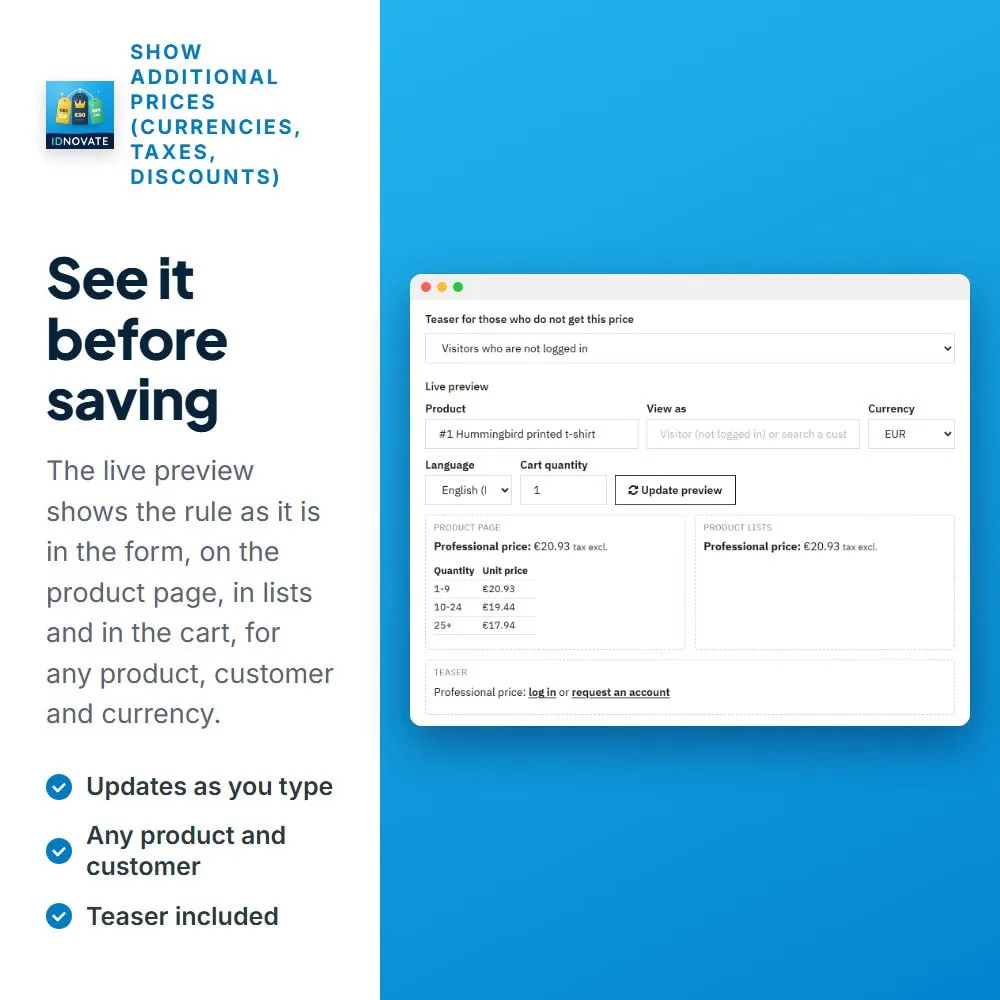
Tell your customers what they save against the regular price, in amount and percentage, and show a table with the price from each quantity that has a discount. ✅
Visitors who are not logged in, or customers outside the group, see a text instead of the price, such as "Professional price: log in or request an account", with links that bring them back to the product. ✨
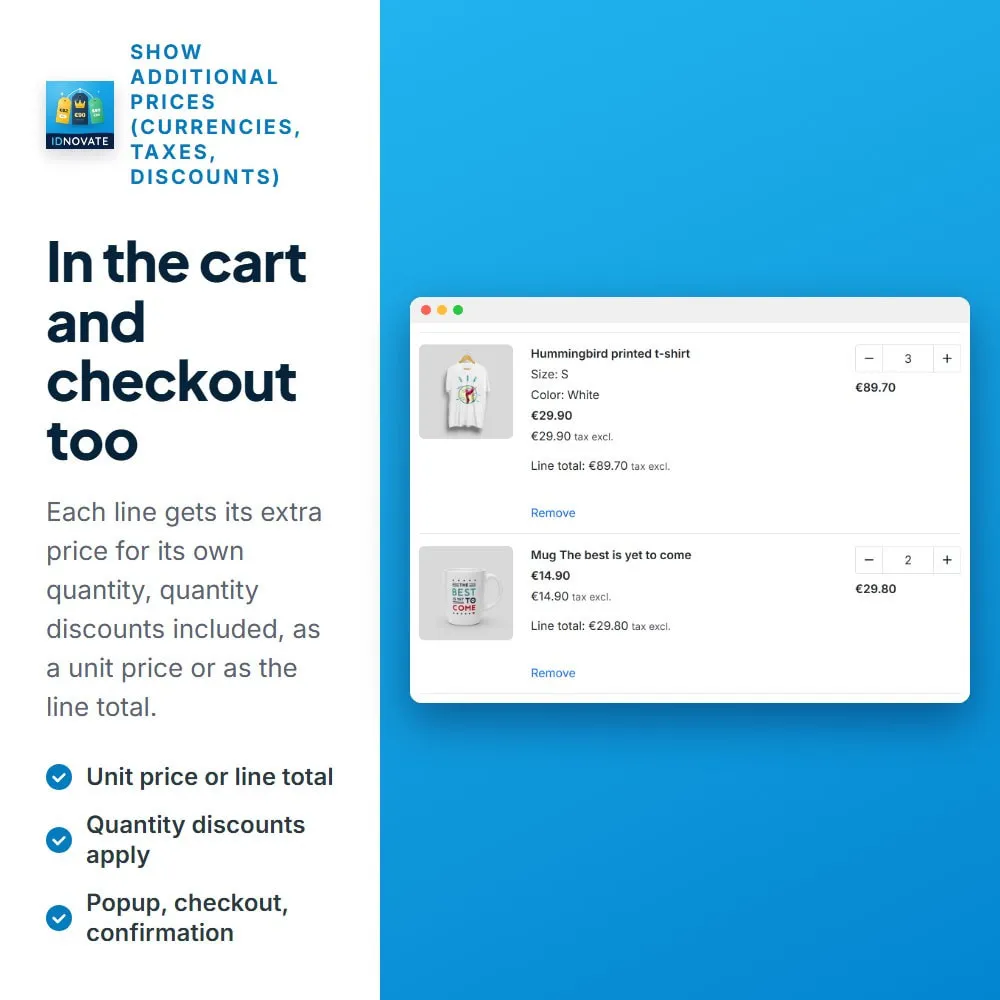
The price is worked out for the quantity of each line, as a unit price or as the line total, so quantity discounts apply. ✅
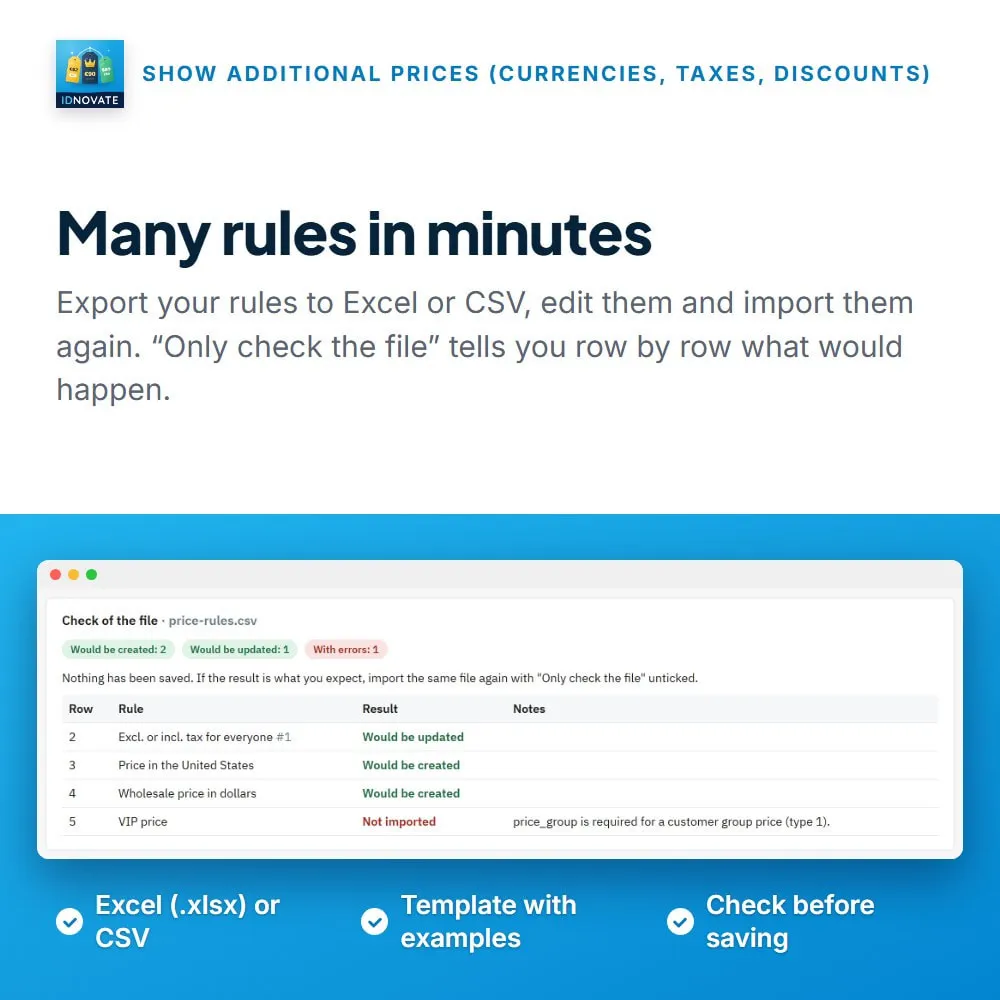
Duplicate rules, export them to Excel or CSV, edit them and import them again, with a check of the file before anything is saved. ✅
❓ What are the main features of the module?
FREQUENTLY ASKED QUESTIONS - FAQ
❓ Can I show the price without taxes next to the price with taxes?
➡️ Yes. Create a rule with the taxes set to "Without taxes", or to "Opposite of what the customer sees" so each customer gets the other price.
❓ Can I show the price in several currencies at once?
➡️ Yes. Choose the currencies of the rule: they are shown in your order, separated by " / ", or each one where you place it in the text.
❓ Can I show the price of my wholesale group to everybody?
➡️ Yes. A "Customer group price" rule shows the price of that group, with its discounts, to the customers you choose.
❓ Can visitors who are not logged in see a message instead of the price?
➡️ Yes. Turn on the teaser of the rule and write your text, for instance "Professional price: log in or request an account", with links to log in and to create an account.
❓ Does it show the saving against the regular price?
➡️ Yes. The texts can show the regular price and the saving in amount and percentage, and hide that part when there is no saving.
❓ Is the price updated when the customer changes the combination?
➡️ Yes. The extra prices follow the combination chosen on the product page.
❓ Does it work in the cart and in the checkout?
➡️ Yes. You can show the price in the cart, the add-to-cart popup, the checkout summary and the order confirmation, as a unit price or as the line total.
❓ Can I create many rules at once?
➡️ Yes. Export the rules to Excel or CSV, edit the file and import it again. You can check the file first without saving anything.
❓ Does it use overrides?
➡️ No. It works with hooks only.
❓ Do I get updates and support?
➡️ Yes. The module receives constant updates and is backed by idnovate support, a certified PrestaShop partner.
Funciona perfectamente, muy configurable. Soporte excelente y con respuesta muy rápida.

Great service!
Pretty good module and amazing support team, I recomend it.
Great team of developers and the best module to show additional prices.
Modulos super completo, y el soporte técnico inmejorable, servicio rapido y muy profesional. Ya son varios modulos que tengo con ellos y no defaudan. 100% recomendables.
muy buen modulo, ademas el desarrollador muy bueno, cualquier cambio de adaptación necesites lo hacen rápido y sin problemas, muy recomendable
Very nice product and I recommend it.
10 stars from me. Excellent support. Recommended.
Good product and great support. They develop very good quality modules.
muy buen modulo, ademas el desarrollador muy bueno, cualquier cambio de adaptación necesites lo hacen rápido y sin problemas, muy recomendable
Développeur à l'écoute et prend le temps de vous aider. Très bon module
Atención al cliente magnifico,

Me ahorro mucho tiempo este modulo. Funciona muy bien.