
• Online only
  • -20%
Sticky Elements Pro - Sidebar Cart, Buy Product, Header, Menu module for PrestaShop
Video Video
Sticky Elements Pro - Sidebar Cart, Buy Product, Header, Menu module for PrestaShop

Sticky Elements Pro - Sidebar Cart, Buy Product, Header, Menu module for PrestaShop

Version: 2.0.0 (2026-11-17) | Compatibility: PrestaShop 1.4.0.1 - 9.2.1 | (30)
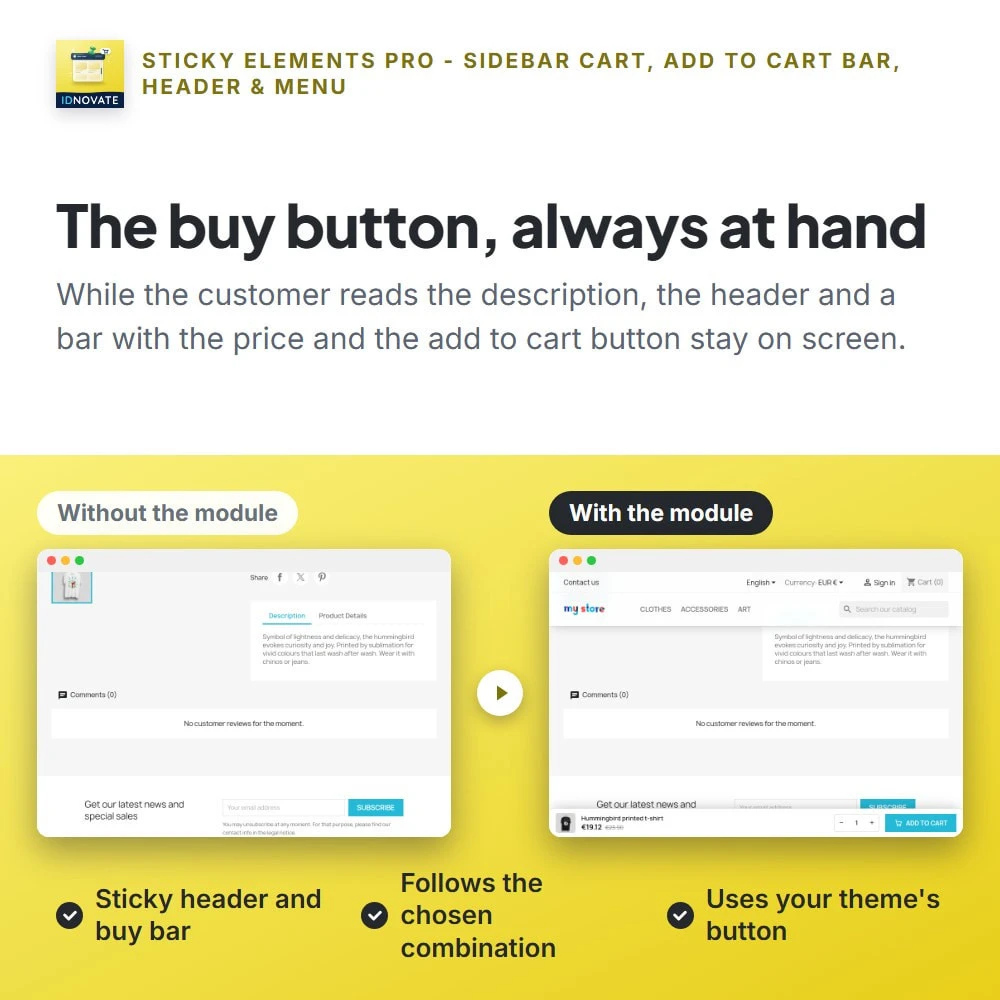
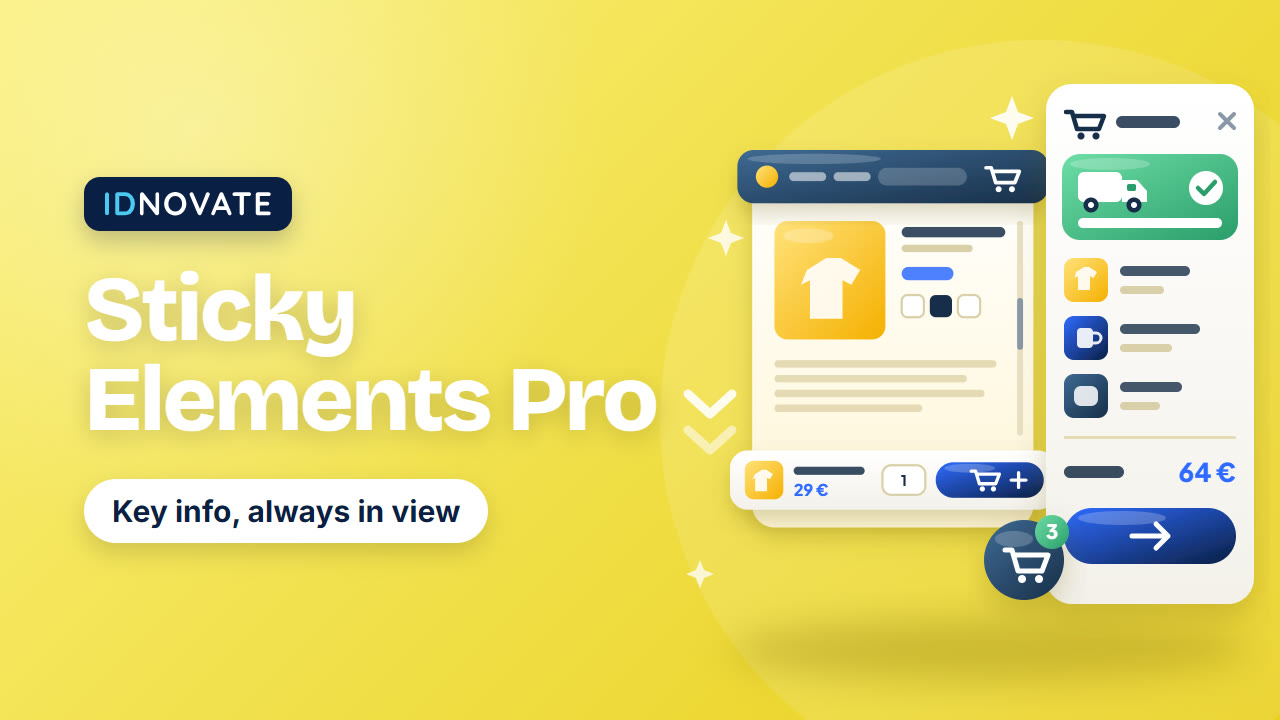
Fixed header, add to cart bar on the product page, floating cart button and a sidebar cart that opens without leaving the page: your customers always have the cart one click away, on desktop and mobile, without touching your theme.
Support
  • 1 year €55.99
🛠️ Installation included: We can install the module in your store FOR FREE
🧬 Life-time free updates: You can ALWAYS download the last version
✅ Quality verified by PrestaShop: Validated by PrestaShop QUALITY Team
🤝 3 months1 year support: We are BY YOUR SIDE when you need it
€55.99 €69.99 -20%
Tax excluded
Number of licenses
Accepted payment methods
−20%Black Friday: 20% offLive until the night of the 30th. Subscribe to the newsletter and we will send you the code.Exclusive codeGet it by email


⚡ As soon as your customers scroll down a long page, the menu, the add to cart button and the cart disappear. To buy, they have to scroll all the way back up; to check their cart, they leave the page they were on. Every one of those steps is a chance to give up. Our module keeps all of it at hand: the header stays on screen, a bar with the price and the add to cart button follows them down the product page, and the cart opens in a side panel with one click. They buy with fewer clicks, and they never lose their way.


❓ Why choose our module?

  • Four elements in one module - fixed header, add to cart bar, floating cart button and sidebar cart, each one switched on, shaped and coloured on its own.
  • It works with your theme, not instead of it - the bar uses the add to cart button of your theme and copies the price it shows, so combinations, customisations, minimum quantities and price modules keep working as usual.
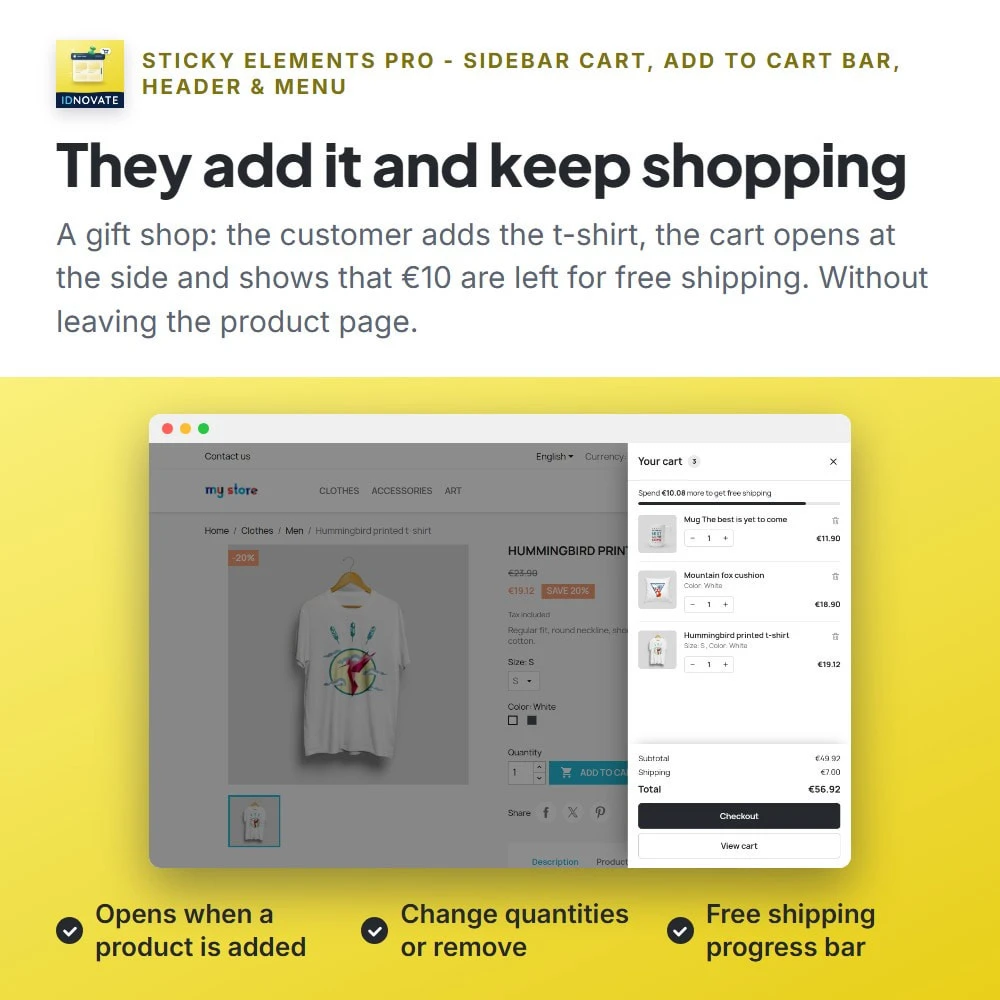
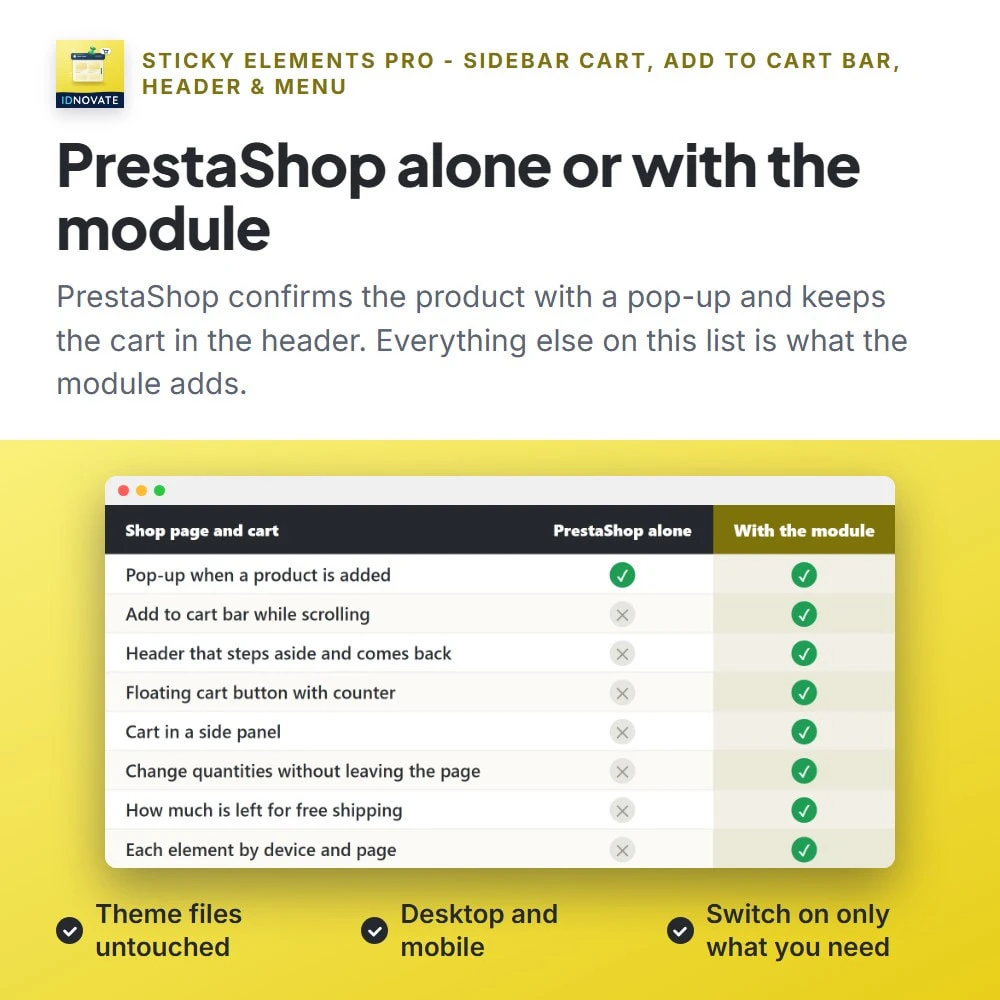
  • The cart without leaving the page - the sidebar cart opens when a product is added, shows the totals and how much is left for free shipping, and lets the customer change quantities right there.
  • Ready from the first minute - it recognises the header, the button, the price and the cart of the standard themes by itself, with no theme files to edit.
  • Desktop and mobile, each its own way - choose the devices of every element, a different position on mobile and the width where mobile starts.


❓ What makes this module essential for your shop?

  • A header that is always there

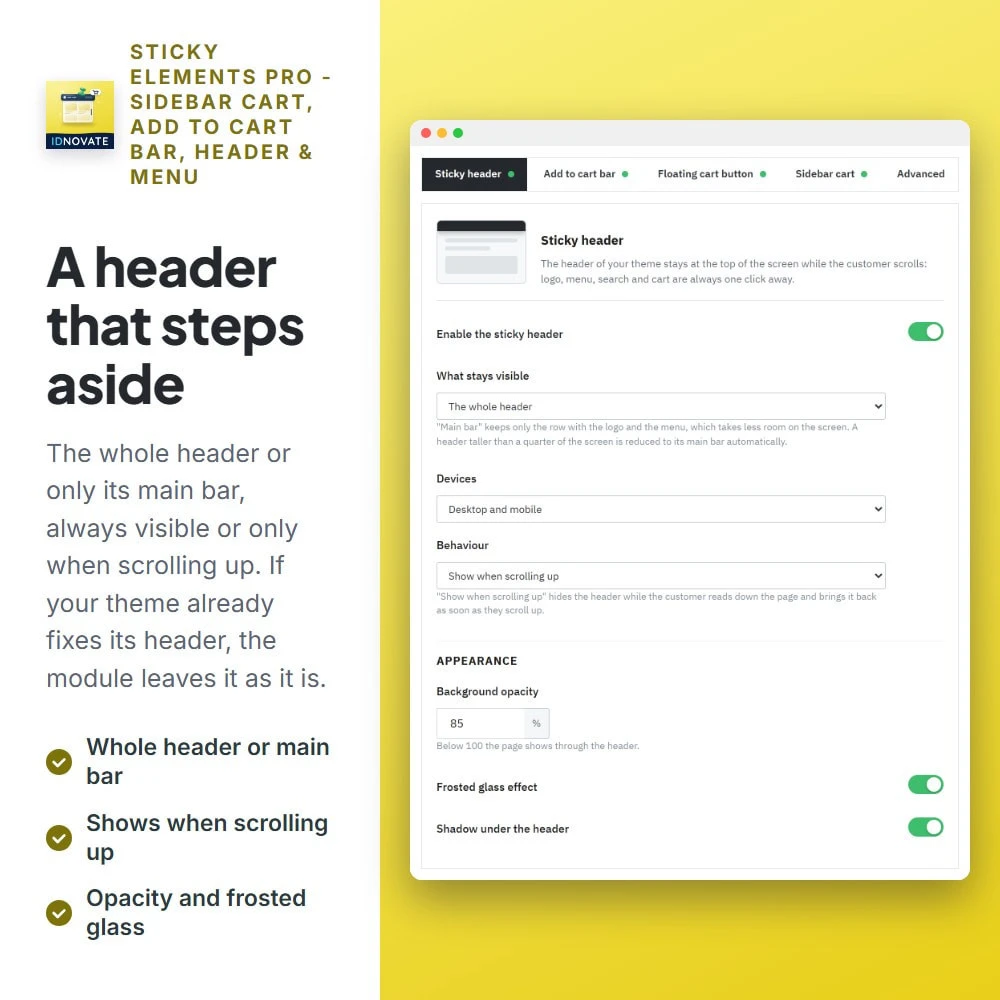
The whole header or only its main bar stays at the top while the customer scrolls, always or only when they scroll up, with your colour, transparency, a frosted glass effect and a shadow. A very tall header is reduced to its main bar automatically, so it never covers the page. ⚡

  • An add to cart bar on the product page

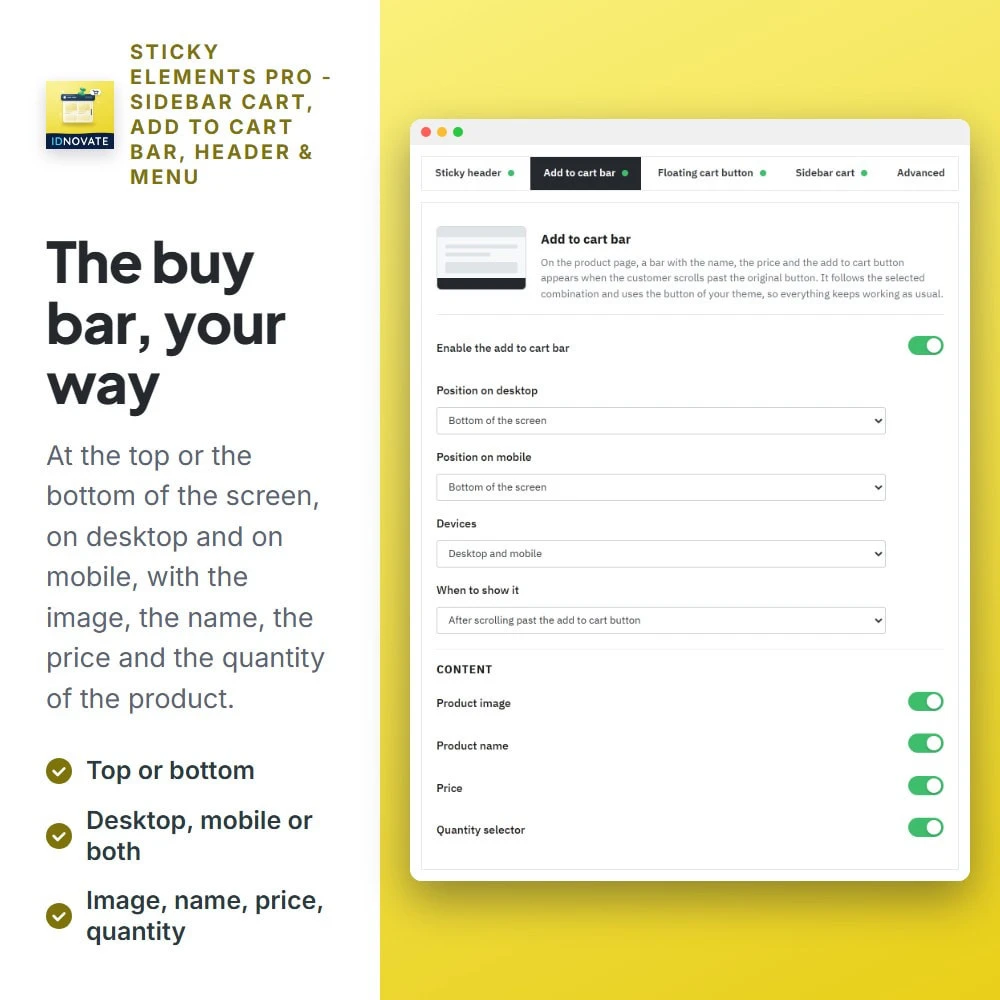
When the customer scrolls past the add to cart button, a bar with the image, the name, the price, the quantity and the button appears at the top or at the bottom of the screen. It follows the selected combination, and if something is still to be chosen it takes the customer back to it. ✅

  • A floating cart button

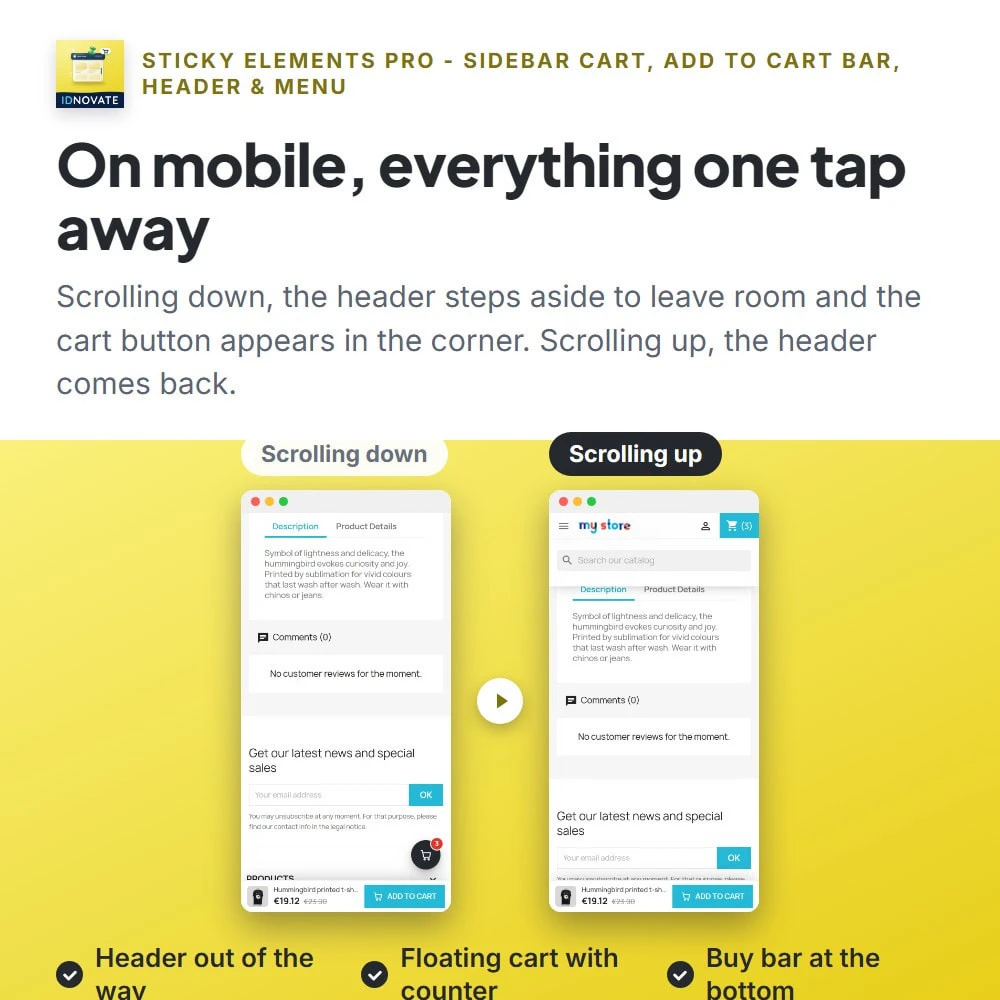
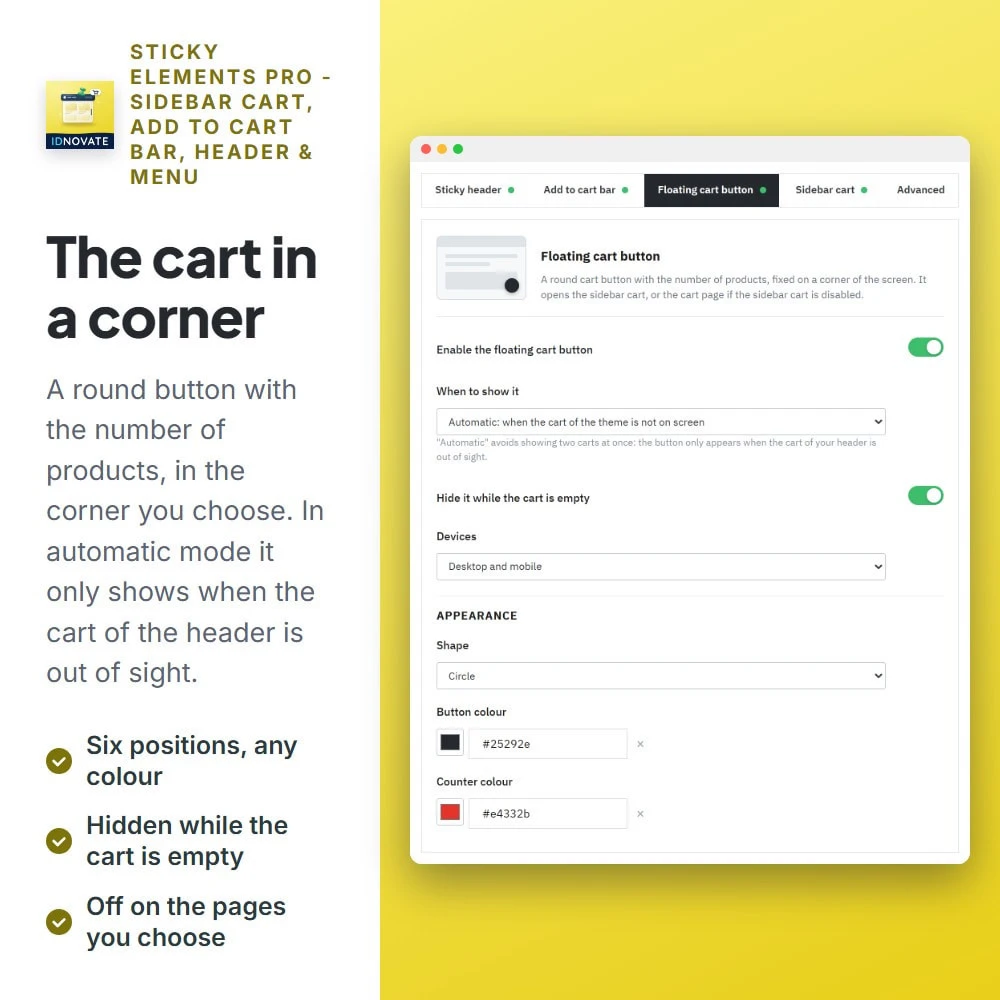
A cart button with the number of products, fixed on the corner you choose. In automatic mode it only appears when the cart of your header is out of sight, so there are never two carts on screen. ✨

  • A sidebar cart

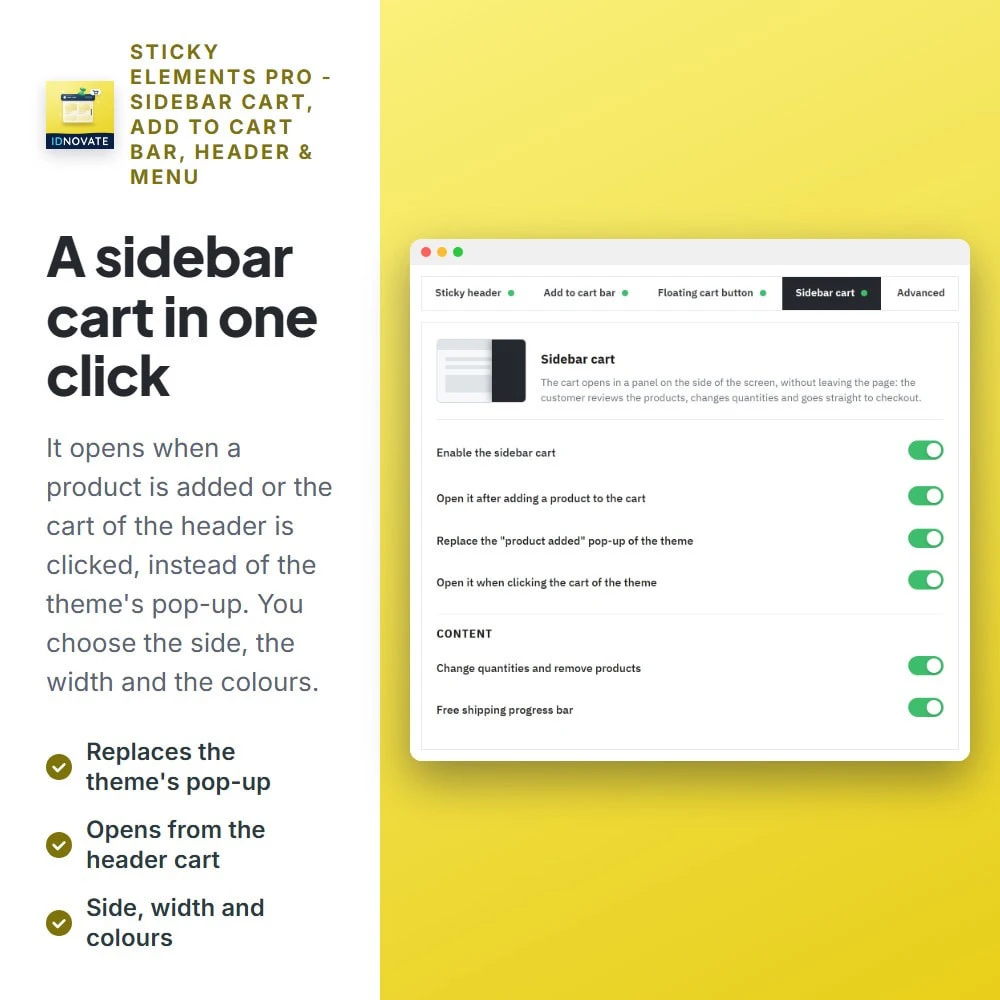
The cart slides in from the side: products, subtotals, discounts, shipping and total, with the checkout button one click away. It can replace the "product added" pop-up of your theme and open when the cart of the header is clicked. ⚡

  • Free shipping progress

The sidebar cart shows how much is left to get free shipping, with the amount you already set in PrestaShop, and encourages one more product in the cart. ✅

  • Every page as you want it

Leave out the pages where an element is not wanted: by default the floating button and the sidebar cart stay away from the cart and the checkout. On a page where nothing applies, the module loads nothing at all. ✨

  • An easy update from the previous versions

If your shop used an earlier version of the module, its settings are converted automatically: what was off stays off. ✅

❓ What are the main features of the module?

  • ⭐ Fixed header
  • Keep the whole header on screen, only its main bar (logo and menu), or any other element of your theme by CSS selector.
  • A different selector for mobile, if your theme uses another header there.
  • Always visible, or hidden while reading down and shown again as soon as the customer scrolls up.
  • Background colour, opacity, frosted glass effect and shadow under the header.
  • A space is kept in the page, so nothing jumps when the header is fixed.
  • A theme that already fixes its header is left alone, and a very tall header is reduced to its main bar.
  • ⭐ Add to cart bar on the product page
  • Shown after scrolling past the add to cart button, or whenever the button is not on screen.
  • At the top or at the bottom of the screen, chosen separately for desktop and mobile.
  • Product image, name, price and quantity selector, each one optional.
  • The price and the image follow the selected combination; the price is the one your theme shows, with its taxes and discounts.
  • The button copies the look of the add to cart button of your theme, or takes your colours.
  • Adding goes through the button of your theme: combinations, customisations and minimum quantities behave as usual.
  • ✨ Floating cart button
  • Cart button with the number of products, whose counter bounces when a product is added.
  • Six positions (top, middle or bottom, left or right) and the distance to the edges.
  • Circle, rounded square or square, from 40 to 80 px, with the colours of the button, the icon and the counter.
  • Automatic (only when the cart of your header is out of sight) or always visible, and hidden while the cart is empty if you want.
  • Opens the sidebar cart, or the cart page if the sidebar cart is off.
  • ⭐ Sidebar cart
  • Opens from the right or the left, with the width you choose and the page behind darkened.
  • Opens after adding a product, replaces the "product added" pop-up of the theme, and opens when the cart of the header is clicked.
  • Products with image, combination, quantity and total; gifts are marked as gifts.
  • Change quantities and remove products without leaving the page: PrestaShop itself checks the stock, the minimum quantities and the cart rules.
  • Subtotal, discounts, shipping and total, with the checkout and view cart buttons.
  • Free shipping progress bar, with the amount set in Shipping > Preferences.
  • Colours of the panel, the text and the checkout button.
  • Closes with the Escape key, and the keyboard focus stays inside while it is open.
  • ⚙️ Settings for every theme
  • Every element can be enabled for desktop and mobile, desktop only or mobile only.
  • Pages where each element is not shown, the pages of other modules included.
  • Width where mobile starts and stacking order (z-index).
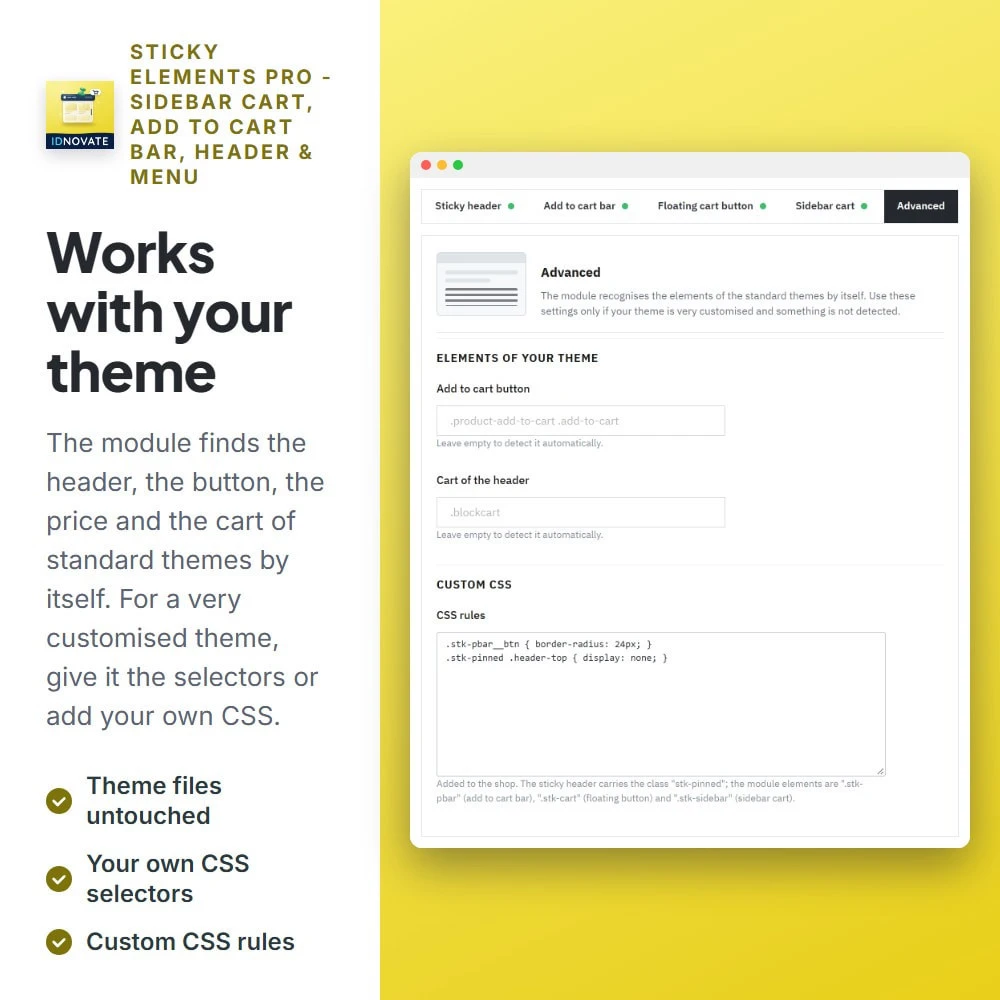
  • The add to cart button, the price, the quantity and the cart of the header are detected automatically; a CSS selector for each one if your theme is very customised.
  • Your own CSS rules, with documented classes for every element.
  • Right-to-left languages supported.


▪️ No theme files to edit: disable the module and your theme is exactly as it was.

▪️ Coming from an earlier version, the settings are converted automatically.

FREQUENTLY ASKED QUESTIONS - FAQ

❓ Do I have to edit my theme?

➡️ No. The module recognises the header, the add to cart button, the price and the cart of the standard themes by itself. Only a very customised theme may need a CSS selector in the advanced settings.


❓ Does the add to cart bar work with combinations and customisations?

➡️ Yes. It uses the add to cart button of your theme, so the selected combination, the customisation and the minimum quantity are respected. If something is still to be chosen, it takes the customer back to it.


❓ Is the price of the bar always right?

➡️ Yes. The bar copies the price your theme shows, so it follows the combination, the taxes, the discounts and any other price module.


❓ Can the sidebar cart replace the "product added" pop-up of my theme?

➡️ Yes. With that option on, the pop-up is not shown and the sidebar cart opens instead to confirm the product was added.


❓ Can my customers change quantities in the sidebar cart?

➡️ Yes, and remove products too. The changes go through the cart of PrestaShop, so the stock, the minimum quantities and the cart rules are checked as usual.


❓ Where does the free shipping amount come from?

➡️ From Shipping > Preferences, "Free shipping starts at". If that amount is 0, the bar is not shown.


❓ Will customers see two carts at once?

➡️ No. In automatic mode the floating cart button only appears when the cart of your header is out of sight.


❓ Can I use different settings on mobile?

➡️ Yes. Each element can be shown on desktop, on mobile or on both, the add to cart bar has its own position on mobile, and the header can use another element on mobile.


❓ Can I hide an element on some pages?

➡️ Yes. Each element has its list of pages where it is not shown. By default the floating button and the sidebar cart are not shown on the cart and the checkout.


❓ I use an earlier version of the module. Do I lose my settings?

➡️ No. When you update, your settings are converted automatically, and what was off stays off.


❓ Do I get updates and support?

➡️ Yes. The module receives constant updates, and we look after you ourselves: fast, human, high-quality support.

Version
2.0.0 (2026-11-17)
Compatibility
1.4.0.1 - 9.2.1
Rating
5
Reviews
30
Downloads
518
Languages
EN, AG, AR, BR, CB, DE, ES, FR, IT, JA, MX, PL, PT, QC, RU, TW, ZH
Requires an external service
No

Customer Reviews

Always top support. It doesn't matter which module you choose from Idnovate, always well documented and very fast support if you get some trouble.
Add Sticky elements Cart, Menu, Product, Filters
As always I´m never disapointed at idnovate modules. Always works as it should and always get best support on customizations. I highly recommend idnovate modules Best regards Per Ledin https://ledin.info e-Comme...
Add Sticky elements Cart, Menu, Product, Filters
We use this on our site Poshbrands.se. Working excellent! Just install. No fix needed. Best regards Per Ledin MisterBling Online Group MisterBling.se, MisterBling.dk, MisterBling.no, MisterBling.fi, MisterBling....
Add Sticky elements Cart, Menu, Product, Filters
Very usefull module for mobile and desktop version. With a little help it works perfectly.
Add Sticky elements Cart, Menu, Product, Filters
Super module, qui apporte une fonctionnalité incontournable et ce de manière très simple à paramétrer. Support réactif et efficace.
Sticky (Collant) n'importe quelle partie du thème
Développeur très réactif, efficace et sérieux, je suis pleinement satisfait de ce module. Merci beaucoup !
Sticky (Collant) n'importe quelle partie du thème
Ottimo modulo Ottima assistenza.
Rende scorrevole (sticky) il Carrello, Menù, Prodotto
Perfecto
Haz flotante (sticky) la Cabecera, Carrito, Menú
materializarte.com T 11/28/2018
La atención ha sido excelente! un ejemplo de buen servicio. Me atendió David Garcia, un crack! Si todas las empresas atendiesen así, tendríamos un mundo mejor.
Haz flotante (sticky) la Cabecera, Carrito, Menú
Super support (thème personnalisé). Intervention très professionnelle et qui ne pouvait être plus rapide ! Le module fonctionne très bien et est un grand plus pour la navigation sur le site.
Sticky (Collant) n'importe quelle partie du thème

Customers who bought this product also bought: